
Mods for Minecraft Java 1.20.2 Datapack
39 itemsMods: list


Geophilic
A subtle-ish overhaul of vanilla Overworld biomes! Reworked!InstallOn a server

Spawn Animations
Hostile mobs dig out of the ground or poof into existence when they spawn!InstallOn a server

Hearths
A handful of additions to vanilla Nether biomesInstallOn a server

Luki's Grand Capitals
Rebuilt vanilla villages and illager structures to breathe new life into your world!InstallOn a server

Blossom Blade
The sword stuck in the pedestal glows with a holy light, carrying the smell of cherry blossoms with every swing.InstallOn a server

Tidal Towns
Several pieces of driftwood have been gathered to form a village that floats on the waves.InstallOn a server

Stony Cliffs Are Cool
Turns unsightly dirt hills into pretty stone cliffsInstallOn a server

ATi Structures - Vanilla Edition
A collection of custom structures and dungeons!InstallOn a server

Remove Stardust Labs Intro Message
A datapack/mod to remove the intro message that appears with Stardust Labs projects.InstallOn a server

Repurposed Structures - Friends and Foes Compat
Add Copper Golems and Beekeepers to RS VillagesInstallOn a server

Amplified Nether
The nether explorer's simple dream: doubled height and amplified terrain. What more is needed?InstallOn a server

Geophilic Reforged
A subtle overhaul of vanilla and mod Overworld biomesInstallOn a server
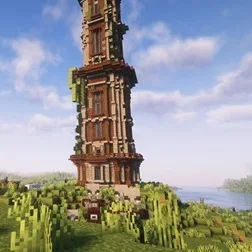
Improved Pillager Outpost
The "Improved Pillager Outpost" Datapack revamps the standard Minecraft Pillager Outpost into a challenging, multi-level tower. This overhaul adds detailed architecture, tougher enemies, and exclusive loot, creating a more immersive and rewarding experieInstallOn a server
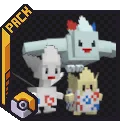
HiddenMons [Cobblemon]
Cobblemon Add-on that implements Pokémon not yet in the official mod!InstallOn a server

ATi Structures
Custom vanilla dungeons and structures for both Fabric and ForgeInstallOn a server

Ships
Adds a new ship dungeon and lets illagers use boats.InstallOn a server

CTOV - Farmer Delight Compat
Compatibility add-on for Farmer's delight mod and CTOVInstallOn a server

Continents
Reshapes the world to consist of continents, separated by large oceans and small islands.InstallOn a server

Grim kingdoms: Lost structures & ruins Vanilla Edition
Vanilla version REMOVES hidden unique vanilla itemsInstallOn a server

Lithosphere
Lithosphere aims to change the overworld worldgen to be more cinematic, polished and beautiful.InstallOn a server

Incendium Biomes Only
Removes structures, items, mobs and bosses from Incendium, leaving only the biomes and terrain.InstallOn a server
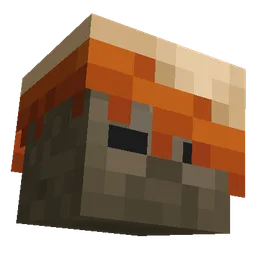
More Mobs
Humanoid mobs get new variants through over 85 custom player heads or unused vanilla mobs! No Resource Pack needed!InstallOn a server

Mob Captains
Rare and strong mobs will spawn, dropping illegally enchanted gearInstallOn a serverFAQ
How is Forge different from Fabric?
They're two different mod loaders that aren't compatible with each other. Forge is the older one and better suited to big tech and magic modpacks; Fabric is lighter, updates to new game versions faster, and hosts most performance mods. NeoForge is a Forge fork for newer versions, and Quilt is a Fabric fork. A Forge mod won't run on Fabric, and vice versa. Millida Launcher installs the right loader for you.
How do I know which mod version I need?
The one that matches your game version and loader. The “Install” button picks the file for you: Millida Launcher grabs the version for your modpack. A mod for 1.20.1 usually won't work on 1.21.
How do I install a mod?
Click “Install” and Millida Launcher will download the mod, its dependencies and the right loader for you. To install a downloaded file manually, put it in the mods folder inside the game directory.
Do I need CurseForge to install mods?
No. The Install button on a mod page opens Millida Launcher: it downloads the mod, its dependencies and the right loader into the chosen instance by itself. No CurseForge and no manual file copying.
Which mods are there for 1.20.1?
1.20.1 is one of the most modded versions, especially on Forge: tech, magic, RPG, furniture, weapons. Pick 1.20.1 in the version filter to keep only mods with a file built exactly for it, then pick Forge or Fabric next to it.
Can I install mods on my phone?
On Android, yes: Millida Launcher runs the Java edition on a phone, and mods work there just like on a PC, though light ones run much better than heavy ones. Minecraft PE (Bedrock) cannot load PC mods — it has add-ons instead, in the Minecraft PE mods section.
Which mods are best to play with friends?
The usual picks are Simple Voice Chat for proximity voice chat, Waystones for fast travel, Xaero's Minimap and something big to work on together, such as Create. Mods that change the world must be installed by every player and on the server, while client-side ones like a minimap or performance mods are up to each player.
Mods for Minecraft Java 1.20.2 Datapack
Mods for Minecraft 1.20.2 Datapack: 39 items in the Mods section. Compatibility is checked against the files, not the description: only items with a build for exactly these conditions stay in the list.
One mod in the catalog, one page. Every version the author has released is listed on its card: pick your game version and loader right there instead of jumping between ten similar pages. Each file shows its size, release date and checksum, and the mod itself shows the author, license and a link to the original source. Files whose license allows rehosting are stored with us and download directly — no link shorteners, timers or ad redirects. If the license forbids rehosting, the button honestly takes you to the author.