
Maps for Minecraft Java 1.8 — page 3
130 itemsMaps: list


The Maze
Inspired by the book "Maze Runner"InstallOn a server
Burning Lucky Block Building
A Giant Building made out of Lucky Blocks! There are four game modes you can play while trying to survive the falling lava!InstallOn a server
Plane
PlaneInstallOn a server

WORLD IN CHUNK
This map is a World In Chunk, but you can complete the game.You can only use 16x16 map.InstallOn a server

Elemental Parkour
This map is pure parkour with all of the elements! Whether you slide through the ice one, or burn through the fire one, you will have a great time!InstallOn a server

Panas, the Pyramid City
A Pyramid themedcityInstallOn a server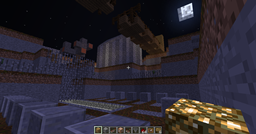
Survive the Night
An action-packed Hack-n'-Slash zombie-slaying Mini-GameInstallOn a server

Knockback Wars
A minigame that can be played with two or more people.InstallOn a server

The Great Escape: Jail Escape
The Great Escape: Jail EscapeInstallOn a server
The Hunger Games: The Capitol
Replica from the Hunger Games ~~ With Training CenterInstallOn a server
Find The Button Map
Custom map for Minecraft. Find the button in 10 levels. Tickle room included.InstallOn a server
Automated Mob Spawner+PopularMMOs arena
MaxDistructo's Automated Mob Spawner for PopularMMOs Challenge GamesInstallOn a server
Spiral Lucky Block Race
A lucky block race using the spiral lucky block.InstallOn a server
Lucky Block Race
A lucky block parkour raceInstallOn a server
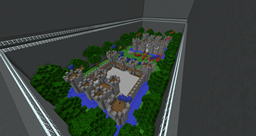
Castle War - Tarp
Paintball mapInstallOn a server
Fusion - Modern House HUGE!!!
Modern HouseInstallOn a server
Punchmonster
1.8InstallOn a server
Search and Destory
Minecraft PVP map based on COD game mode Search & DestoryInstallOn a server
SkyblockX+
Better Skyblock!InstallOn a server

PopularMMOs Epic Village Hide N' Seek
My attempt at recreating the iconic Hide And Seek village from PopularMMOs' Morph hide and seek seriesAuthor's site
SunBurn: Burn Or Be Burned
Run from the sun, and don't lose the race. Burn or be burned! There's no time to waste. Welcome to SunBurn.InstallOn a server

Five Cubed
A challenging map in a 5x5x5 area.InstallOn a server

Puzzle Trio
a quite challenging Puzzlemap for 3 or more PlayersInstallOn a serverFAQ
How do I install a map?
Click “Install” and Millida Launcher will unpack the world into the right modpack, and the map will appear in your singleplayer worlds list. To do it manually, put the world folder in saves inside the game directory.
Can I open a map in a different game version?
You can, but the game will irreversibly upgrade the world to its version, and some mechanics may break. Play on the version the author specifies and keep a copy of the world.
Do maps need mods?
Most don't — they work on vanilla. If a map needs a mod or resource pack, the author says so in the description.
Which maps can two people play together?
Co-op adventures, horror maps and minigames: the With a friend filter and the Co-op theme keep them. To play together, one player opens the world to LAN or puts the map on a server with the On a server button on its page.
Are there horror maps for phones?
Yes: the Bedrock edition filter shows maps for Minecraft PE, horror maps among them, and searching for “horror” finds them faster. A .mcworld file opens right in the game on a phone, and the world appears in the worlds list. Java maps do not open in PE.
Maps for Minecraft Java 1.8
Maps for Minecraft 1.8: 130 items in the Maps section. Compatibility is checked against the files, not the description: only items with a build for exactly these conditions stay in the list.
The game version matters more for a map than you'd think. A world made in 1.12 will open in a newer version, but the game will convert it to the new rules: some mechanics will stop working, command blocks may break, and you can't roll the world back. So play a map on exactly the version it was built for — preferably on a copy. To install a map, unpack the world folder into saves inside the game directory, and it will appear in your singleplayer worlds list. Every map here lists its author, version and license.