Horses Genetic
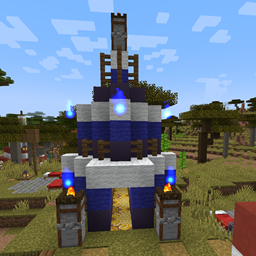
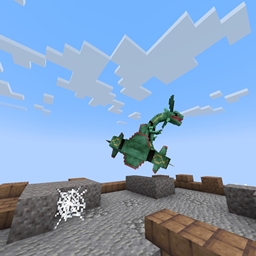
by FunkyToc · ModrinthGet statistics of your horses, breed them, and train them to get the perfect horse!
Updated July 2
Get statistics of your horses, breed them, and train them to get the perfect horse!
Completely removes the cooldown on spears with the lunge enchantment! Go flying!
Adds stylized healthbars on hit of any entity with Health.
A lightweight Datapack that disables both the Climb Claws and Jump Boots recipes
Bingo is a fun mini-game in which players compete to collect unique items from a random list.
Makes the Wither boss harder with phases and abilities
Expands the pool of Cobblemon species in outbreaks to 400+ as well as adds rewards for all outbreaks!
Incendium-Compatible Edition of the BlazeandCave's Advancements Pack
Increases the world height to 1024 blocks
"Unleash DZphoenix, the Legendary Netherite Sword" with "Eternal Forge," a Minecraft datapack. Crafted from Nether Stars and Blaze Rods, this mythical weapon awaits a hero's right-click to unleash its formidable powers.
Allows players to create a not-wandering, faster, smaller, silenced Happy Ghast, get damage alerts and even summon it back in survival using items.
Provides compatibility with BetterNether for Lootr
Tweaks the world generation to get 20x more ancient debris spawn rates! Way too overkill...
Changes the enderman loot table to drop pearls stackable to 64 and adds a crafting recipe to change pearls to ones stackable to 64.
Disables Curios/Trinkets/Accessories support for SeasonHUD
Adds Mana and Artifice structures and villagers to all Choice Theorems Overhauled Village (CTOV) variants.
This datapack/mod adds 8 Legendary, & 1 Mythical Pokémon, 5 structures, & 7 new items to cobblemon.
Allows EP Scaling for mobs based on increasing stats. Use with Auto Leveling Mod
A cross-platform fully server-side approach to the gravestone concept introducing 'orbs' to store your inventory upon death.
The definitive data pack for merging Minecraft and Stardew Valley into one gameplay experience (also available as a mod)
Eat things you shouldn't with these silly food recipes!
Each kill increases the player's damage.
Mobs can drop their head when killed by a player
Buffs Smite and Bane of Arthropods to be viable compared to Sharpness.
A datapack uses the game's own tools: it changes recipes, loot, structures and advancements. A mod changes the game's code and can add something genuinely new — a block, a mob, an interface. A datapack doesn't need a loader to work.
Click “Install” and Millida Launcher will add the datapack to the world you choose. To do it manually, put the archive in the datapacks folder inside the world folder and rejoin the world.
Yes, on a regular server without mods: the datapacks folder sits inside the server's world folder. Players don't need to install anything on their clients.
A set of files that changes the game with its own tools: recipes, loot, world generation, advancements and command functions. It works from version 1.13 without mods or loaders and is installed into a specific world.
Yes, it is one of their most common jobs: new biomes, terrain, caves and structures. Generation only changes in chunks that have not been created yet, so such a data pack is best added when creating a new world.
A datapack changes the game's rules without touching its code: crafting recipes, loot tables, world structures, advancements, command functions. The game supports all of this natively since 1.13, so a datapack needs neither Forge nor Fabric — it's installed into a specific world and works on the vanilla client and a regular server.
Data packs do different jobs: some change world generation — biomes, terrain and structures, others add mechanics, challenges and horror events, and others are made for servers — economy, ranks, command-based minigames. Generation applies only to new chunks, so such packs are added when a world is created. On Millida Hosting a data pack goes onto the server with the On a server button on its page.
That's the main difference from mods: a datapack doesn't show up in the mod list, and it can't add anything the game doesn't have at all — you can't make a new block with its own model this way. On the other hand, it doesn't clash with other packs, doesn't need updating when you switch loaders and doesn't stop you from playing with friends on a regular server. Installing a datapack is simple: put the archive in the datapacks folder inside the world folder, then reload the world or run the reload command. The card lists the game version, author and license, and all releases are gathered in one place.