Literally Nothing
by Adko5558 · ModrinthThe ultimate universal Mod/Plugin/Resource pack/Shader that does literally nothing and runs on everything!
The ultimate universal Mod/Plugin/Resource pack/Shader that does literally nothing and runs on everything!
New enchantment that's appy a short levitation effect to the victims!
Treeplacer datapack to grow trees from William Wyther's
A chest that sucks up and stores EXP orbs
Adds a crafting recipe for every music disc
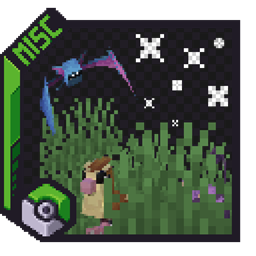
WildEncounters adds wild grass from the Pokémon games.
Have you ever hated that some undeads only drop rotten flesh?
This datapack amplifies vanilla ore generation, making ores more abundant while preserving the original Minecraft gameplay and world features.
Limits the player's sprinting with stamina
Datapack and resourcepack for merging elytra and chestplates.
Lets you combine the infinity enchantment with the mending enchantment on bows and crossbows
This mod allows Backported Wolves variants to spawn naturally in Regions Unexplored biomes.
The datapack takes away saturation points during sleep.
Increases the world height to 1024 blocks
Blast raw ore block in to there smelted variant.
Lets you teleport to an End Gateway of your choice whenever you enter The End.
Turn the stonecutter into a woodcutting station: convert logs, planks, stairs, slabs and boats for every vanilla and Nether wood type.
Cavernous Lite is a mod and datapack that aims to provide new experiences to the caves that fit right in with vanilla Minecraft.
Makes the Wither boss harder with phases and abilities
Discover forgotten Aztec ruins in a vanilla-friendly Minecraft style, naturally generated in Jungle and Savanna biomes.
A vanilla+ datapack that adds four brand-new raids with powerful enemies to conquer and rewarding loot to win!
Allows you to craft invisible item frames by putting a normal item frame in a crafting table.
Incendium-Compatible Edition of the BlazeandCave's Advancements Pack
Adds new uses for the smithing table : repair cost resetting, trim removal, curse removal, enchantment transferring and book unsigning!
A datapack uses the game's own tools: it changes recipes, loot, structures and advancements. A mod changes the game's code and can add something genuinely new — a block, a mob, an interface. A datapack doesn't need a loader to work.
Click “Install” and Millida Launcher will add the datapack to the world you choose. To do it manually, put the archive in the datapacks folder inside the world folder and rejoin the world.
Yes, on a regular server without mods: the datapacks folder sits inside the server's world folder. Players don't need to install anything on their clients.
A set of files that changes the game with its own tools: recipes, loot, world generation, advancements and command functions. It works from version 1.13 without mods or loaders and is installed into a specific world.
Yes, it is one of their most common jobs: new biomes, terrain, caves and structures. Generation only changes in chunks that have not been created yet, so such a data pack is best added when creating a new world.
A datapack changes the game's rules without touching its code: crafting recipes, loot tables, world structures, advancements, command functions. The game supports all of this natively since 1.13, so a datapack needs neither Forge nor Fabric — it's installed into a specific world and works on the vanilla client and a regular server.
Data packs do different jobs: some change world generation — biomes, terrain and structures, others add mechanics, challenges and horror events, and others are made for servers — economy, ranks, command-based minigames. Generation applies only to new chunks, so such packs are added when a world is created. On Millida Hosting a data pack goes onto the server with the On a server button on its page.
That's the main difference from mods: a datapack doesn't show up in the mod list, and it can't add anything the game doesn't have at all — you can't make a new block with its own model this way. On the other hand, it doesn't clash with other packs, doesn't need updating when you switch loaders and doesn't stop you from playing with friends on a regular server. Installing a datapack is simple: put the archive in the datapacks folder inside the world folder, then reload the world or run the reload command. The card lists the game version, author and license, and all releases are gathered in one place.