
Minecraft datapacks — page 36
2,543 itemsData packs: list


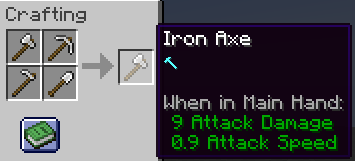
Modern Multitools
Multitools in Minecraft 1.20.5+!InstallOn a server

Re-Dye Concrete Powder [PurpurPack]
Allows concrete powder to be dyed another colorInstallOn a server

Biome Strongholds
Adds biome-specific Stronghold variants, featuring unique layouts, new challenges, and updated mechanics.InstallOn a server

String Dupe
Put one string in the crafting table and get 64 back, leading to infinite string.InstallOn a server

Builders Dream
Adds more than 100 Craftable Mini-Blocks which will make your Builds stand out!InstallOn a server

Create Railways Refuelled
A really simple collection of datapacks which modify fuels used in Steam N' RailsInstallOn a server

The Pale Garden Remastered
The Pale Garden that actually makes it look and feel like the official trailer.InstallOn a server

Auto MLG
Automatically MLG when holding water or powder snow! Easy and interactive toggle menu included! Now with an optional Auto Mace MLG!InstallOn a server

Wilderness
Vanilla style improvements for biome decorationInstallOn a server
Missiles
The #1 ICBM mod that adds realistic nuclear missiles, radars and explosions to the game!InstallOn a server

[Cobblemon] Seavls Bizarremons
A addon that adds strange fakemon to Cobblemon.InstallOn a server

No Lunge Cooldown
Removes cooldown from spears having lunge enchantmentInstallOn a server

Lost Cities Modern Tweaks (Lights Off Edition)
A variant of the "Lost Cities Modern Tweaks" datapack which shares the same content but removes most light sources, providing a more challenging experience.InstallOn a server

Expanded World
Expanded World enhances your Minecraft experience by extending the world height, introducing custom caves, structures, and vegetation. Explore new depths and heights in your Minecraft worlds with this mod/datapack!InstallOn a server

Better Netherite and Smithing Crafting Recipe(BNASCR)
Adds a new crafting recipe for netherite and netherite upgrade to make it more affordable. And you can craft netherite smithing template. Plus adds slowly the those stuff to other mods with adds trims.InstallOn a server

Eldritch Mobs Modifications
Modifies Eldritch Mobs' elite, ultra, and eldritch loot tables and adds compatibility for a ton of modded mobs.InstallOn a server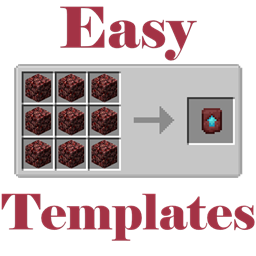
Easy Templates
Easy crafting for TemplatesInstallOn a server

Complete Galar Fossilmon
Adds the Complete Galar Fossilmons that can be Resurrected with Bones.InstallOn a server

Breed Axolotl With Tropical Fish Item [PurpurPack]
Allows breeding axolotls with the tropical fish item as well as the bucketInstallOn a server

Mining Quarries
Build quarries that mine cobblestone and ores!InstallOn a server

Infinite Infinity
Allows any item to be enchanted with Infinity.InstallOn a server

Craftable Smithing Templates (Armor Trims)
Adds unique recipes for the various smithing templates so that they can be crafted.InstallOn a server

Petra - Ruins Structure
Petra is an ancient desert city in a Minecraft vanilla-friendly style, inspired by the rock-carved wonders of Jordan, featuring monumental facades and hidden passages.InstallOn a serverFAQ
How is a datapack different from a mod?
A datapack uses the game's own tools: it changes recipes, loot, structures and advancements. A mod changes the game's code and can add something genuinely new — a block, a mob, an interface. A datapack doesn't need a loader to work.
How do I install a datapack?
Click “Install” and Millida Launcher will add the datapack to the world you choose. To do it manually, put the archive in the datapacks folder inside the world folder and rejoin the world.
Does a datapack work on a server?
Yes, on a regular server without mods: the datapacks folder sits inside the server's world folder. Players don't need to install anything on their clients.
What is a data pack?
A set of files that changes the game with its own tools: recipes, loot, world generation, advancements and command functions. It works from version 1.13 without mods or loaders and is installed into a specific world.
Are there data packs for world generation?
Yes, it is one of their most common jobs: new biomes, terrain, caves and structures. Generation only changes in chunks that have not been created yet, so such a data pack is best added when creating a new world.
Minecraft datapacks
A datapack changes the game's rules without touching its code: crafting recipes, loot tables, world structures, advancements, command functions. The game supports all of this natively since 1.13, so a datapack needs neither Forge nor Fabric — it's installed into a specific world and works on the vanilla client and a regular server.
Data packs do different jobs: some change world generation — biomes, terrain and structures, others add mechanics, challenges and horror events, and others are made for servers — economy, ranks, command-based minigames. Generation applies only to new chunks, so such packs are added when a world is created. On Millida Hosting a data pack goes onto the server with the On a server button on its page.
That's the main difference from mods: a datapack doesn't show up in the mod list, and it can't add anything the game doesn't have at all — you can't make a new block with its own model this way. On the other hand, it doesn't clash with other packs, doesn't need updating when you switch loaders and doesn't stop you from playing with friends on a regular server. Installing a datapack is simple: put the archive in the datapacks folder inside the world folder, then reload the world or run the reload command. The card lists the game version, author and license, and all releases are gathered in one place.