
Minecraft datapacks — page 28
2,543 itemsData packs: list




Chestpack Backpacks
Simple, vanilla friendly backpacks. Pick up and carry chests!InstallOn a server

Player Shops
Earn in style with this user-friendly player shop datapack! Villagers will be your only competitors.InstallOn a server

Falling tree
A realistic tree-cutting datapack with physics-based falling animations for Minecraft!InstallOn a server

777
All your gambling dreams can now come true in survival Minecraft!InstallOn a server

NineBlock
九选一随机空岛(优化版)—— Improved datapack from the NineBlock worldInstallOn a server

MC Calamity
A datapack that attempts to recreate the Terraria: Calamity ModInstallOn a server

Simple Revive
Players get Downed instead of dying and others can revive themInstallOn a server

Panda Temple
Spawns a mysterious overgrown temple in the jungle inhabited by our favorite bamboo eating creature!InstallOn a server

Overgrown's Origins: Fairy
Explore the magical world of Minecraft with the Fairy Origin Datapack! Fly with Aetherial Wings, glow with Chromatic Aura, and harness nature's powers. Embrace your ethereal essence and protect the ancient magic of the Fae!InstallOn a server

Simply OneBlock (26.2 Sulfur Caves Included)
Just break the block, see where it takes you !InstallOn a server

Bucketable
Put any mob into a bucket! Completely customizable!InstallOn a server

Pokémon Fishing
A Cobblemon Addon that overhauls fishing. Allows you to fish up Pokémon varying in rarity and adds a ton of Pokémon items to the loot pool!InstallOn a server

Myriad
Enhance your vanilla Minecraft experience with a myriad of new features.InstallOn a server

Cliffs and Coves
This is an add-on for William Wythers' Overhauled Overworld which makes coastlines more interesting, creating nice flat beached coves and rugged rocky escarpments.InstallOn a server

The Bracken Pack
A data pack that adds 11 fantasy dimensions to Minecraft!InstallOn a server

The Expansion
Explore Space In Minecraft! Now with Spacesuits!InstallOn a server

Vanilla Backport x Regions Unexplored
Adds Regions Unexplored compatibility for Vanilla Backport.InstallOn a server

Sleepless
A gameplay-changing horror datapack for Minecraft 1.20.1-1.21 Inspired by TheLibrarianYTInstallOn a server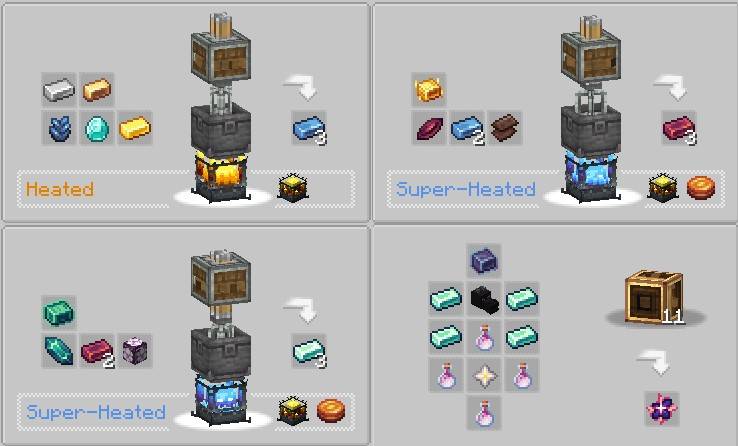

Create: Gobber
This data pack brings together the gobber and create mod progressionInstallOn a server

Big Globe - YUNG's Better Nether Fortresses Compatibility
Data pack to generate YUNG's Better Nether Fortresses in a Big Globe world.InstallOn a server
Passive Mobs - Twlight Re:Aggro
A datapack that allows mobs from the twilight forest mod to be aggressive again~InstallOn a server

Graves
When a player dies they leave a grave which contain their items. Settings are highly configurableInstallOn a server

Farmer's Cutting: BetterEnd
Adds Farmer's Delight cutting recipes for BetterEndInstallOn a serverFAQ
How is a datapack different from a mod?
A datapack uses the game's own tools: it changes recipes, loot, structures and advancements. A mod changes the game's code and can add something genuinely new — a block, a mob, an interface. A datapack doesn't need a loader to work.
How do I install a datapack?
Click “Install” and Millida Launcher will add the datapack to the world you choose. To do it manually, put the archive in the datapacks folder inside the world folder and rejoin the world.
Does a datapack work on a server?
Yes, on a regular server without mods: the datapacks folder sits inside the server's world folder. Players don't need to install anything on their clients.
What is a data pack?
A set of files that changes the game with its own tools: recipes, loot, world generation, advancements and command functions. It works from version 1.13 without mods or loaders and is installed into a specific world.
Are there data packs for world generation?
Yes, it is one of their most common jobs: new biomes, terrain, caves and structures. Generation only changes in chunks that have not been created yet, so such a data pack is best added when creating a new world.
Minecraft datapacks
A datapack changes the game's rules without touching its code: crafting recipes, loot tables, world structures, advancements, command functions. The game supports all of this natively since 1.13, so a datapack needs neither Forge nor Fabric — it's installed into a specific world and works on the vanilla client and a regular server.
Data packs do different jobs: some change world generation — biomes, terrain and structures, others add mechanics, challenges and horror events, and others are made for servers — economy, ranks, command-based minigames. Generation applies only to new chunks, so such packs are added when a world is created. On Millida Hosting a data pack goes onto the server with the On a server button on its page.
That's the main difference from mods: a datapack doesn't show up in the mod list, and it can't add anything the game doesn't have at all — you can't make a new block with its own model this way. On the other hand, it doesn't clash with other packs, doesn't need updating when you switch loaders and doesn't stop you from playing with friends on a regular server. Installing a datapack is simple: put the archive in the datapacks folder inside the world folder, then reload the world or run the reload command. The card lists the game version, author and license, and all releases are gathered in one place.