
Datapacks for Minecraft 1.21 — page 48
1,278 itemsData packs: list


EasyCraft+
Complex crafts? Make it easier to create them without breaking the balance of the game!InstallOn a server

RP Dices
Simulate a dice roll, with a random result. This pack is made for role playing in Minecraft.InstallOn a server

No Evoker
Disable Evoker in Minecraft by preventing its spawning and removing any that appear in the worldInstallOn a server

Smelt Gravel for Flint
Stop relying on luck. Smelt gravel in a furnace and get flint quickly.InstallOn a server

I love mountains
Makes erosion noise value always low so only mountain terrain spawnInstallOn a server

Simple Player Freeze
Simple Player Freeze – A lightweight, vanilla-compatible datapack that lets you instantly freeze or unfreeze all players on your server.InstallOn a server

No Wither Skeleton
Disable Wither Skeleton in Minecraft by preventing its spawning and removing any that appear in the worldInstallOn a server

Fast Paths Together
Get move speed on dirt_path and polished blocks. Boost players and and vehicles.InstallOn a server

Craore
Crafting ores from a specific type of stone and the ore itselfInstallOn a server

VCT - Voiid Countdown Timer
A customizable timer datapackInstallOn a server

No Hoglin
Disable Hoglin in Minecraft by preventing its spawning and removing any that appear in the worldInstallOn a server

Limited Hearts
Dying is even more dangerous now that you lose a heart upon death!InstallOn a server

Space's craftable Chainmail armor
Chainmail Armor is now craftable using actual Chains! A vanilla-friendly datapack that fills the armor gap and gives the Chain item a much-needed purpose.InstallOn a server

No Piglin
Disable Piglin in Minecraft by preventing its spawning and removing any that appear in the worldInstallOn a server
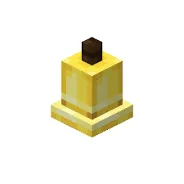
Craftable Bells
A simple datapack and mod that makes bells craftable. Useful for creative builds.InstallOn a server

No Guardian
Disable Guardian in Minecraft by preventing its spawning and removing any that appear in the worldInstallOn a server

Cobbled Deepslate to Cobblestone
Cobbled deepslate can now turn into cobblestone along with a few other features regarding stonecutters.InstallOn a server

Simple Improvement Renew
Added many practical functions.By making simple modifications (attempting to) make the player's experience completely refreshed.InstallOn a server

Dirt To Diamonds
A datapack that lets you turn dirt into diamonds!InstallOn a server
Easy Netherite Gear
Make netherite tools and armour easy to craft like all the other armour and tools for lazy people.InstallOn a server

Bedrock Golem
Adds Bedrock Golem in minecraft without replacing the original iron golem.InstallOn a server

No "Too Expensive" (Blacksmithing)
Removes "Too Expensive" from Anvils since 1.13! Also lets you repair and recycle anvils, too!InstallOn a server

No Ghast
Disable Ghast in Minecraft by preventing its spawning and removing any that appear in the worldInstallOn a serverFAQ
How is a datapack different from a mod?
A datapack uses the game's own tools: it changes recipes, loot, structures and advancements. A mod changes the game's code and can add something genuinely new — a block, a mob, an interface. A datapack doesn't need a loader to work.
How do I install a datapack?
Click “Install” and Millida Launcher will add the datapack to the world you choose. To do it manually, put the archive in the datapacks folder inside the world folder and rejoin the world.
Does a datapack work on a server?
Yes, on a regular server without mods: the datapacks folder sits inside the server's world folder. Players don't need to install anything on their clients.
What is a data pack?
A set of files that changes the game with its own tools: recipes, loot, world generation, advancements and command functions. It works from version 1.13 without mods or loaders and is installed into a specific world.
Are there data packs for world generation?
Yes, it is one of their most common jobs: new biomes, terrain, caves and structures. Generation only changes in chunks that have not been created yet, so such a data pack is best added when creating a new world.
Datapacks for Minecraft 1.21
Datapacks for Minecraft 1.21: 1,278 items in the Data packs section. Compatibility is checked against the files, not the description: only items with a build for exactly these conditions stay in the list.
That's the main difference from mods: a datapack doesn't show up in the mod list, and it can't add anything the game doesn't have at all — you can't make a new block with its own model this way. On the other hand, it doesn't clash with other packs, doesn't need updating when you switch loaders and doesn't stop you from playing with friends on a regular server. Installing a datapack is simple: put the archive in the datapacks folder inside the world folder, then reload the world or run the reload command. The card lists the game version, author and license, and all releases are gathered in one place.