
Minecraft PE mods — page 63
1,933 addonsAddons: list

Angry Mobs! Add-On
Adds aggressive behavior of all mobs toward each other: they attack without provocation, changing the dynamics of interaction with creatures in the world.Download
Random Enchant On Attack
This addon adds a wild twist to combat and tool usage—every time you attack any entity, your main hand item gets randomly enchantedDownload
Integrated Storage
A futuristic storage solution, inspired by the Java mod Applied Energistics 2 (ae2) and mainly their ME system.Download
Colorful Armor Bar
Change the armor bar based on the armor you’re wearing! [Achievement friendly]Download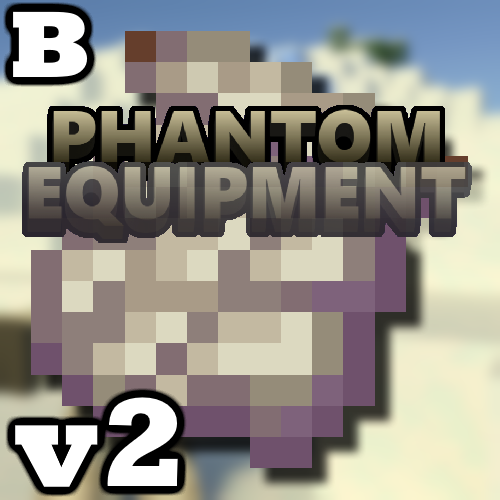
Invisibility Armor, Weapons, Whip, and Tools Phantom Addon! (𝟭.𝟮𝟬.𝟲𝟮 𝗕𝗶𝗴 𝗨𝗽𝗱𝗮𝘁𝗲!) [Compatible with Any Addon!]
Adds a set of phantom armor, weapons, a whip and tools with an invisibility effect when standing still, and also fixes bugs and updates the syntax to version 1.19.70.Download
Health bar 1.21.70 (works with monster addons)
Adds a display of health hearts for mobs and creatures, including those added by third-party add-ons. Works together with other mob add-ons and supports current game versions.Download
Ramadan Craft V5 The Structure Update 1.20.0+
Adds decorative elements and items related to the Ramadan holiday: lanterns, decorations, special blocks and items, including new crafting recipes and fixed mechanics for existing objects.Download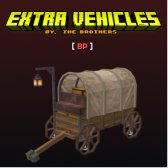
Extra Vehicles Addon
Adds large horse-drawn wagons with chest capacity, allowing you to transport items with extra inventory. The wagon is equipped with a lantern and can move at different speeds.Download
Evil Worst
This addon curses your world with parasitic horrors and restless ghosts that grow stronger at night. Explore haunting structures filled with loot, face powerful minibosses and bosses, and survive a dark, unforgiving atmosphere.Download
Throwables Addon Small Update (+102 Throwable Items [Simple Throwing Knives])
Adds 102 new throwable items, including simple daggers that can be used in survival. Supports multiplayer and allows throwing weapons in combat.Download
Custom Floating Text Add-on
Adds the ability to display floating text in the air without using signs or name tags. Supports changing the text through behavior and is compatible with survival.Download
Block Armor Addon [V.4.5] | Compatible with other Addon
Adds new armor based on blocks: tent, wool, leaves and furnace, each with unique abilities. Maintains compatibility with other add-ons.Download
RS Craft Modpack - Feel like Rlcraft
Adds new structures, including ancient ruins, improves the resource mining system with support for custom chests, changes the balance of mob drops, including hearts for leveling up, and updates recipes and health animations.Download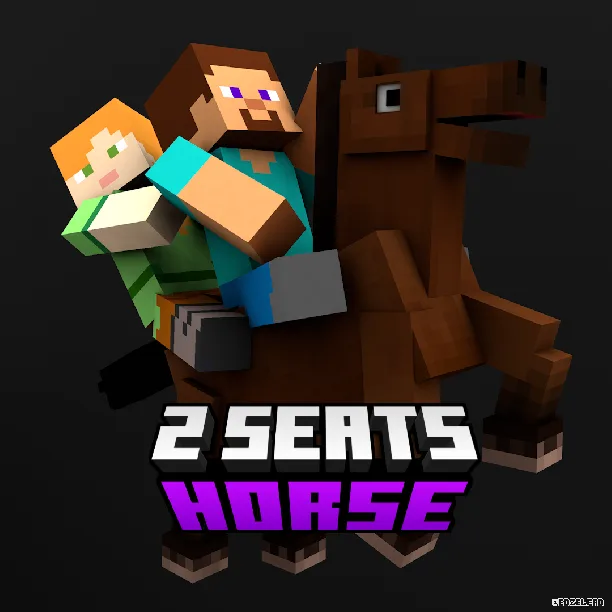
2 Seats on Horse
Adds the ability for two players to ride a strider at the same time, with the passenger controlling the direction of movement using a warped fungus on a stick, while the driver sits at the back.Download
The Wild Update Concept! (1.19) V1.1
Adds elements from the 1.19 update, including sculk-like mobs, changed textures for zombies, skeletons and bees, as well as a simplified sculk catalyst recipe. Modifies the spawning of new structures depending on world settings.Download
Pokémod - The Mount Update - Catch your Monster !
Adds three new rideable Pokémon: Lapras (swims), Arcanine (runs) and Pidgeot (flies), and also improves the textures and behavior of some Pokémon, including reworking attacks and adding new mechanics for thrown Poké Balls.Download
Z-ORIGINS
Add RPG-style character classes to your Minecraft experience! This addon introduces unique origins , each with special powers, traits, and challenges. Choose your origin and play Minecraft in a whole new wayDownload
IDs Star Wars Add-on (Beta) Door Update!
Adds doors and new blocks for the Star Wars add-on, part of an update with expanded theming. Includes elements from the Star Wars universe with high-quality animation and support for the faction system.Download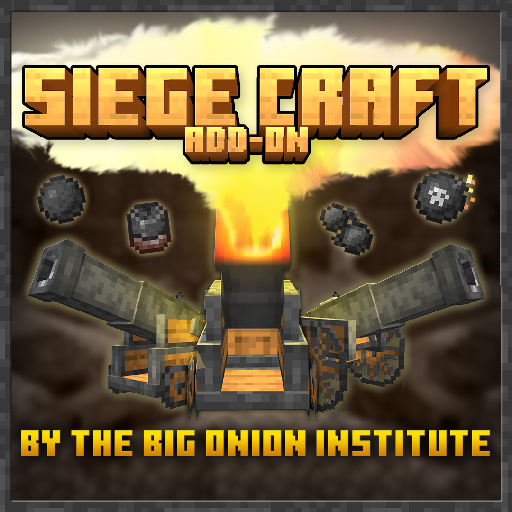
SiegeCraft Version 1.0 (Cannons, Rockets, and More!)
Adds stationary artillery, including a fortress cannon and a field cannon, with several ammo types, each having unique properties and visual effects. Also includes a bonus ammo type if the Cave update, remastered, is present.Download
3x3 Mining Hammers (Multiplayer Update)
Adds nine new pickaxes capable of breaking blocks in a 3×3 radius and speeding up resource gathering. Updated textures, proper names and multiplayer compatibility.Download
Ore Detector 1.18+
Adds three items for detecting ores up to 250 blocks below the player, including an improved tier 3 detector with an extended range and a new item that does not require crafting.Download
OpenBlocks Elevator (Realms and Server Support)
Adds elevators with a camouflage system for 13 new blocks, including wooden planks and leaves that adapt to biomes. Introduces an access setting — for everyone or only the creator, and also improves performance by reducing the number of rearrangements.Download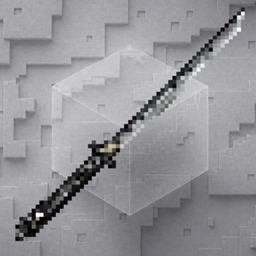
Katana+ (BS)
Katana+ provides semi-HD katana variants with unique shapes that are survival-friendly.DownloadMinecraft PE mods
An add‑on is how you change Minecraft on Bedrock Edition: phones, tablets, consoles and the Windows version. There are no mods in the usual sense there, but there's an official add‑on format — behavior packs and resource packs that add mobs, weapons and mechanics and change how the game looks. For Pocket Edition it's the closest thing to PC mods, and it's far easier to install.
DetailsCollapse
An add‑on file (.mcaddon or .mcpack) opens right in the game: tap the file to import it, then enable the pack in the world settings. Nothing to unpack manually. Every add‑on in the catalog lists its Bedrock version, type (behavior, resources or both) and world compatibility. Some add‑ons require enabling experimental world features — this is noted in the description so the mechanics are sure to work.
FAQ
How is an add‑on different from a mod?
An add‑on is the official format for Bedrock Edition (Pocket Edition, consoles, Windows). Mods in the traditional sense exist only on Java Edition for PC. An add‑on is easier to install and doesn't break with updates as often.
How do I install an add‑on on my phone?
Download the .mcaddon or .mcpack file and open it — Minecraft will import the pack on its own. Then enable it in the world settings under “Behavior Packs” and “Resource Packs”.
Why isn't my add‑on working?
Most often the world's experimental features aren't enabled or the game version doesn't match. Check the requirements in the add‑on description and your world settings.