
Minecraft PE mods — page 35
1,933 addonsAddons: list


Common Sense Addon 1.7.1 (Achievements Friendly | A&S Compatible)
Adds achievement systems compatible with A&S, improves mob balance and introduces useful survival features without changing the core gameplay.Download
One Player Sleep Addon (1.20 supported)
Adds the ability to skip the night in multiplayer when one player sleeps, removing the need for all participants to sleep at the same time.Download
SKY BLOCK 180s
This map will reset blocks after 180 secondsDownload
New Bows Overhaul
Transform your Minecraft Bedrock world with New Bows Overhaul! This powerhouse mod adds 6 elemental bows, 6 specialized arrows, and 3 fearsome spider mobs—Frozen Spiders, Fire Spiders, and Ender Spiders—that drop webbing for craftingDownload
More Armor, Weapons, Hammers, and Tools Copper Addon! (𝟭.𝟮𝟬.𝟲𝟮 𝗕𝗶𝗴 𝗨𝗽𝗱𝗮𝘁𝗲!) [Compatible with Any Addon!]
Adds copper armor, weapons, hammers and tools that gradually oxidize, taking on a greenish tint with prolonged use. Maintains compatibility with other add-ons and uses the syntax of version 1.19.70.Download
Laser Gun Addon
Adds laser weapons, replacing the regular bow, and mechanical robots instead of some creatures, improving their abilities compared to the original mobs.Download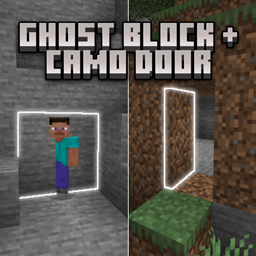
Ghost Block + Camo Door
Make sure to hide your valuables on a HIDDEN SECRET BASE with Ghost Block + Camouflage Door.Download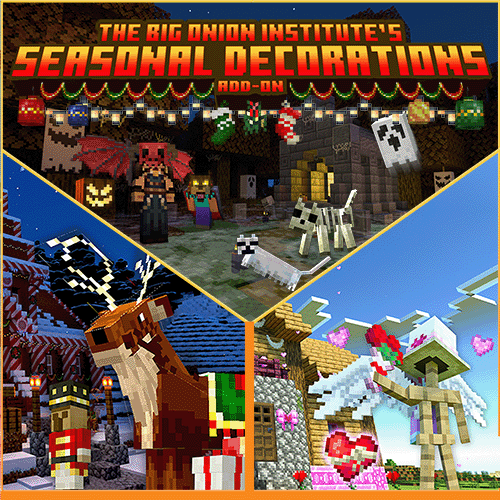
TBOI's Seasonal Decorations V4.5 (Christmas, Halloween, and more!)
Adds festive decorations in the style of Christmas, Halloween and Valentine's Day: blocks, items, costumes and trade points with themed elements, compatible with the vanilla game.Download
WHITA | What is That? Compatible with any Addon and any Language
Adds a top panel with information about the block, entity, or item the player is looking at, including the redstone count with an icon. Works together with any add-ons and supports localization.Download
JustHammers (Bedrock Port)
[Unofficial Port] Add hammers to the game that are able to mine in a 3x3, 3x3x3, 5x5x3 and finally a 5x5x5! They're pretty awesome.Download
Magicraft Spictra V3 Update!!
Adds new magical mobs, new weapons and crafting items, as well as bosses, balanced to match the style of the original game.Download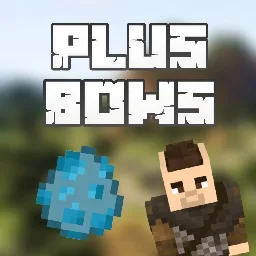
Plus Bows (New Bows and Archer) (Actualization)
Adds 30 new bows with unique crafting recipes and special properties, as well as a new archer creature with which you can trade some bows. Clarified the shot speed characteristics for the bows.Download
Five Nights At Freddy's Help Wanted [Addon]
Adds all animatronics and plush versions of characters from the game Five Nights at Freddy's Help Wanted, including special test animations for posing and hidden hints related to characters and YouTubers.Download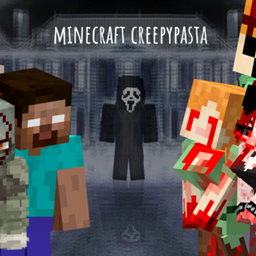
CREEPYPASTA FROM THE FOG (GH)
The Creepypasta: From the Fog Addon brings scary creatures into Minecraft! Strange figures appear from the fog, watching you silently before they attack. Each mob has creepy sounds and sudden movements that make survival terrifying!Download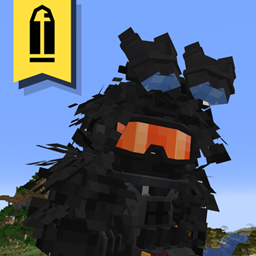
Advance Tactical Gear
Add some military gear based on the real lifeDownload
Asian Ghost Addon [1.0.9] (Horror) Compatible With Other Addon
Adds new mobs: Hanako-san, Nure-onna, Jeruk-Purut and Sigbin, as well as an item, salt. Changes the behavior and sound parameters of existing ghosts, ensuring compatibility with other add-ons.Download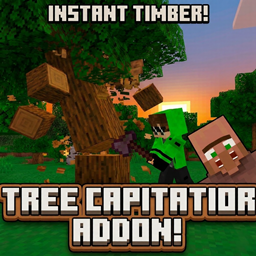
Tree Capitator "break the whole tree with one click"
If you are looking for a Minecraft Bedrock tree capitator addon, timber mod, fast tree chopping system, or automatic wood cutting addon, this addon provides a clean and immersive solutionDownload
What Am I Looking At? v1.0.4 (1.19 Fix)
Adds a display of information about the block or entity the player is looking at. When the sneak button is held, it shows additional details, and it is compatible with other add-ons.Download
Simple Dynamic Lighting (Dynamic Lights)
Simple Dynamic Lighting is an optimized addon that adds light sources when the player holds an item that normally emits light.Download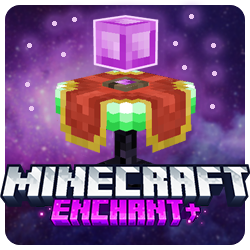
Enchant+
Adds a new enchanting mechanic with the ability to apply, remove and transfer enchants between items, as well as a built-in interface with a player profile, search and detailed item information.Download
Resizer Gun v1.2.2 3D
Adds a gun that lets you change the size of creatures, including wolves, bees, axolotls, goats and glow squids, without needing to enter commands. Works right after installing the add-on.Download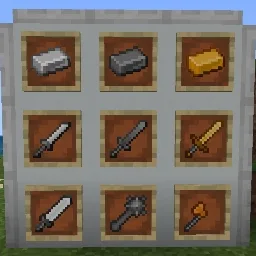
Another Weapons v1.9
Adds more than 20 new weapons, including swords, spears, axes and other types, with balanced stats and simplified recipes. Changes durability, damage and other parameters for consistency with game mechanics.Download
Dirt/Grass Block Drops OP Items
Adds the ability to obtain super-powerful items when breaking dirt and grass blocks. The dropped items are random, but all of them are extremely strong.DownloadMinecraft PE mods
An add‑on is how you change Minecraft on Bedrock Edition: phones, tablets, consoles and the Windows version. There are no mods in the usual sense there, but there's an official add‑on format — behavior packs and resource packs that add mobs, weapons and mechanics and change how the game looks. For Pocket Edition it's the closest thing to PC mods, and it's far easier to install.
DetailsCollapse
An add‑on file (.mcaddon or .mcpack) opens right in the game: tap the file to import it, then enable the pack in the world settings. Nothing to unpack manually. Every add‑on in the catalog lists its Bedrock version, type (behavior, resources or both) and world compatibility. Some add‑ons require enabling experimental world features — this is noted in the description so the mechanics are sure to work.
FAQ
How is an add‑on different from a mod?
An add‑on is the official format for Bedrock Edition (Pocket Edition, consoles, Windows). Mods in the traditional sense exist only on Java Edition for PC. An add‑on is easier to install and doesn't break with updates as often.
How do I install an add‑on on my phone?
Download the .mcaddon or .mcpack file and open it — Minecraft will import the pack on its own. Then enable it in the world settings under “Behavior Packs” and “Resource Packs”.
Why isn't my add‑on working?
Most often the world's experimental features aren't enabled or the game version doesn't match. Check the requirements in the add‑on description and your world settings.