
Minecraft PE furniture mods — page 2
Addons: list

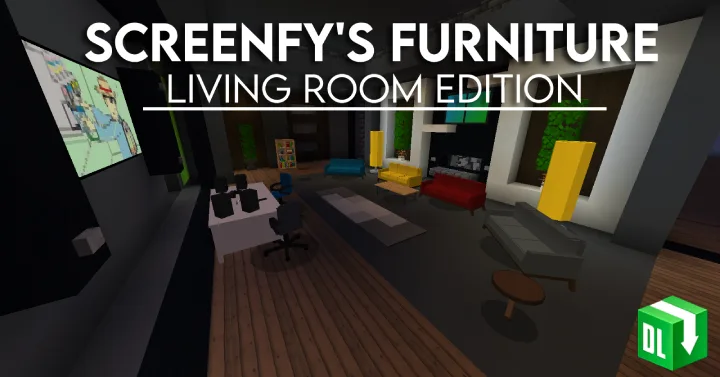
Screenfy's Furniture Pack: Living Room Edition (Survival Compatible)
Adds a living room furniture set with crafting functionality, including new items and improved colliders. Updated textures and survival compatibility make the interior more realistic.Download
More Furniture! | Furniture o' Modern | Functional Furniture + Decorative Blocks
Adds over 50 high-quality furniture items and decorative blocks with high-resolution textures and models, including functional elements with sound effects and improved alignment when placing.Download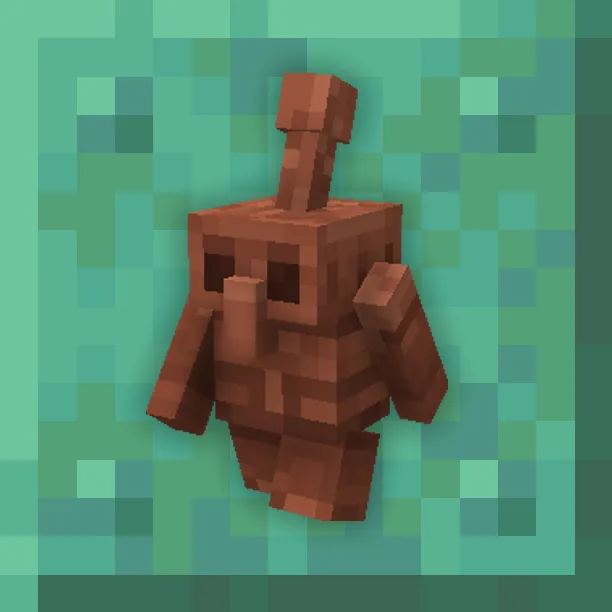
Copper Golem Concept | Doors and Lamps Update
Adds copper doors, copper lanterns, and the ability to restore copper golems with a honeycomb. Copper golems now press buttons faster, animations and textures have been fixed.DownloadMinecraft PE furniture mods
An add‑on is how you change Minecraft on Bedrock Edition: phones, tablets, consoles and the Windows version. There are no mods in the usual sense there, but there's an official add‑on format — behavior packs and resource packs that add mobs, weapons and mechanics and change how the game looks. For Pocket Edition it's the closest thing to PC mods, and it's far easier to install.
DetailsCollapse
An add‑on file (.mcaddon or .mcpack) opens right in the game: tap the file to import it, then enable the pack in the world settings. Nothing to unpack manually. Every add‑on in the catalog lists its Bedrock version, type (behavior, resources or both) and world compatibility. Some add‑ons require enabling experimental world features — this is noted in the description so the mechanics are sure to work.
FAQ
How is an add‑on different from a mod?
An add‑on is the official format for Bedrock Edition (Pocket Edition, consoles, Windows). Mods in the traditional sense exist only on Java Edition for PC. An add‑on is easier to install and doesn't break with updates as often.
How do I install an add‑on on my phone?
Download the .mcaddon or .mcpack file and open it — Minecraft will import the pack on its own. Then enable it in the world settings under “Behavior Packs” and “Resource Packs”.
Why isn't my add‑on working?
Most often the world's experimental features aren't enabled or the game version doesn't match. Check the requirements in the add‑on description and your world settings.