

Zenith Mod für Minecraft 1.20.1
Ein inoffizieller Fabric-Port von Apotheosis.
- Downloads
- 3 Downloads
- Aufrufe
- 36 Aufrufe
- Aktualisiert
- Aktualisiert 22.10.2026
- 1.20.1
 Fabric
Über die Zenith-Mod
This project is superseded by Zenith Renewed, a fork of Zenith that is currently being worked on and updated. Please click here to get to its Curseforge page.
Information
Zenith is an unofficial fabric port of the Apotheosis mod by Shadows - which you can find here.
1.20 versions require Zenith Attributes and FakerLib!
Zenith 1.20 has parity with the forge version of Apotheosis - the following modules are available:
Credits to Shadows_of_Fire for the original forge code and to Faellynna for the art!
- Enchantment Module
The Enchantment module focuses on an overhaul to the enchantment system and adding new enchantments. This module will allow you to become much more powerful than previously imposed limitations would have ever allowed, as well as introduce exciting new enchantments that help you adventure and conquer the world.
- Spawner Module
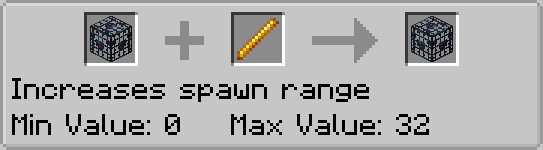
The Spawner Module is the source of all changes to Mob Spawners. This allows you to make complex mob farms using only existing vanilla blocks and items.
- Garden Module
The garden module has some extensions for vertically growing blocks. Specifically, it lets sugar cane, cactus, and bamboo grow to higher values than before. It also includes an item for picking up and transporting mobs.
- Potion Module
The potion module includes new potions, adds new recipes for previously unobtainable potions, and adds some other new content to support the usage of potions.
- Village Module
The Village Module is focused around introducing new content for villages, villagers, and their related blocks.
- Adventure Module
The Adventure Module adds bosses, gems, and a new affix system to gear.
todo pictures
Zenith is an unofficial port of Apotheosis - please do not go asking for help on this fabric port on their discord servers or github repositories.
Installation von Zenith
With Millida Launcher
Install Millida Launcher
The launcher is free: download it at millida.net/launcher and sign in with any nickname.
Click “Install” on this page
The launcher opens and installs the mod for Minecraft 1.20.1 on Fabric automatically.
Launch the game
A profile with it appears in the launcher: click “Play”.
Manually
Install Fabric
The loader must match the game version of the mod file, for example Minecraft 1.20.1. After installing it, a separate profile appears in your launcher.
Download the file for your version
In the version list above, pick the file zenith-1.2.5-1.20.1.jar (5.8 MB) for your game version.
Put it in the mods folder
The folder is inside .minecraft (Windows: %appdata%\.minecraft\mods). If it does not exist, create it.
Launch the loader profile
Open “Mods” in the main menu: Zenith should be in the list.
Minecraft 1.20.1 runs on Java 17: with a different Java version the game may close right after launch.
Versionen
Mit Abhängigkeiten
| Minecraft | Loader | Datei | Datum | Aktionen |
|---|---|---|---|---|
| 1.20.1 | Fabric | zenith-1.2.5-1.20.15.8 MB 3 | ||
| 1.20.1 | Fabric | zenith-0.2.4-1.20.12.4 MB |
FAQ
Which Minecraft versions does Zenith work on?
Only Minecraft 1.20.1: there are no files for other versions.
Is Zenith for Forge or Fabric?
Only for Fabric: 1.20.1. There are no files for Forge or NeoForge: a mod for another loader will not start.
Does Zenith need other mods?
The author lists no required dependencies: the Fabric loader is enough.
Which Java does Zenith need?
Minecraft 1.20.1 runs on Java 17. If the game closes right after launch, the usual cause is the wrong Java version in the profile settings.
Where can I download Zenith safely?
On this page: the file zenith-1.2.5-1.20.1.jar (5.8 MB) is stored on Millida’s server, with no link shorteners. SHA-1 checksum: 529bc6770f2c2d6a88d6db35b335bc8d61bdb11f.
Bewertungen
Bewerten Sie Zenith als Erster


