

Wormhole (Portals) Mod für Minecraft 1.16.5, 26.3
Wormhole ermöglicht es dir, Teleportationsportale mit Hilfe von Wurmloch-Stabilisator-Technologie zu errichten!
 NeoForge
 Fabric
 Quilt
Quilt Forge
ForgeWormhole allows you to construct portals with the use of wormhole stabilizer technology! Constructed portals can teleport you to any defined location! Portals can be of any shape and size! Portals can also be colored using dyes!
Content:
### Portal Stabilizer
- The Portal Stabilizer creates a wormhole to your target!
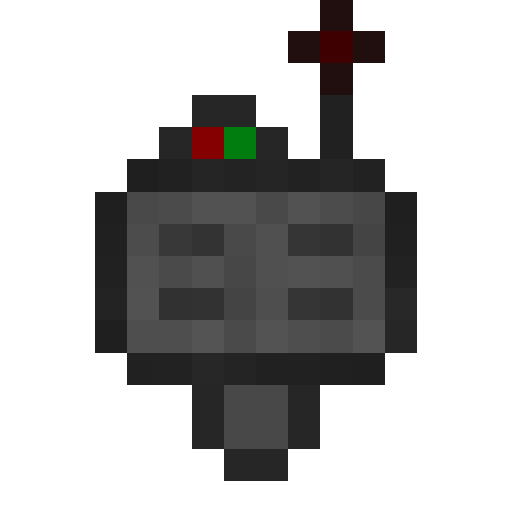
- Right-click a with a Target Definition Device to open a portal's gui
- Every portal needs at least one Portal Stabilizer
- Can store 1 target
### Portal Frame
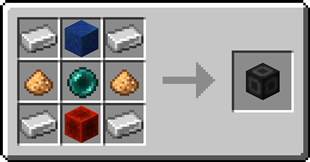
- The Portal Frame is used to create the frame of a portal

### Basic Energy Cell
- Stores energy for use by the portal
- Can be added as part of the portal frame
### Advanced Energy Cell
- Stores energy for use by the portal
- Can be added as part of the portal frame
### Basic Target Cell
- Stores targets which can be selected in the portal's gui
- Can be added as part of the portal frame
### Advanced Target Cell
- Stores targets which can be selected in the portal's gui
- Can be added as part of the portal frame
### Coal Generator
- The Coal Generator generates energy by burning items
- Energy is given to blocks in a 5x5x5 area
### Target Definition Device
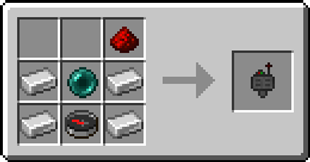
- The Target Definition Device can define a target!
- Right-click the Portal Stabilizer to set its target
- Can hold one target
### Advanced Target Definition Device
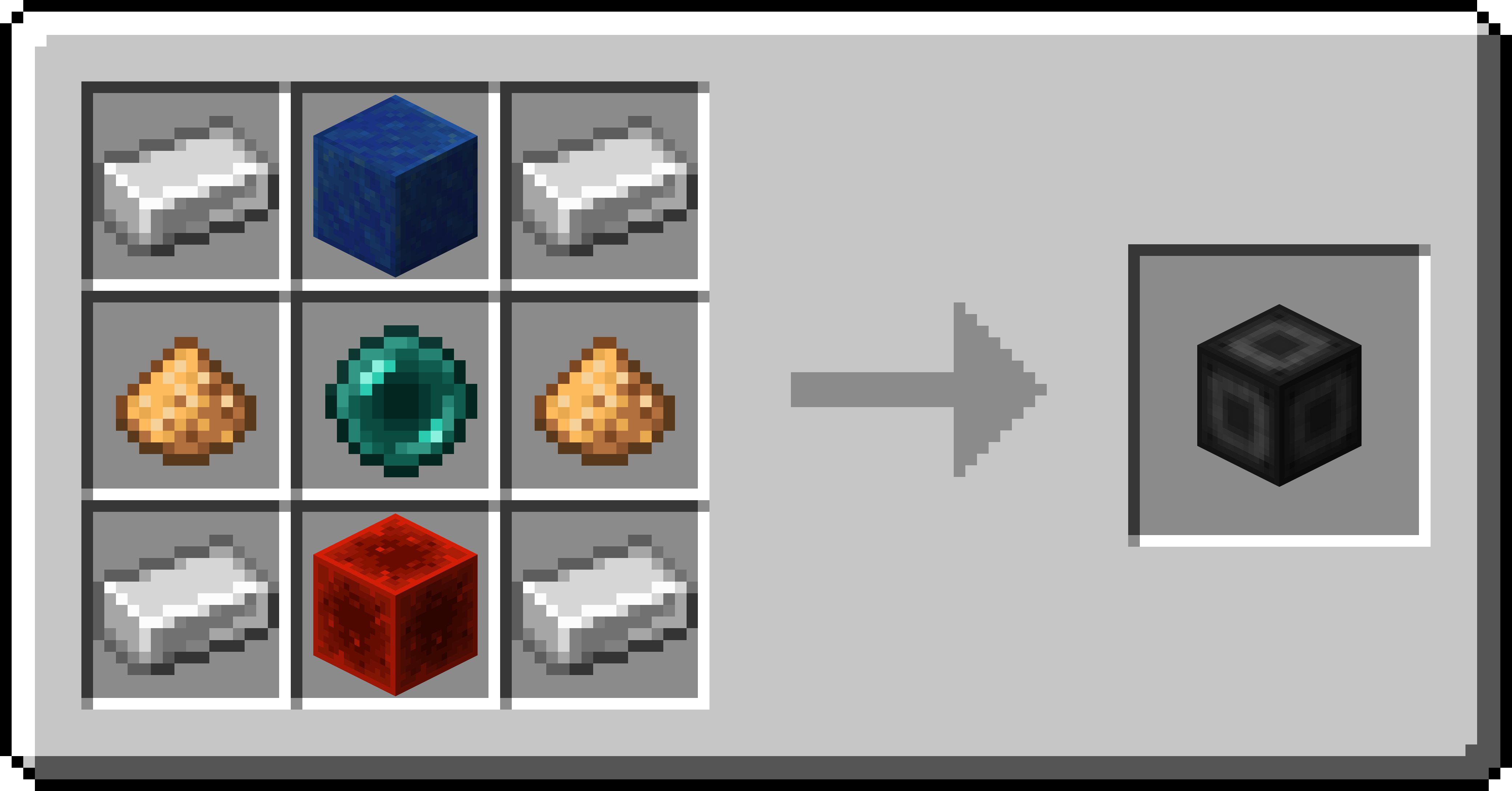
- The Advanced Target Definition Device can define targets!
- Right-click the Portal Stabilizer to set its target
- Can hold up to 5 targets
Installation von Wormhole (Portals)
With Millida Launcher
Install Millida Launcher
The launcher is free: download it at millida.net/launcher and sign in with any nickname.
Click “Install” on this page
The launcher opens and installs the mod for Minecraft 1.16.3–26.3 on Fabric, Forge, NeoForge or Quilt automatically.
Launch the game
A profile with it appears in the launcher: click “Play”.
Manually
Install Fabric, Forge, NeoForge or Quilt
The loader must match the game version of the mod file, for example Minecraft 26.3. After installing it, a separate profile appears in your launcher.
Download the file for your version
In the version list above, pick the file wormhole-1.1.17-neoforge-mc26.3.jar (914 KB) for your game version and loader.
Put it in the mods folder
The folder is inside .minecraft (Windows: %appdata%\.minecraft\mods). If it does not exist, create it.
Launch the loader profile
Open “Mods” in the main menu: Wormhole (Portals) should be in the list.
Versionen
Mit Abhängigkeiten
| Minecraft | Loader | Datei | Datum | Aktionen |
|---|---|---|---|---|
| 26.3 | NeoForge | Wormhole (Portals) 1.1.17 for NeoForge 26.3914 KB 1 | ||
| 26.3 | Fabric, Quilt | Wormhole (Portals) 1.1.17 for Fabric 26.3902 KB 10 | ||
| 26.2 | Forge | Wormhole (Portals) 1.1.17 for Forge 26.2868 KB 2 | ||
| 1.16.3 | Forge | wormhole-1.1.2-mc1.16.3959 KB |
FAQ
Which Minecraft versions does Wormhole (Portals) work on?
There are files for 26.3, 26.2, 1.16.5, 1.16.4, 1.16.3. The newest is 26.3.
Is Wormhole (Portals) for Forge or Fabric?
There are files for Fabric: 26.3, for Forge: 1.16.3–26.2, for NeoForge: 26.3 and for Quilt: 26.3.
Does Wormhole (Portals) need other mods?
The author lists no required dependencies: the Fabric, Forge, NeoForge or Quilt loader is enough.
Where can I download Wormhole (Portals) safely?
On this page: the file wormhole-1.1.17-neoforge-mc26.3.jar (914 KB) is stored on Millida’s server, with no link shorteners. SHA-1 checksum: af925d1c96e903b1f9a29c61ff84247cec625957.
Bewertungen
Bewerten Sie Wormhole (Portals) als Erster


