
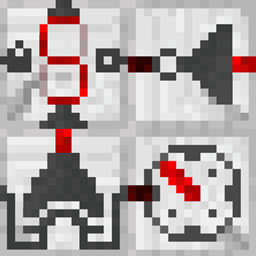
Tiny Gates Mod für Minecraft 1.20.1, 26.3
Fügt winzige Redstone-Gatter hinzu, mit denen du winzige integrierte Schaltkreise bilden kannst.
 NeoForge
 Forge
Tiny Gates
Tiny Gates adds Redstone Gates: both full block gates (repeater sized), and when installed with Tiny Redstone, very tiny redstone gates that you can use to form tiny integrated circuits. (FYI: Latest beta for Minecraft 1.19.2 and 1.18.2, Tiny Redstone is now an optional requirement.)
Gates can be placed in any orientation: on floors, walls and ceilings!
This mod adds the following gates gates:

AND Gate
Outputs to front when a signal is received to both left AND right side.

OR Gate
Outputs to front when a signal is received to either left OR right side.

XOR Gate
Outputs to front when the input signals do not match, similar to a 3-way light switch.

NOT Gate
Outputs to front when there is no signal to the back. Similar to redstone torch but to single direction with no delay.

RS Latch
Outputs to front when signal on left (Set signal) is pulsed. Remains on until signal on right (Reset signal) is pulsed.

T Flip Flop
Output to front toggles on pulse to back.

Counter
Counts pulses received to back input (up to 15). Displays number and outputs that signal strength to front. Also, can act as a potentiometer. Input to left locks number. Input to right resets counter.

Clock
Outputs redstone pulses to front at a set interval. Right click for GUI to set interval. Disable with redstone signal to back.

Edge Detector
Outputs redstone pulse at start (rising edge) or stop (falling edge) of redstone signal to back input. Right click to toggle edge to detect (rising or falling).
Spotlight Video
There were no full block sized gates when this spotlight was created, and Tiny Redstone is now optional, but all other information is accurate.
Installation von Tiny Gates
With Millida Launcher
Install Millida Launcher
The launcher is free: download it at millida.net/launcher and sign in with any nickname.
Click “Install” on this page
The launcher opens and installs the mod for Minecraft 1.17.1–26.3 on Forge or NeoForge automatically.
Launch the game
A profile with it appears in the launcher: click “Play”.
Manually
Install Forge or NeoForge
The loader must match the game version of the mod file, for example Minecraft 26.3. After installing it, a separate profile appears in your launcher.
Download the file for your version
In the version list above, pick the file tinygates-26.3-8.0.0.jar (182 KB) for your game version and loader.
Put it in the mods folder
The folder is inside .minecraft (Windows: %appdata%\.minecraft\mods). If it does not exist, create it.
Launch the loader profile
Open “Mods” in the main menu: Tiny Gates should be in the list.
Versionen
Mit Abhängigkeiten
| Minecraft | Loader | Datei | Datum | Aktionen |
|---|---|---|---|---|
| 26.3 | NeoForge | tinygates-26.3-8.0.0.jar182 KB | ||
| 26.1 | NeoForge | tinygates-26.1-6.0.2.jar181 KB | ||
| 1.20.1 | Forge | tinygates-1.20-4.0.0.jar174 KB | ||
| 1.19.3 | Forge | tinygates-3.2.0.jar173 KB | ||
| 1.17.1 | Forge | tinygates-1.0.0a.jar111 KB |
Bewertungen
Bewerten Sie Tiny Gates als Erster


