

Tinkers' Construct Mod für Minecraft 1.20.1, 1.12.2
Bastle ein wenig, modifiziere alle Werkzeuge, baue eine Schmelzhütte und bastle dann noch ein wenig mehr. Die klassische Mod für modulare Werkzeuge.
 Forge
Forge NeoForge
Über die Tinkers' Construct-Mod
Requires SlimeKnights Library Mod: Mantle
Recommended to include the a recipe viewer: Just Enough Items
Support Tinkers' Construct on patreon:
- mDiyos
- KnightMiner
Overview
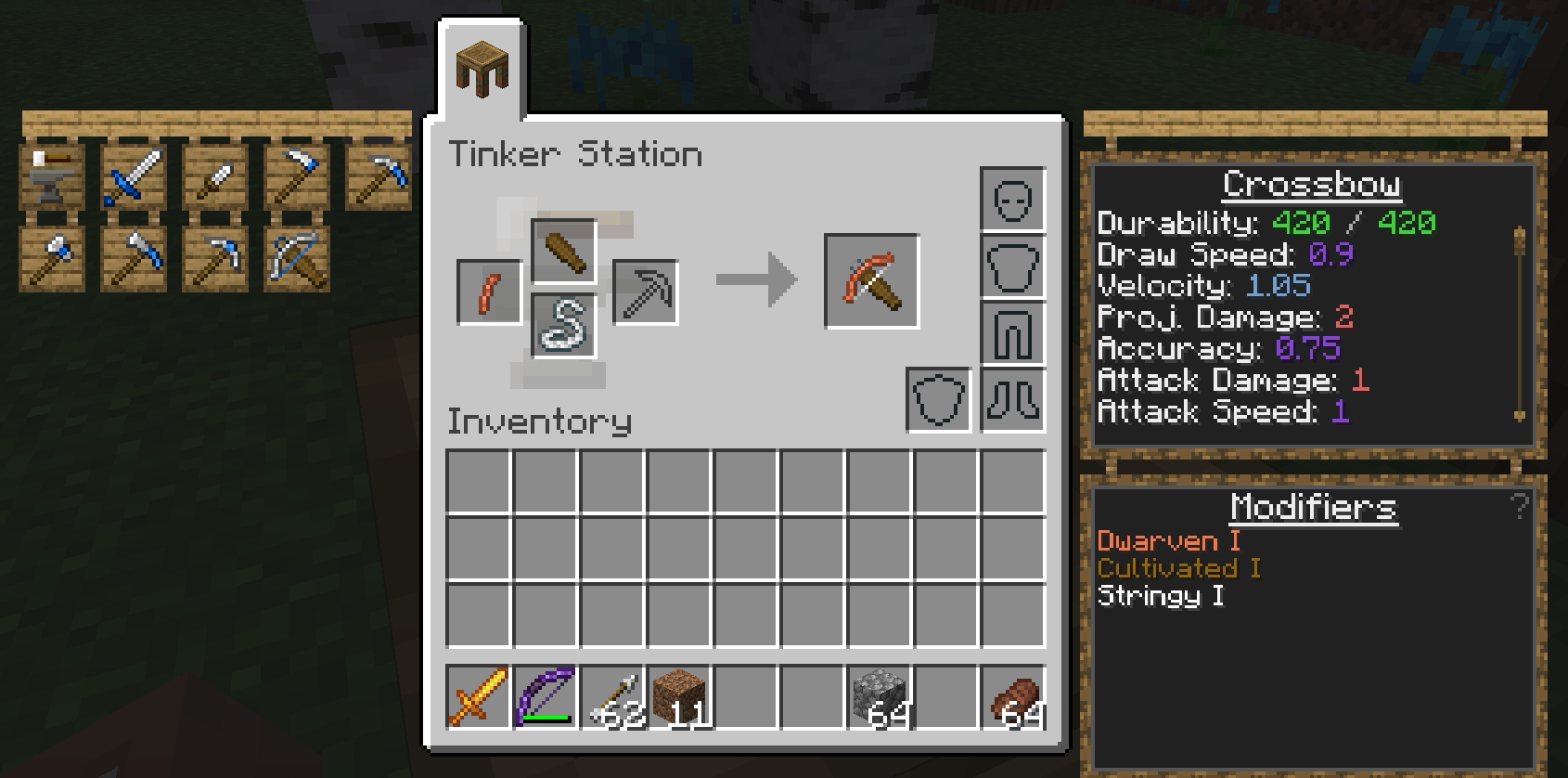
Tinkers' Construct is a mod about putting tools together in a wide variety of ways, then modifying them until they turn into something else. The tools never disappear and can be named and changed to your heart's desire. Once you make them, they're yours forever. Many different materials can be used to make your tools.
This mod includes many related features, including:
- Part builders, tinker stations, and modifier workstations for building and modifying your tools
- The melter, alloyer, smeltery, and foundry for working with molten metals
- Slime islands generating as part of the overworld, nether, and end, granting access to 4 different slime colors
- Slimy geodes spawning deep underground
- Cobalt ore in the nether
To get started, craft Materials and You then follow the introduction steps. For a more detailed overview, see one of the following links:
- Tinkers' Construct 3 Overview: Overview of the mod contents since 1.16.
- Tinkers' Construct 2 Overview: Overview of the mod contents between 1.8 and 1.12.

License
The mods binaries, as well as its textures and code are licensed under the MIT License.
Feel free to use the mod in any modpacks. You are allowed to use it, you do not need to ask for permission, in fact permission requests will usually be ignored. When using the mod, please use the Curse/CurseForge, Modrinth, or GitHub download and do not rehost the files.
Any modpack which uses Tinkers' Construct takes full responsibility for user support queries.
For anyone else, we only support official builds from Curse/Curseforge, Modrinth, and GitHub. No custom built jars. We also do not take bug reports for outdated builds of Minecraft.
This project currently has builds for 1.18.2+ along with 1.6.4, 1.7.10, 1.12.2, and 1.16.5. If you are using a Minecraft version other than that which has a Tinkers release, make a request on our discord and I will upload the older build.

Credits
Tinkers' Construct 3 - since 1.16
- KnightMiner - Lead Developer
- alexbegt - Developer
- boni - former developer
- mDiyo - Original author, game design input
- RCXcrafter - Artist
- See contributors on GitHub for a full list of contributors
Tinkers' Construct 2 - 1.8 to 1.12
- boni - Lead Developer
- KnightMiner - Developer
- alexbegt - Developer/Updating
- mDiyo - Original Author of the mod
- Firedingo - General Task Support
- Drullkus - Villager textures
- Anbaric - Pattern chest and part chest model
Tinkers' Construct 1 - 1.7 and before
- mDiyo - Lead Developer
- boni - Developer
- fuj1n - Landmines, Former Developer
- progwml6 - Former Developer
- Fudgy_Fetus - Cutlasses
- NekoGloop - Thaumium Textures
- Skyboy - New tool renderer
- Zerokyuuni - Battlegear support
- Vexatos - Translations
- BluSunrize - Casting Channels
- tonius11 - NEI Support
- baddaspig - Slime Crystal graphics
Installation von Tinkers' Construct
With Millida Launcher
Install Millida Launcher
The launcher is free: download it at millida.net/launcher and sign in with any nickname.
Click “Install” on this page
The launcher opens and installs the mod for Minecraft 1.12.2–1.20.1 on Forge or NeoForge automatically, together with its dependencies: Mantle.
Launch the game
A profile with it appears in the launcher: click “Play”.
Manually
Install Forge or NeoForge
The loader must match the game version of the mod file, for example Minecraft 1.20.1. After installing it, a separate profile appears in your launcher.
Download the file for your version
In the version list above, pick the file TConstruct-1.20.1-3.12.1.231.jar (23 MB) for your game version and loader.
Put it in the mods folder
The folder is inside .minecraft (Windows: %appdata%\.minecraft\mods). If it does not exist, create it. Required dependencies go there too: Mantle.
Launch the loader profile
Open “Mods” in the main menu: Tinkers' Construct should be in the list.
On a server
A server on Forge or NeoForge
The mod only works on a server with the same loader and game version, for example 1.20.1.
File goes into the server’s mods folder
Stop the server, put the mod file into the mods folder and start the server again.
Or use the “To hosting” button
On Millida Hosting, the button at the top of the page uploads the file to your server and restarts it for you.
Minecraft 1.20.1 runs on Java 17: with a different Java version the game may close right after launch.
Versionen
Mit Abhängigkeiten
| Minecraft | Loader | Datei | Datum | Aktionen |
|---|---|---|---|---|
| 1.20.1 | Forge, NeoForge | 1.20.122.8 MB 28 | ||
| 1.12.2 | Forge | 1.12.23.8 MB 8 | — |
Was zum Ausführen nötig ist
- Mantleerforderlich
- Just Enough Items (JEI)optional
Inhalte, die dies benötigen
Bewertungen
Bewerten Sie Tinkers' Construct als Erster


