
Smooth Boot (Forge) Mod für Minecraft 1.16.5
Passe die Java-Thread-Einstellungen an und verhindere, dass Minecraft deinen Computer beim Laden ausbremst.
- Downloads
- 1 Downloads
- Aufrufe
- 6 Aufrufe
- Aktualisiert
- Aktualisiert 18.10.2026
- 1.16 — 1.16.5
 Forge
Forge
Link to Fabric version
Update: Smooth Boot is now available as a maven repository on JCenter. You can read about it in the mod wiki.
Smooth Boot - Optimize Minecraft loading performance to be smoother on low end systems and scale better on high end systems.
Available on Fabric and Forge for Minecraft 1.14-1.16.
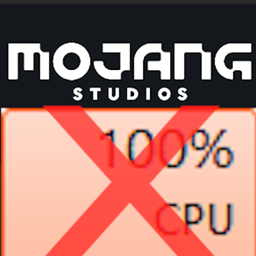
If you have a PC with a older or lower end CPU (ex. CPUs with 8 or less threads), you may have noticed that Minecraft takes up 100% of the CPU when loading into the title screen, causing cursor stutter and makes multitasking painfully difficult. Smooth Boot solves this problem completely, and loading should be much smoother and potentially faster as well.
Features
- Change amount of threads used for loading
- Change priority of threads used by Minecraft
How the mod works
Minecraft uses executors to run multithreaded tasks. The problem is that the tasks that are ran during loading are quite heavy on the CPU, so it leads to 100% CPU usage. And, some of the tasks do not necessarily benefit from multithreading. Smooth Boot fixes these problems by change the parameters of the executors, including the number of threads they use and the priority of each thread.
For more information, please read the Smooth Boot wiki
Compatibility
The mod should be compatible with all mods including Optifine. However, it's worth noting that the mod uses mixin overwrites on some methods used for loading the game. If you run into incompatibility issues, please leave a comment.
Installation von Smooth Boot (Forge)
With Millida Launcher
Install Millida Launcher
The launcher is free: download it at millida.net/launcher and sign in with any nickname.
Click “Install” on this page
The launcher opens and installs the mod for Minecraft 1.16–1.16.5 on Forge automatically.
Launch the game
A profile with it appears in the launcher: click “Play”.
Manually
Install Forge
The loader must match the game version of the mod file, for example Minecraft 1.16.5. After installing it, a separate profile appears in your launcher.
Download the file for your version
In the version list above, pick the file smoothboot-forge-1.16.4-1.2.2.jar (83 KB) for your game version.
Put it in the mods folder
The folder is inside .minecraft (Windows: %appdata%\.minecraft\mods). If it does not exist, create it.
Launch the loader profile
Open “Mods” in the main menu: Smooth Boot (Forge) should be in the list.
Minecraft 1.16.5 runs on Java 8: with a different Java version the game may close right after launch.
Versionen
Mit Abhängigkeiten
| Minecraft | Loader | Datei | Datum | Aktionen |
|---|---|---|---|---|
| 1.16.3 | Forge | smoothboot-forge-1.16.4-1.2.2.jar82.8 KB 1 |
FAQ
Which Minecraft versions does Smooth Boot (Forge) work on?
There are files for 1.16.5, 1.16.4, 1.16.3, 1.16.2, 1.16.1, 1.16. The newest is 1.16.5.
Is Smooth Boot (Forge) for Forge or Fabric?
Only for Forge: 1.16–1.16.5. There are no files for Fabric or NeoForge: a mod for another loader will not start.
Does Smooth Boot (Forge) need other mods?
The author lists no required dependencies: the Forge loader is enough.
Which Java does Smooth Boot (Forge) need?
Minecraft 1.16.5 runs on Java 8. If the game closes right after launch, the usual cause is the wrong Java version in the profile settings.
Where can I download Smooth Boot (Forge) safely?
On this page: the file smoothboot-forge-1.16.4-1.2.2.jar (83 KB) is stored on Millida’s server, with no link shorteners. SHA-1 checksum: 483f6d696b5166fd0f3fbf6b2e8138bc39db2660.
Bewertungen
Bewerten Sie Smooth Boot (Forge) als Erster


