
Skeleton AI Fix Mod für Minecraft 1.20.1, 26.3
Beseitigt ungeschicktes Ausweichen – Skelette bleiben nun fokussiert und schießen schneller, je näher du kommst.
 Fabric
 NeoForge
 Forge
ForgeÜber die Skeleton AI Fix-Mod
         
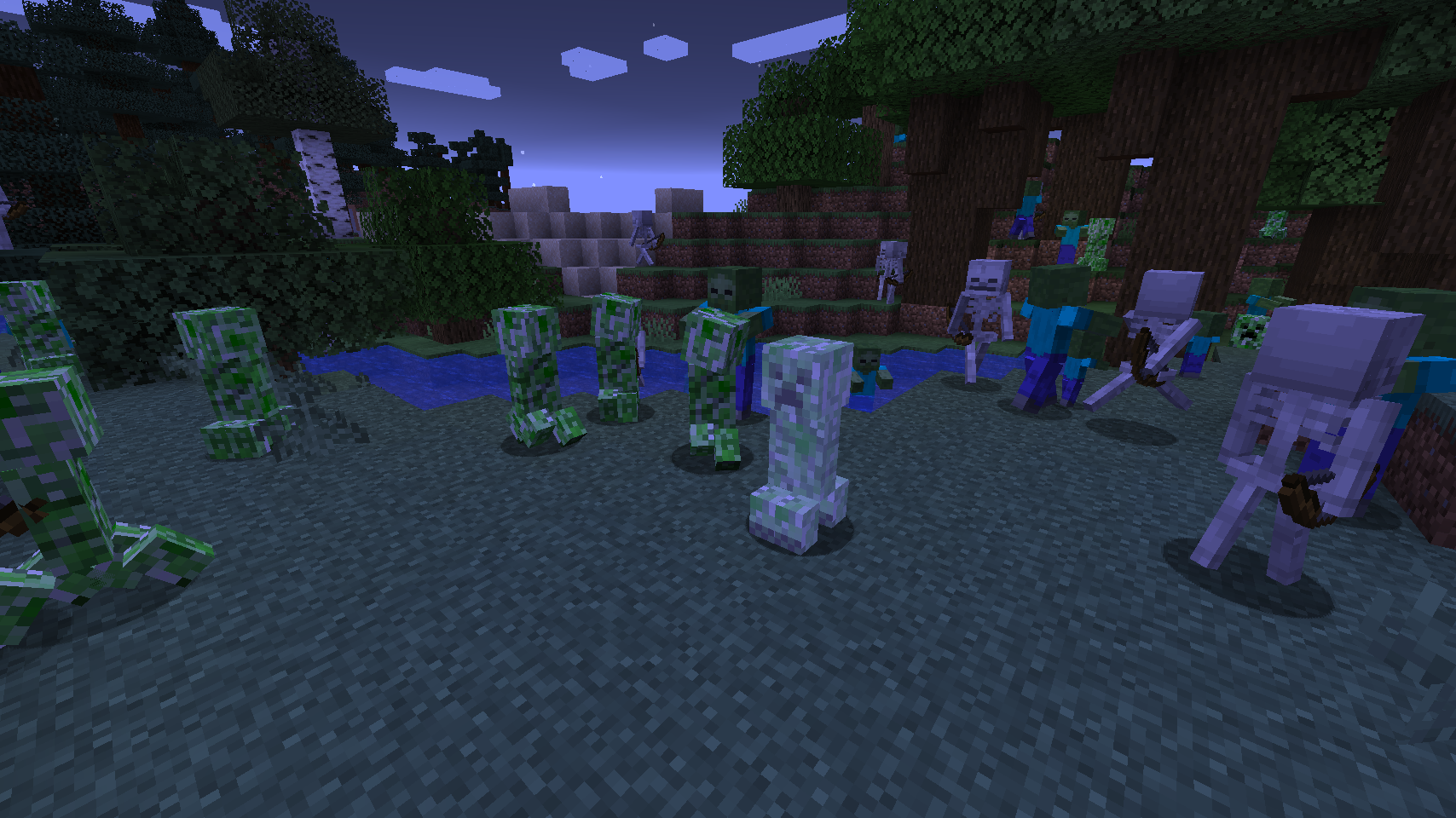
Skeleton AI Fix removes the frustrating and buggy strafing behavior of Skeletons. 🏹 No more walking backwards, falling off cliffs, or getting stuck in tight corners. Instead, they stand their ground and focus on landing deadly shots, firing faster the closer you get. Their aim sharpens as you approach, creating a real challenge without awkward movement. 🎯

All bow using Skeletons, from the classic Skeleton to the Stray, stay focused and deliver smoother, more intense battles. ⚔️ Get ready for faster arrows and enemies that are not distracted by the terrain. Whether you rush in or keep your distance, every fight becomes a tense and thrilling shootout. 💀
⏩ INSTALLATION REQUIRED ON SERVER
⏩ REQUIRES PUZZLES LIB TO BE INSTALLED (FABRIC & NEOFORGE)
⏩ REQUIRES FABRIC API TO BE INSTALLED (FABRIC)
⏩ REQUIRES FORGE CONFIG API PORT TO BE INSTALLED (FABRIC)
If available for a mod, configuration is possible directly from in-game using the mod menu (requires Mod Menu by Prospector to be installed on Fabric).
For manual configuration using an external text editor all files are found at .minecraft/config, named as MOD_ID-client.toml, MOD_ID-common.toml, or MOD_ID-server.toml, depending on the type of config. Not all types might exist for a mod, if any at all.


(c) 2026 @heyitsfuzs. All rights reserved. This page was last edited on 11 September 2026, at 06:44 (UTC).
Installation von Skeleton AI Fix
With Millida Launcher
Install Millida Launcher
The launcher is free: download it at millida.net/launcher and sign in with any nickname.
Click “Install” on this page
The launcher opens and installs the mod for Minecraft 1.20.1–26.3 on Fabric, Forge or NeoForge automatically.
Launch the game
A profile with it appears in the launcher: click “Play”.
Manually
Install Fabric, Forge or NeoForge
The loader must match the game version of the mod file, for example Minecraft 26.3. After installing it, a separate profile appears in your launcher.
Download the file for your version
In the version list above, pick the file skeletonaifix-v26.3.0-mc26.3.x+fabric.jar (25 KB) for your game version and loader.
Put it in the mods folder
The folder is inside .minecraft (Windows: %appdata%\.minecraft\mods). If it does not exist, create it.
Launch the loader profile
Open “Mods” in the main menu: Skeleton AI Fix should be in the list.
Versionen
Mit Abhängigkeiten
| Minecraft | Loader | Datei | Datum | Aktionen |
|---|---|---|---|---|
| 26.3 | Fabric | v26.3.0-mc26.3.x+fabric25.4 KB | ||
| 26.3 | NeoForge | v26.3.0-mc26.3.x+neoforge25.3 KB | ||
| 1.20.1 | Forge | [FORGE] [1.20.1] SkeletonAIFix-v20.1.144.8 KB |
FAQ
Which Minecraft versions does Skeleton AI Fix work on?
There are files for 26.3, 1.20.1. The newest is 26.3.
Is Skeleton AI Fix for Forge or Fabric?
There are files for Fabric: 26.3, for Forge: 1.20.1 and for NeoForge: 26.3.
Does Skeleton AI Fix need other mods?
The author lists no required dependencies: the Fabric, Forge or NeoForge loader is enough.
Where can I download Skeleton AI Fix safely?
On this page: the file skeletonaifix-v26.3.0-mc26.3.x+fabric.jar (25 KB) is stored on Millida’s server, with no link shorteners. SHA-1 checksum: fe9a4469a9062446a2ff0b79822ac61834448a69.
Bewertungen
Bewerten Sie Skeleton AI Fix als Erster


