
- Aufrufe
- 12 Aufrufe
- Aktualisiert
- Aktualisiert 18.10.2026
- 1.12.1 — 1.16.4
 Forge
Forge
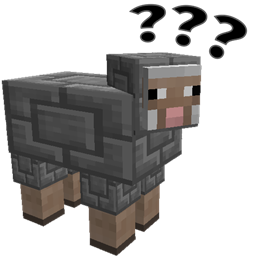
Shear Madness
A stupid mod about making sheep more aesthetically pleasing.
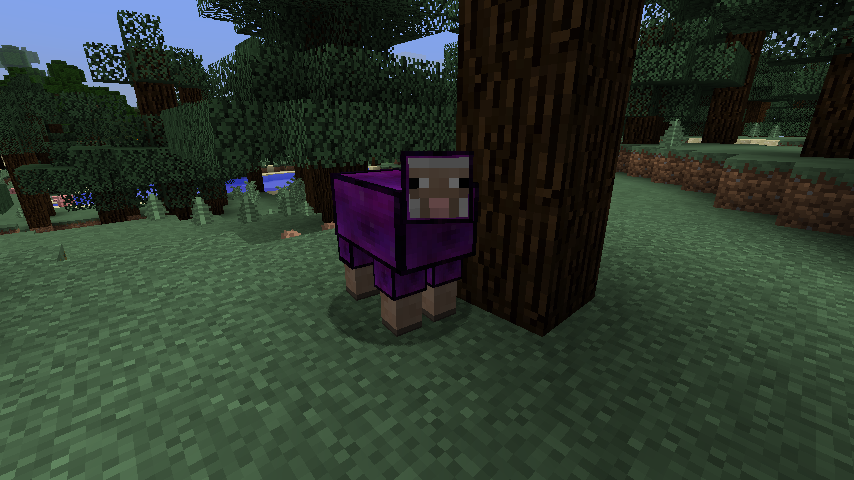
Manual for chiselling sheep
Prerequisites
Versions for Mineraft 1.15 and lower REQUIRE chisel 0.0.7.7 or higher to use this mod. For Minecraft 1.16+ the mod will work with chisel, but can work on it's own.
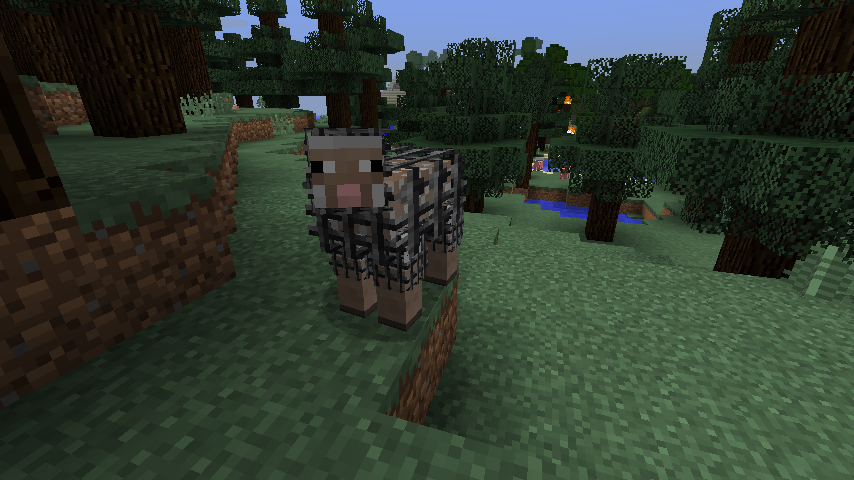
Chiseling a sheep
- Make a iron or diamond chisel, (or a "Not a chisel" if neither of them are available) and right click to open the chisel preview.
- Insert the block you wish to chisel the sheep with into the preview slot on the top-left hand side
- Leave the menu
- Left-Click on the Sheep you wish to chisel.
- Sheep should now be very confused, and a block will be removed from the chisel.
Unchiseling a sheep
- Left-Click on a sheep when no item is in the preview slot, the block will be returned to you.
Functional Sheep (1.1.0 and higher)
Certain sheep now have behaviours associated with them:
- Redstone Sheep will trigger redstone signals
- TNT Sheep will explode if exposed to redstone
- Glowstone Sheep will light the area around them
- This is disabled by default because of the stuttering of it recalculating chunk lighting.
- Chisel blocks with "working" fans cause sheep to fly
- Crafting Table sheep work as crafting tables
- Anvil sheep work as Anvils
- Cactus sheep deal cactus damage and will destroy items
- Magma sheep deal "walking on fire" damage.
- Crafting Table Sheep will auto-craft according to the recipe.
- Leave your items in the sheep and it will eat any items it sees to produce the result.
- (1.5.0) Chance Cube Sheep
Commands
/shearmadness chancecubes
Opts in or out for Chance Cube sheep.
Configuration Options
Shearing Behaviour
Shear Madness supports changing the behaviour of what happens when you attempt to shear a sheep, this option can be modified in shearmadness.cfg in the /config/ directory.
S:behaviour controls the shearing behaviour.
By default, shearing a sheep will return it to a vanilla sheep, but the following other options are available:
- RevertSheep - The Default, changes the sheep back to a vanilla sheep
- ChiselFarm - You can farm blocks by allowing the sheep to regrow. Not recommended for server owners as it currently allows users to grow diamond, iron and redstone blocks from sheep.
- CannotShear - Shearing is completely disabled for these sheep. They will need to be reverted to normal before they can be sheared again.
Breeding Behaviour (1.7.0)
S:breedingBehaviour will determine what happens when two sheep mate with each other.
- Unchiseled - The default, baby sheep will be normal sheep
- SimpleBreeding - Baby sheep will be chiselled the same as either the mother or the father (50% chance)
Functional Behaviours
You can change whether specialized sheep function or not using their configuration sections. Check the shearmadness.cfg file for details.
Future Development
I have lots of ideas for other shearing behaviours and other features. Feel free to drop ideas or bugs to my GitHub tracker, other feedback is welcome here and on Twitter.
Will I be able to chisel pigs and other mobs in the future?
I'm not really planning on it, sheep have a nice layering system that separates the body from it's wool.
Your mod is one big dupe glitch!
I know, that's why I released 1.0 with shearing behaviours. Set it appropriately.
A huge thanks to TTFTCUTS for the name
Installation von Shear Madness
With Millida Launcher
Install Millida Launcher
The launcher is free: download it at millida.net/launcher and sign in with any nickname.
Click “Install” on this page
The launcher opens and installs the mod for Minecraft 1.12.1–1.16.4 on Forge automatically.
Launch the game
A profile with it appears in the launcher: click “Play”.
Manually
Install Forge
The loader must match the game version of the mod file, for example Minecraft 1.16.4. After installing it, a separate profile appears in your launcher.
Download the file for your version
In the version list above, pick the file shearmadness-1.16.(3,4)-1.7.2.12.jar (255 KB) for your game version.
Put it in the mods folder
The folder is inside .minecraft (Windows: %appdata%\.minecraft\mods). If it does not exist, create it.
Launch the loader profile
Open “Mods” in the main menu: Shear Madness should be in the list.
Minecraft 1.16.4 runs on Java 8: with a different Java version the game may close right after launch.
Versionen
Mit Abhängigkeiten
| Minecraft | Loader | Datei | Datum | Aktionen |
|---|---|---|---|---|
| 1.16.3 | Forge | shearmadness-1.16.(3,4)-1.7.2.12.jar255 KB | ||
| 1.16.3 | — | shearmadness-1.16.3-1.7.2.10.jar255 KB | ||
| 1.12.1 | — | shearmadness-1.12.2-1.7.2.4.jar296 KB |
Bewertungen
Bewerten Sie Shear Madness als Erster


