
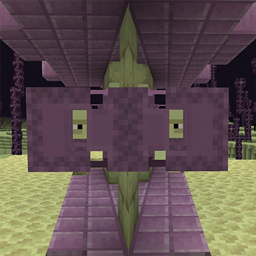
Respawning Shulkers Mod für Minecraft 26.3
🟪 Shulkers respawnen nach einer konfigurierbaren Verzögerung an ihrem Todesort, baue Schalen nachhaltig.
 Fabric
 Forge
 NeoForge
 Quilt
Über die Respawning Shulkers-Mod
Respawning Shulkers is a mod which makes the process of farming shulker boxes sustainable. Shulkers can quickly become difficult to find in a world, because of the usefulness of shulker boxes. Normally you'd have to find new shulker spawns after your first farming trip, or create an intricate farm to duplicate shulkers with shulker bullets. With this mod, you'll be able to stay in the same place and farm shulker shells infinitely. Shulkers can still teleport, leaving it balanced.
By default a shulker will respawn in its death location after 60 seconds, although this can be changed in the config. When a server (or singleplayer world) shuts down, all pending shulker spawns will process immediately.
Shulkers that originate from a mob spawner by default won't respawn.
All available config options:
timeInTicksToRespawn default 1200, min 1, max 72000 The amount of time in ticks it takes for a shulker to respawn after it died. 20 ticks = 1 second. By default 60 seconds.
shulkersFromSpawnersDoNotRespawn default true If enabled, shulkers which spawn from (modded) spawners will not be respawned after a death.
With the respawn timer set low for the example.
The two shulkers at the entrance respawning:
A shulker teleporting after being damaged. The shulker will respawn at its death location, not at the initial spawn. This makes farming them still somewhat difficult but balanced:
You may freely use this mod in any modpack, as long as the download remains hosted within the CurseForge or Modrinth ecosystem.
Serilum.com contains an overview and more information on all mods available.
Comments are disabled as I'm unable to keep track of them across so many separate mod pages. For issues, ideas, suggestions or anything else there is the Github repo. Thanks!
Installation von Respawning Shulkers
With Millida Launcher
Install Millida Launcher
The launcher is free: download it at millida.net/launcher and sign in with any nickname.
Click “Install” on this page
The launcher opens and installs the mod for Minecraft 1.19.3–26.3 on Fabric, Forge, NeoForge or Quilt automatically.
Launch the game
A profile with it appears in the launcher: click “Play”.
Manually
Install Fabric, Forge, NeoForge or Quilt
The loader must match the game version of the mod file, for example Minecraft 26.3. After installing it, a separate profile appears in your launcher.
Download the file for your version
In the version list above, pick the file respawningshulkers-26.3.0-4.2.jar (44 KB) for your game version and loader.
Put it in the mods folder
The folder is inside .minecraft (Windows: %appdata%\.minecraft\mods). If it does not exist, create it.
Launch the loader profile
Open “Mods” in the main menu: Respawning Shulkers should be in the list.
Versionen
Mit Abhängigkeiten
| Minecraft | Loader | Datei | Datum | Aktionen |
|---|---|---|---|---|
| 26.3 | Fabric, Forge, NeoForge, Quilt | [Fabric/Forge/Neo] 26.3.0-4.2 | Respawning Shulkers44.3 KB | ||
| 1.19.3 | Forge | respawningshulkers_1.19.3-1.9.jar9.1 KB |
FAQ
Which Minecraft versions does Respawning Shulkers work on?
There are files for 26.3, 1.19.3. The newest is 26.3.
Is Respawning Shulkers for Forge or Fabric?
There are files for Fabric: 26.3, for Forge: 1.19.3–26.3, for NeoForge: 26.3 and for Quilt: 26.3.
Does Respawning Shulkers need other mods?
The author lists no required dependencies: the Fabric, Forge, NeoForge or Quilt loader is enough.
Where can I download Respawning Shulkers safely?
On this page: the file respawningshulkers-26.3.0-4.2.jar (44 KB) is stored on Millida’s server, with no link shorteners. SHA-1 checksum: f93c845604758c05939555a666833917518e4314.
Bewertungen
Bewerten Sie Respawning Shulkers als Erster


