
Platforms Mod für Minecraft 1.21.1
Baue Decks, Brücken, Minenschächte oder sogar Holzachterbahnen
 NeoForge
 Forge
ForgeÜber die Platforms-Mod
- ShetiPhianCore erforderlich!
Baue Decks, Brücken, Dächer, Minenschächte oder sogar Holzachterbahnen.
Kombiniere fast beliebige 2 Blöcke oder Gegenstände (modded oder vanilla).
Wenn ein verwendeter Block Licht abgibt, tut das hergestellte Item das ebenfalls.
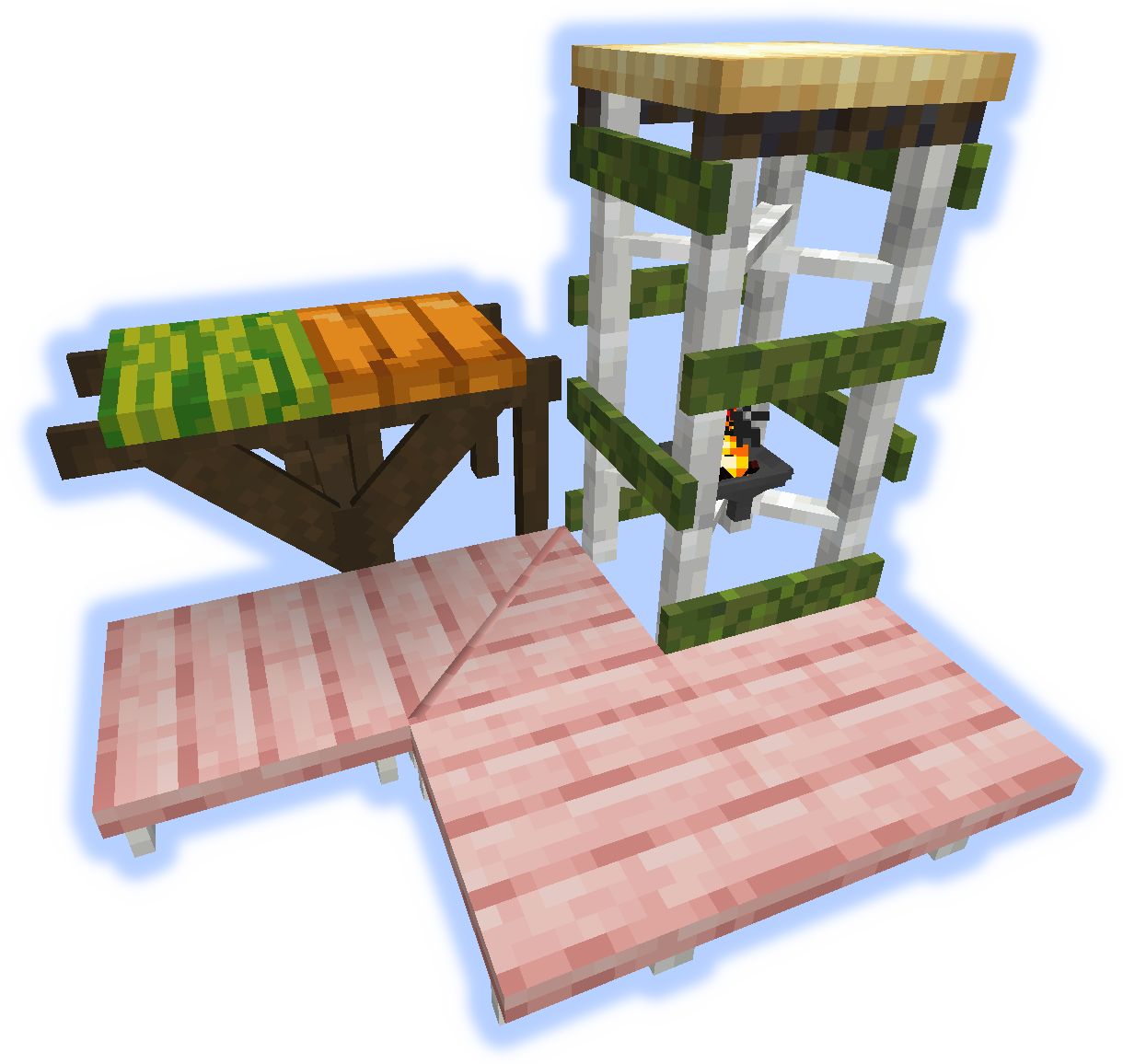
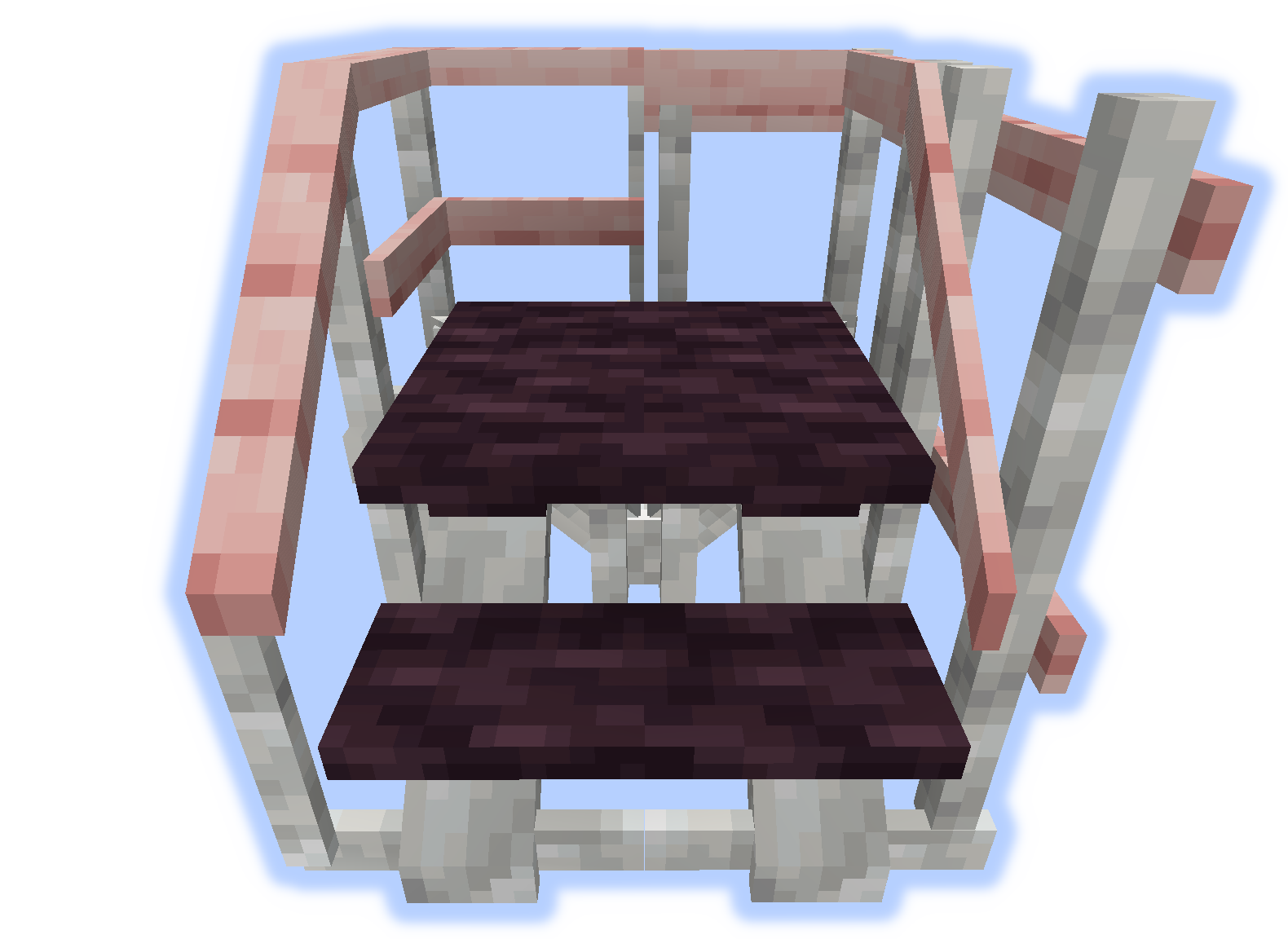
Rahmen, Böden & Plattformen
Rahmen können mit Soul/Redstone/Fackeln versehen werden.
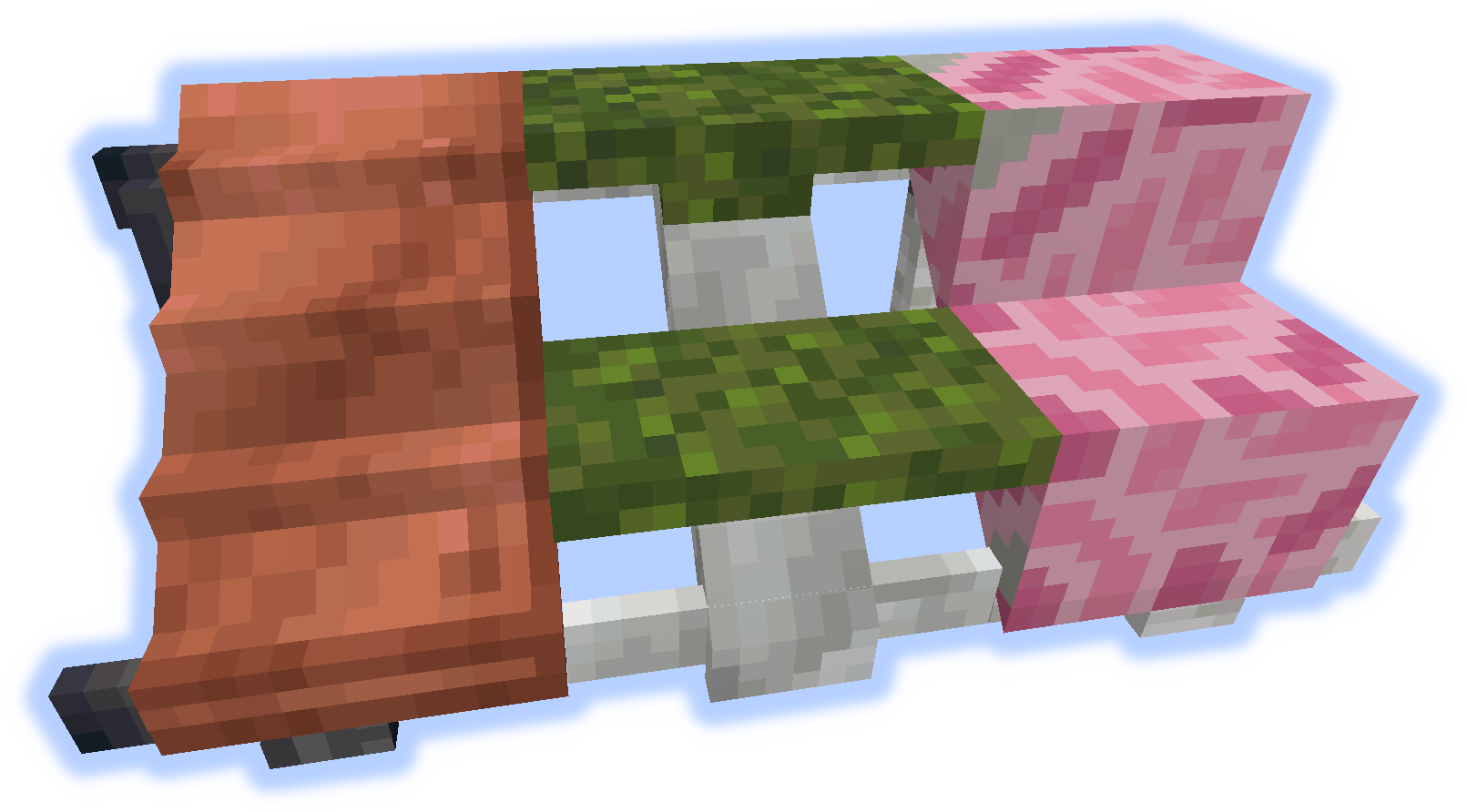
Rampen, Stufen & Treppen
Handläufe & Aufstiege
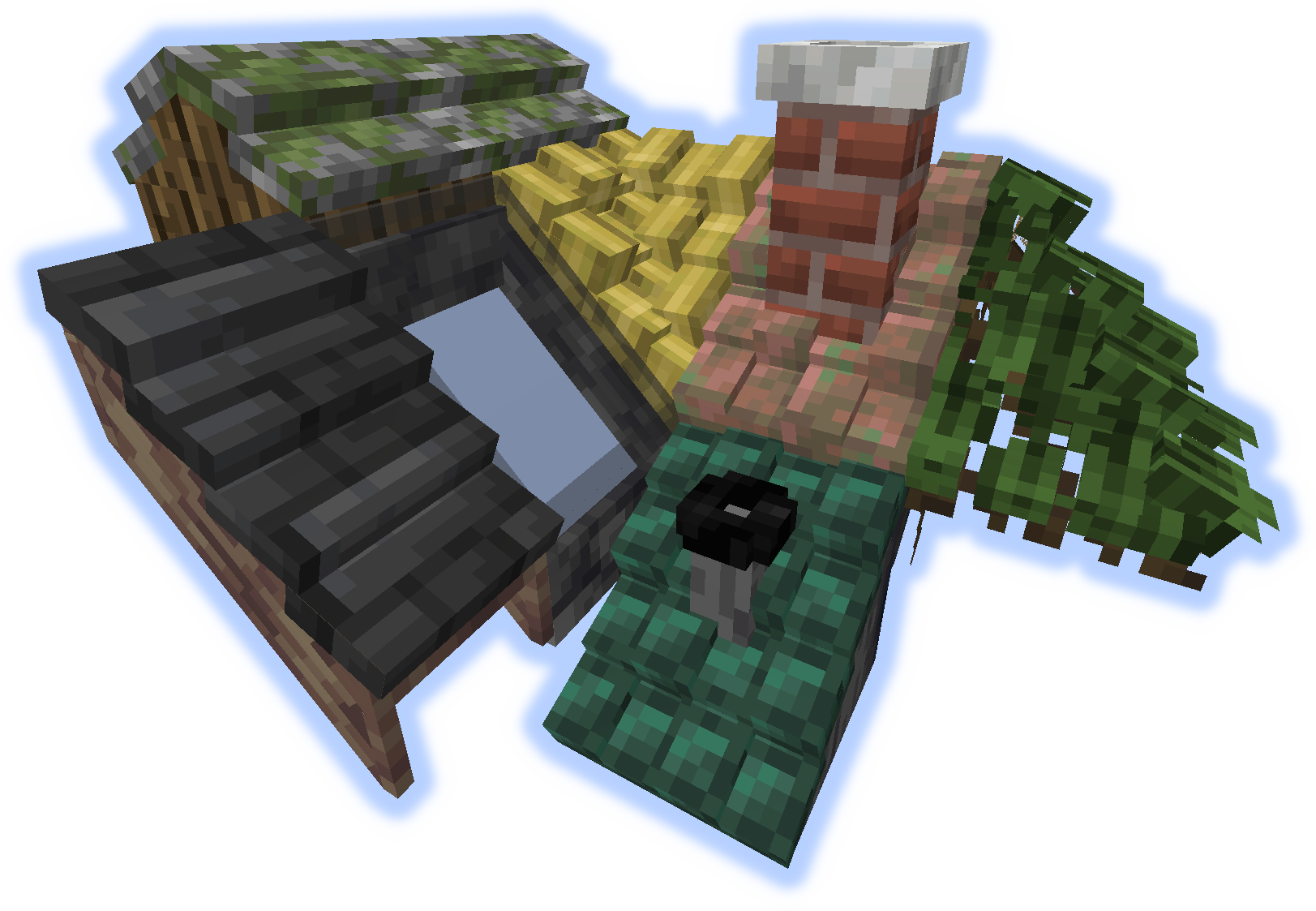
Dächer
Wenn ein "Aufstieg" oder eine "Handlauf" auf einem Dach platziert wird, werden sie zu einem Schornstein oder Rohr.
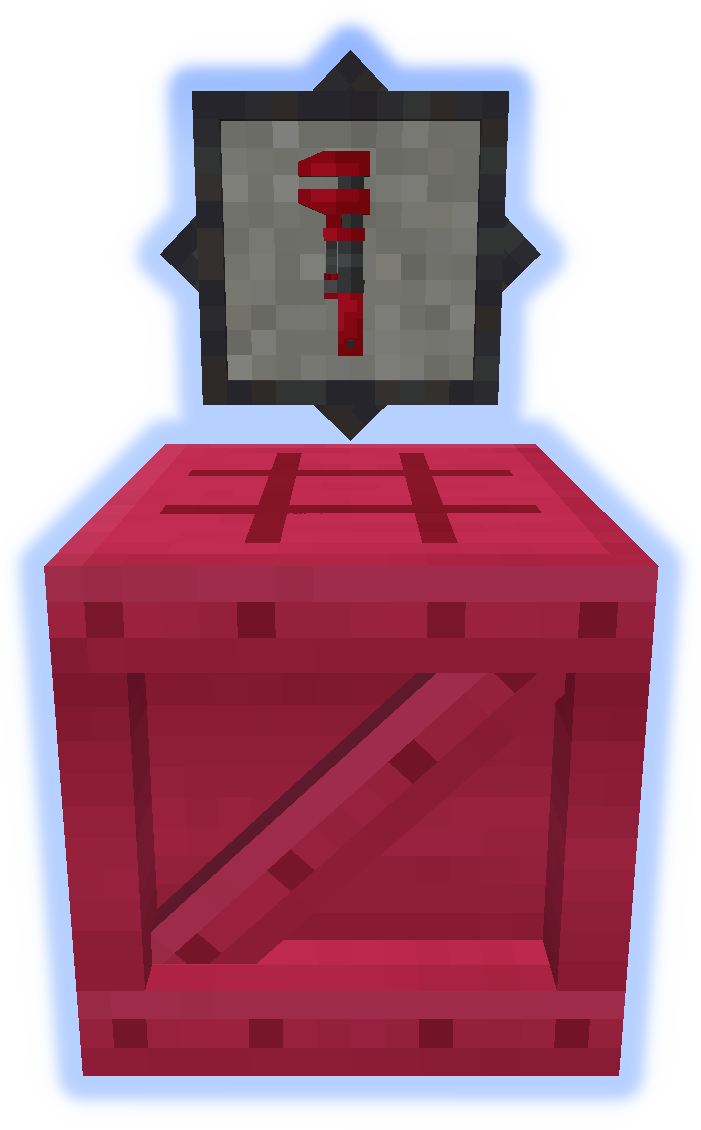
Werkzeuge
Der Schraubenschlüssel ist ein sehr wichtiges Werkzeug. Probiere ihn in deiner Zweithand aus. (Mehr Infos)
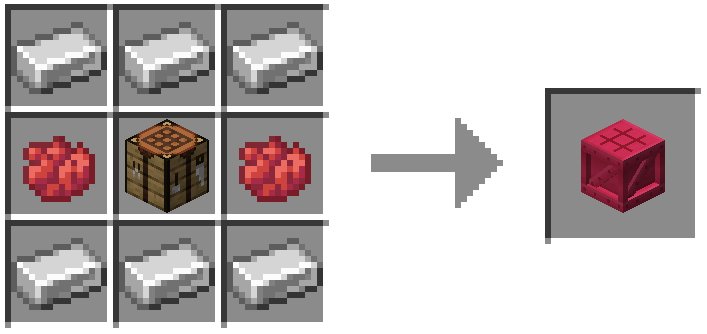
Der Platformer wird verwendet, um alles andere aus der Mod herzustellen. (Mehr Infos)
Besondere Funktionen
Teppich kann auf Plattformen platziert werden.
Schnee oder Sand sammeln sich in ihren jeweiligen Biomen an.
Schornsteine & Rohre geben Partikel ab (umschaltbar).
Reiche Lokalisierungsdateien auf github ein.
Poste keine Bugs in den Kommentaren, benutze den Issue Tracker.
Installation von Platforms
With Millida Launcher
Install Millida Launcher
The launcher is free: download it at millida.net/launcher and sign in with any nickname.
Click “Install” on this page
The launcher opens and installs the mod for Minecraft 1.14.4–1.21.1 on Forge or NeoForge automatically.
Launch the game
A profile with it appears in the launcher: click “Play”.
Manually
Install Forge or NeoForge
The loader must match the game version of the mod file, for example Minecraft 1.21.1. After installing it, a separate profile appears in your launcher.
Download the file for your version
In the version list above, pick the file platforms-neoforge-1.21.1-1.0.jar (808 KB) for your game version and loader.
Put it in the mods folder
The folder is inside .minecraft (Windows: %appdata%\.minecraft\mods). If it does not exist, create it.
Launch the loader profile
Open “Mods” in the main menu: Platforms should be in the list.
Minecraft 1.21.1 runs on Java 21: with a different Java version the game may close right after launch.
Versionen
Mit Abhängigkeiten
| Minecraft | Loader | Datei | Datum | Aktionen |
|---|---|---|---|---|
| 1.21.1 | NeoForge | platforms-neoforge-1.21.1-1.0.jar808 KB 2 | ||
| 1.21.1 | Forge | platforms-forge-1.21.1-1.0.jar804 KB 4 | ||
| 1.21.1 | NeoForge | platforms-neoforge-1.21.1-0.1.jar808 KB | ||
| 1.21.1 | Forge | platforms-forge-1.21.1-0.1.jar804 KB | ||
| 1.14.4 | — | platforms-1.14-1.5.13.jar497 KB 1 |
FAQ
Which Minecraft versions does Platforms work on?
There are files for 1.21.1, 1.14.4. The newest is 1.21.1.
Is Platforms for Forge or Fabric?
There are files for Forge: 1.21.1 and for NeoForge: 1.21.1. There are no files for Fabric: a mod for another loader will not start.
Does Platforms need other mods?
The author lists no required dependencies: the Forge or NeoForge loader is enough.
Which Java does Platforms need?
Minecraft 1.21.1 runs on Java 21. If the game closes right after launch, the usual cause is the wrong Java version in the profile settings.
Where can I download Platforms safely?
On this page: the file platforms-neoforge-1.21.1-1.0.jar (808 KB) is stored on Millida’s server, with no link shorteners. SHA-1 checksum: 4597d439a87ed57aa38ddbe935071c9398057557.
Bewertungen
Bewerten Sie Platforms als Erster


