
Natural Charcoal Mod für Minecraft 26.3
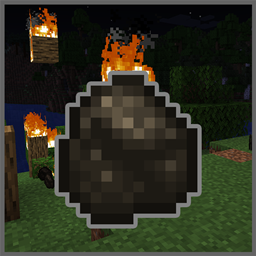
🔥🌳 Ausgebrannte Stämme haben eine Chance, Holzkohle zu erzeugen, die feuerimmun ist.
 Fabric
 Forge
Forge NeoForge
 Quilt
QuiltÜber die Natural Charcoal-Mod
Natural Charcoal makes wildfires useful! Whenever a log is destroyed via fire, it has a chance to drop charcoal. Charcoal is immune to fire, so it doesn't get destroyed by other fires nearby. By default it's a 2/3 chance for one to generate, though this can be changed in the config.
It is also possible to put logs next to a campfire to turn them into charcoal. This is slightly faster than using a furnace: Four pieces in 30 seconds instead of 40 when smelted.
All available config options:
charcoalIsImmuneToFire default true Whether the charcoal item should survive when being dropped inside fire.
burnedLogBecomesCharcoalChance default 0.67, min 0, max 1.0 The chance a log block that has been burned turns into charcoal.
charcoalDropAmount default 1, min 1, max 64 How much charcoal should be dropped from a burned log.
A fire passed through the area! Useful, as it generates charcoal :)
Charcoal has a chance to drop whenever a log is destroyed via fire:
It is also possible to create charcoal via the campfire:
You may freely use this mod in any modpack, as long as the download remains hosted within the CurseForge or Modrinth ecosystem.
Serilum.com contains an overview and more information on all mods available.
Comments are disabled as I'm unable to keep track of them across so many separate mod pages. For issues, ideas, suggestions or anything else there is the Github repo. Thanks!
Installation von Natural Charcoal
With Millida Launcher
Install Millida Launcher
The launcher is free: download it at millida.net/launcher and sign in with any nickname.
Click “Install” on this page
The launcher opens and installs the mod for Minecraft 26.3 on Fabric, Forge, NeoForge or Quilt automatically.
Launch the game
A profile with it appears in the launcher: click “Play”.
Manually
Install Fabric, Forge, NeoForge or Quilt
The loader must match the game version of the mod file, for example Minecraft 26.3. After installing it, a separate profile appears in your launcher.
Download the file for your version
In the version list above, pick the file naturalcharcoal-26.3.0-1.2.jar (39 KB) for your game version and loader.
Put it in the mods folder
The folder is inside .minecraft (Windows: %appdata%\.minecraft\mods). If it does not exist, create it.
Launch the loader profile
Open “Mods” in the main menu: Natural Charcoal should be in the list.
Versionen
Mit Abhängigkeiten
| Minecraft | Loader | Datei | Datum | Aktionen |
|---|---|---|---|---|
| 26.3 | Fabric, Forge, NeoForge, Quilt | [Fabric/Forge/Neo] 26.3.0-1.2 | Natural Charcoal38.7 KB |
FAQ
Which Minecraft versions does Natural Charcoal work on?
Only Minecraft 26.3: there are no files for other versions.
Is Natural Charcoal for Forge or Fabric?
There are files for Fabric: 26.3, for Forge: 26.3, for NeoForge: 26.3 and for Quilt: 26.3.
Does Natural Charcoal need other mods?
The author lists no required dependencies: the Fabric, Forge, NeoForge or Quilt loader is enough.
Where can I download Natural Charcoal safely?
On this page: the file naturalcharcoal-26.3.0-1.2.jar (39 KB) is stored on Millida’s server, with no link shorteners. SHA-1 checksum: 6c0dd60a8a42f020baa093d9477cf3f0e9856607.
Bewertungen
Bewerten Sie Natural Charcoal als Erster


