
 NeoForge
 Fabric
 Forge
Über die Mutants and Zombies-Mod
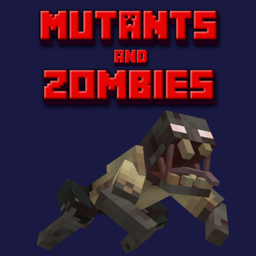
This mod adds new Mutant and Zombie mobs to the game. It is an official reforge of the mod "Ryan's Zombies". All models were created and provided by the user "Nice_Try_Boi".
Note: With version 1.4.0 the mod Advanced Wall Climbing API (awcapi) is required.
The following mobs are available so far:
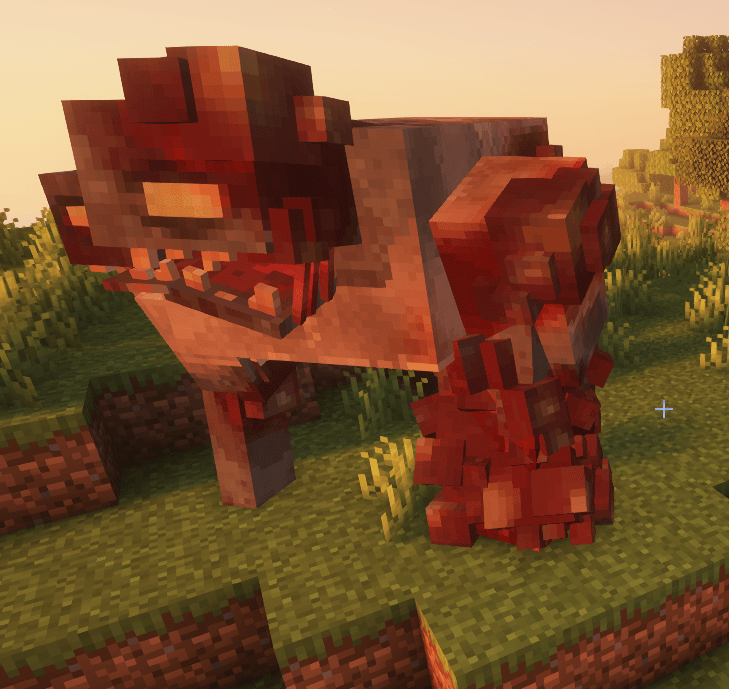
- Zombie Brute - very lange and very strong tank like zombie (ID: mutantszombies:zombie_brute)
- Crawler - small, fast, has the ability to climb (ID: mutantszombies:crawler)
- Spitter - shots with slime balls (ID: mutantszombies:spitter)
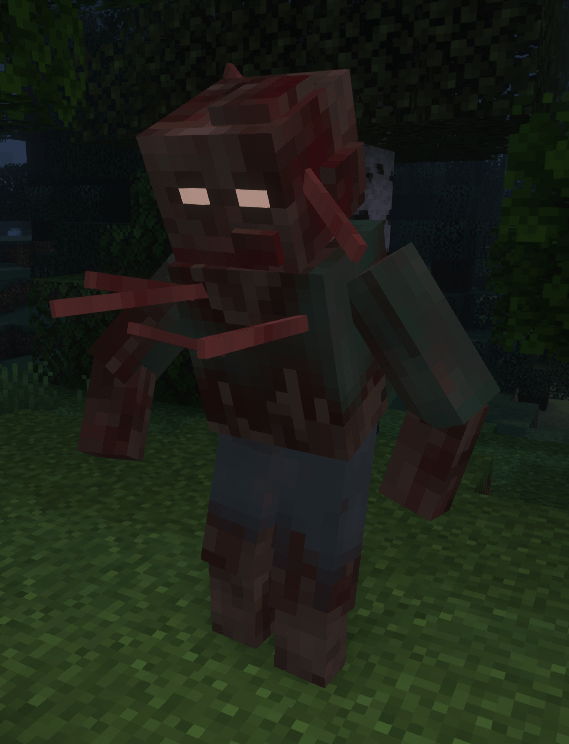
- Blister Zombie - a faster, stronger zombie (ID: mutantszombies:blister_zombie)
- Split Head Zombie - a faster, stronger zombie (ID: mutantszombies:split_head_zombie)
- Mutant Brute - very lange and very strong tank like mutant (ID: mutantszombies:mutant_brute)
- Rotten Mutant - taller, stronger and slower than a Zombie (ID: mutantszombies:rotten_mutant)
- Mutant Zombie - slighty better than a regular zombie (ID: mutantszombies:mutant_zombie)
Configuration
This mod offers a simple config to enable/disable natural spawning.
- Forge - The config file is stored per world:
minecraft/saves/[NAME_OF_YOUR_WORLD]/serverconfig/mutantszombies-server.toml
- NeoForge - The config file is stored per Minecraft installation / instance:
minecraft/config/mutantszombies-server.toml
- Fabric - The config file is stored per Minecraft installation / instance:
minecraft/config/mutantszombies.json5
Installation von Mutants and Zombies
With Millida Launcher
Install Millida Launcher
The launcher is free: download it at millida.net/launcher and sign in with any nickname.
Click “Install” on this page
The launcher opens and installs the mod for Minecraft 1.20–26.3 on Fabric, Forge or NeoForge automatically.
Launch the game
A profile with it appears in the launcher: click “Play”.
Manually
Install Fabric, Forge or NeoForge
The loader must match the game version of the mod file, for example Minecraft 26.3. After installing it, a separate profile appears in your launcher.
Download the file for your version
In the version list above, pick the file MutantsZombies-1.3.4-NeoForge-mc26.3.jar (450 KB) for your game version and loader.
Put it in the mods folder
The folder is inside .minecraft (Windows: %appdata%\.minecraft\mods). If it does not exist, create it.
Launch the loader profile
Open “Mods” in the main menu: Mutants and Zombies should be in the list.
Versionen
Mit Abhängigkeiten
| Minecraft | Loader | Datei | Datum | Aktionen |
|---|---|---|---|---|
| 26.3 | NeoForge | 1.3.4 (NeoForge 26.3)450 KB 3 | ||
| 1.20.1 | Forge | 1.4.0 (Forge 1.20.1)461 KB 65 | ||
| 26.1 | Fabric | 1.3.3 (Fabric 26.1-26.3)1.4 MB 35 | ||
| 1.20.1 | Fabric | 0.9.2 (Fabric 1.20-1.20.1)1.2 MB 9 | ||
| 1.20.1 | Forge | 0.9.1 (Forge 1.20.1)431 KB |
FAQ
Which Minecraft versions does Mutants and Zombies work on?
There are files for 1.20–26.3, 7 versions in total. The newest is 26.3.
Is Mutants and Zombies for Forge or Fabric?
There are files for Fabric: 1.20–26.3, for Forge: 1.20.1 and for NeoForge: 26.3.
Does Mutants and Zombies need other mods?
The author lists no required dependencies: the Fabric, Forge or NeoForge loader is enough.
Where can I download Mutants and Zombies safely?
On this page: the file MutantsZombies-1.3.4-NeoForge-mc26.3.jar (450 KB) is stored on Millida’s server, with no link shorteners. SHA-1 checksum: c9014b9e5263cd85d66053c89c5a74c1fd015aa9.
Bewertungen
Bewerten Sie Mutants and Zombies als Erster


