
 Forge
Forge NeoForge
 Fabric
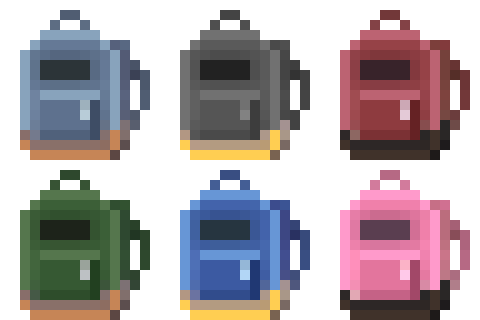
Mochila: Colorful Backpacks!
A colorful upgradable backpack mod for Fabric and NeoForge.
Requires Amber.
How To Use It
Craft the backpack and open it by right clicking it or by using the hotkey (default B).
Recipes
Quick Stashing
You can unload the contents of a backpack into a chest or barrel by sneaking and right-clicking it. It also works if there is an item frame or sign in front of it!
Embed Removed: https://www.youtube-nocookie.com/embed/i_TbV_Vm6RM
You can view all the recipes with EMI.
Current Plan
The development plan is to make the mod more customizable and update it to the latest versions of Minecraft. If you have any requests for features or mod compats let me know.
Roadmap
- Add an Ender Backpack v1.2.0
- Port to 1.21.4 - v1.3.0
- Add a config file
- Backport to 1.20.1
Thank you for the support!
Pics
Help Translate Mochila
Want to help translate this mod into your language? Join the community translation project:
Contribute translations
Q&A
Q: Where can I ask something that is not listed here?
A: Make an issue here or join the Discord and shoot me a message.
Q: Can you port it to [MC version/Mod loader]?
A: If enough people request it I'll give it some time, but this really is a 1-man team so it might take a while.
Q: Can I include it in my modpack?
A: Yes, no need to give credit or ask.
More mods by me

Bonded

Gentle Hurt Cam

Happy Ghast Improvements

Liteminer
Compatibility
Let me know if you find any issues.
Installation von Mochila
With Millida Launcher
Install Millida Launcher
The launcher is free: download it at millida.net/launcher and sign in with any nickname.
Click “Install” on this page
The launcher opens and installs the mod for Minecraft 26.1.2–26.3 on Fabric, Forge or NeoForge automatically.
Launch the game
A profile with it appears in the launcher: click “Play”.
Manually
Install Fabric, Forge or NeoForge
The loader must match the game version of the mod file, for example Minecraft 26.3. After installing it, a separate profile appears in your launcher.
Download the file for your version
In the version list above, pick the file mochila-forge-6.2.0+26.3.jar (199 KB) for your game version and loader.
Put it in the mods folder
The folder is inside .minecraft (Windows: %appdata%\.minecraft\mods). If it does not exist, create it.
Launch the loader profile
Open “Mods” in the main menu: Mochila should be in the list.
Versionen
Mit Abhängigkeiten
| Minecraft | Loader | Datei | Datum | Aktionen |
|---|---|---|---|---|
| 26.3 | Forge | mochila-forge-6.2.0+26.3199 KB | ||
| 26.3 | NeoForge | mochila-neoforge-6.2.0+26.3205 KB | ||
| 26.3 | Fabric | mochila-fabric-6.2.0+26.3226 KB | ||
| 26.1.2 | NeoForge | mochila-neoforge-6.1.0+26.1.2201 KB | ||
| 26.1.2 | Forge | mochila-forge-6.1.0+26.1.2196 KB | ||
| 26.1.2 | Fabric | mochila-fabric-6.1.0+26.1.2206 KB |
FAQ
Which Minecraft versions does Mochila work on?
There are files for 26.3, 26.1.2. The newest is 26.3.
Is Mochila for Forge or Fabric?
There are files for Fabric: 26.1.2–26.3, for Forge: 26.1.2–26.3 and for NeoForge: 26.1.2–26.3.
Does Mochila need other mods?
The author lists no required dependencies: the Fabric, Forge or NeoForge loader is enough.
Where can I download Mochila safely?
On this page: the file mochila-forge-6.2.0+26.3.jar (199 KB) is stored on Millida’s server, with no link shorteners. SHA-1 checksum: b864c6a24b1badf76ad58b63c5ad2db47ee531be.
Bewertungen
Bewerten Sie Mochila als Erster


