

Magnum Torch Mod für Minecraft 1.18.2, 26.3
Leistungsstarke Fackeln, um Mob-Spawns in einem großen Bereich um dein Zuhause zu verhindern.
 NeoForge
 Fabric
Über die Magnum Torch-Mod


📖 About:
Magnum Torch adds three kinds of very powerful torches that prevent mobs from spawning in a huge area. Only natural spawns will be prevented, so e.g. spawners and raids still work as they should.
📚 Contents:
The type of magnum torch you craft defines what kind of mobs will be prevented from spawning. Only new mobs are prevented from spawning, mobs already in the world will not instantly vanish upon placing a magnum torch!
- Diamond: All monsters, such as zombies, skeletons, creepers, spiders, phantoms and so on.
- Emerald: Passive mobs such as wandering traders and trader llamas (animals are technically affected, but not really, since they only spawn during world gen or from breeding, which are both unaffected by magnum torches)
- Amethyst: Cave and water mobs, such as bats, all squids, axolotls, and all fish
Even better: Every kind of magnum torch is fully customizable, including effective range, shape to prevent mob spawns in (cuboid, cylinder, ellipsoid), white-/blacklist for individual mobs, type of blocked mobs (monster/water/cave/passive). So if you want you can completely change what the different types do, e.g. have one type only prevent phantom spawns and another solely deal with wandering traders, while the third one disables all kinds of fish. Its completely up to you!
📷 Media:
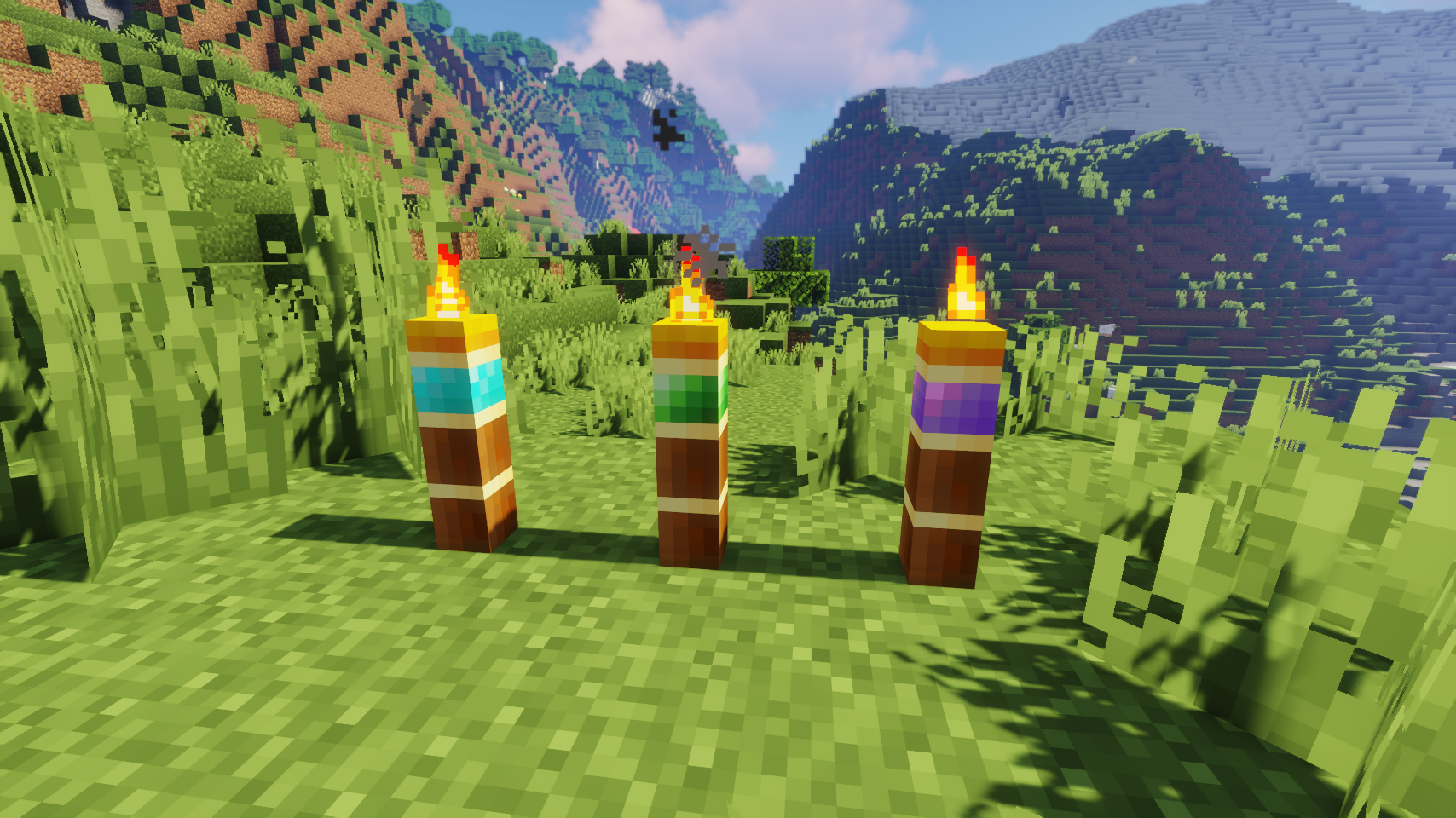
  
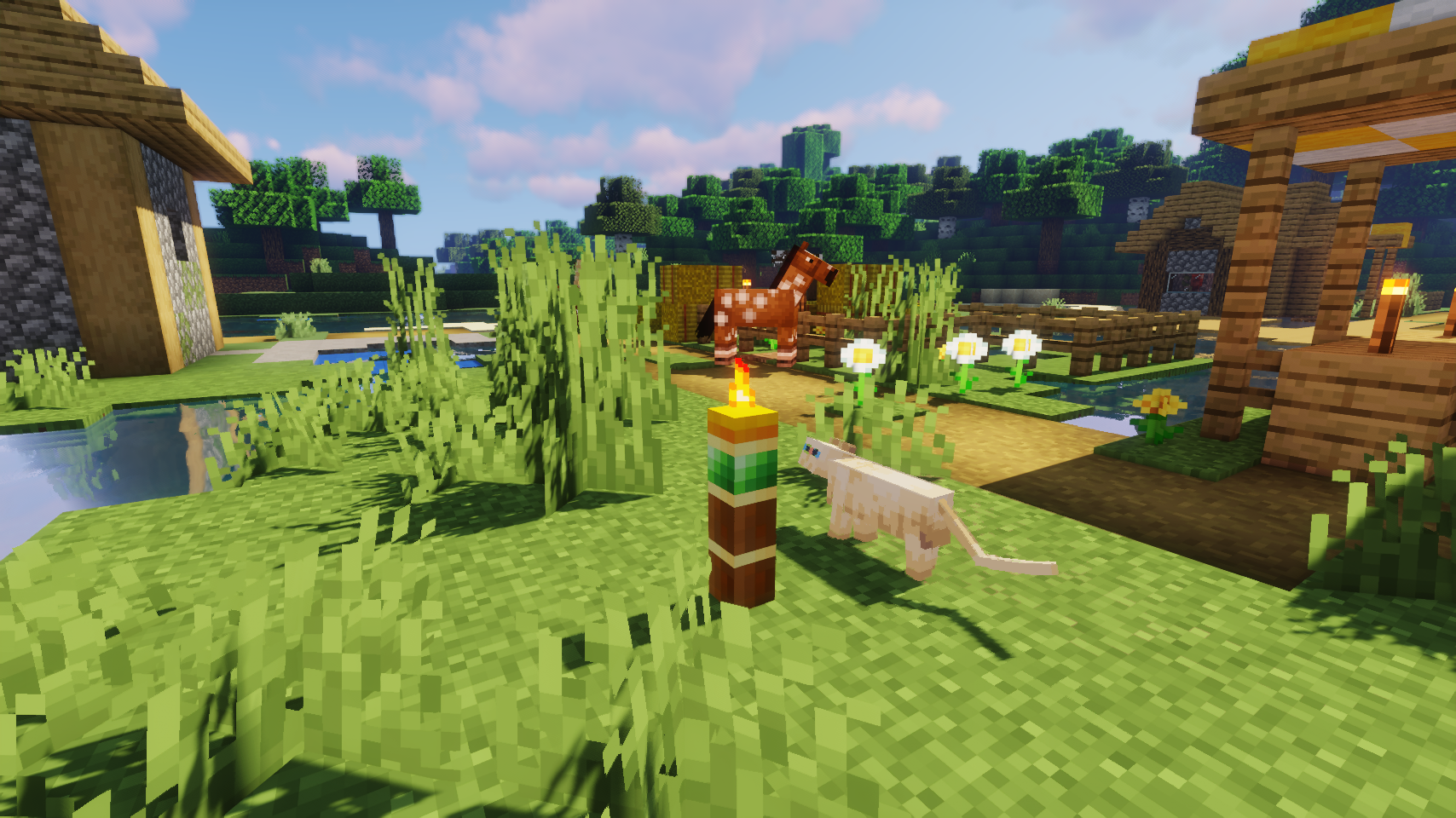
Three kinds of magnum torches, all prevent different mob spawns    Emerald magnum torch in a village
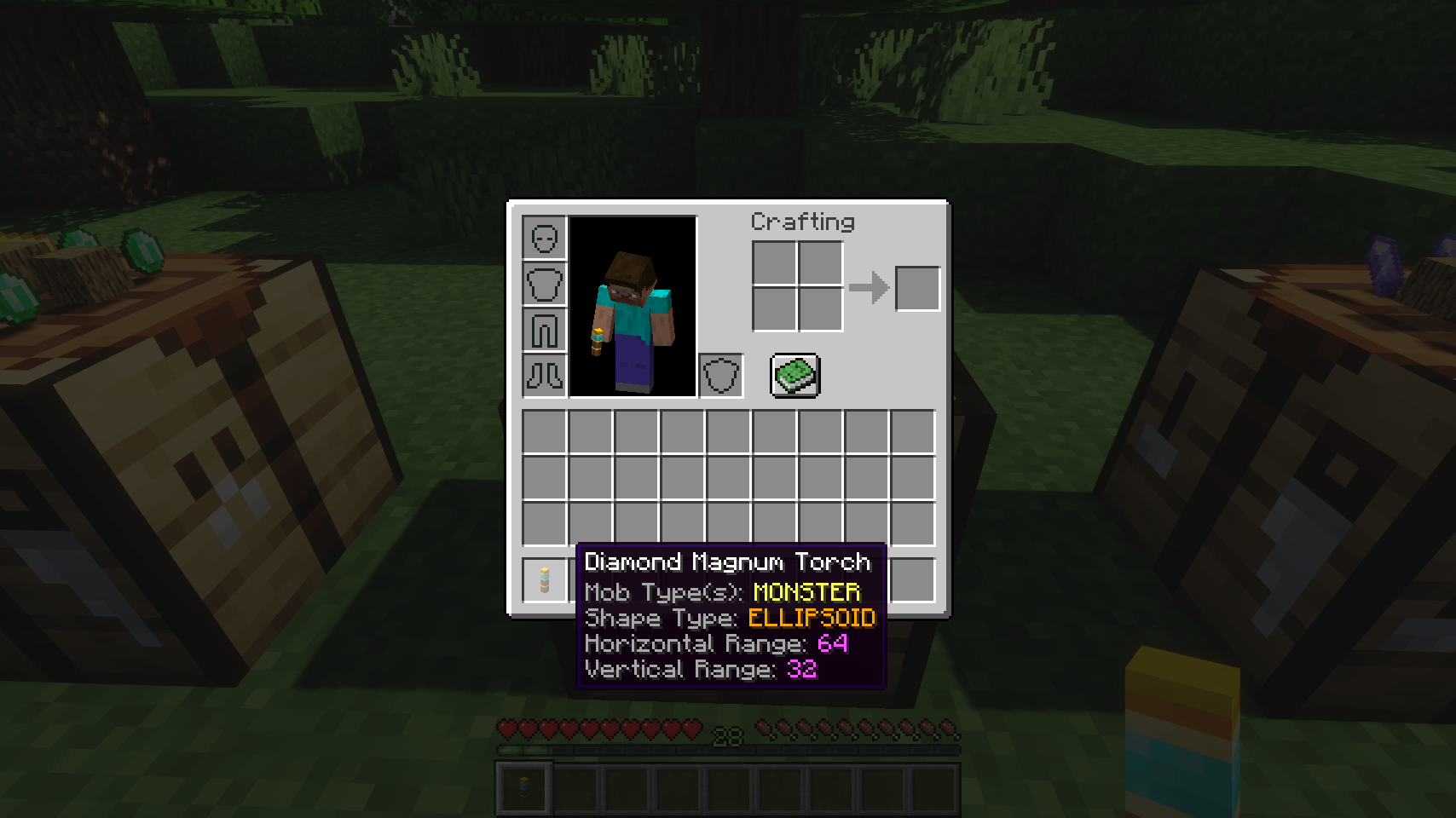
  
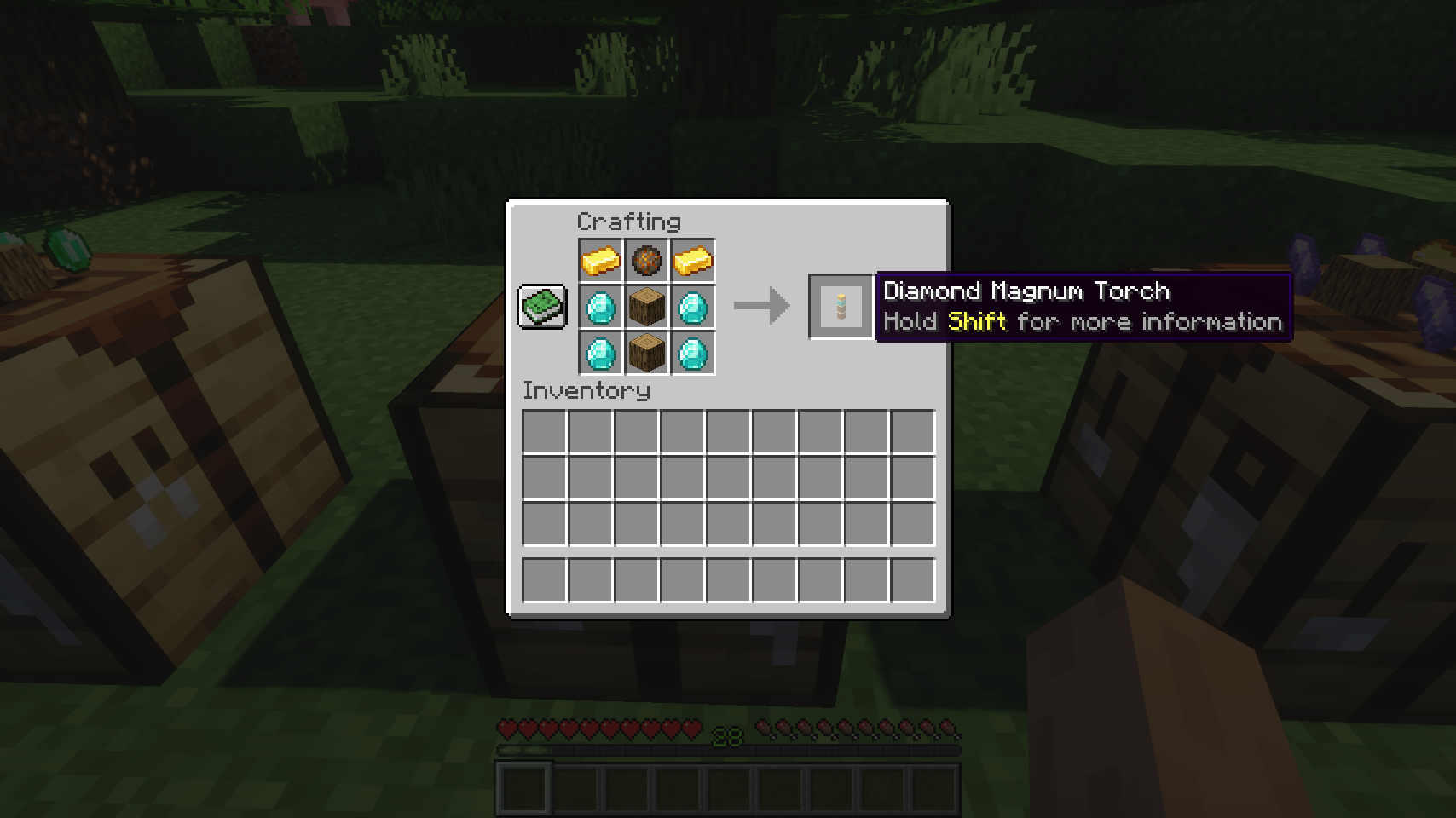
The item tooltip tells you all important variables you need to know    Crafting a diamond magnum torch
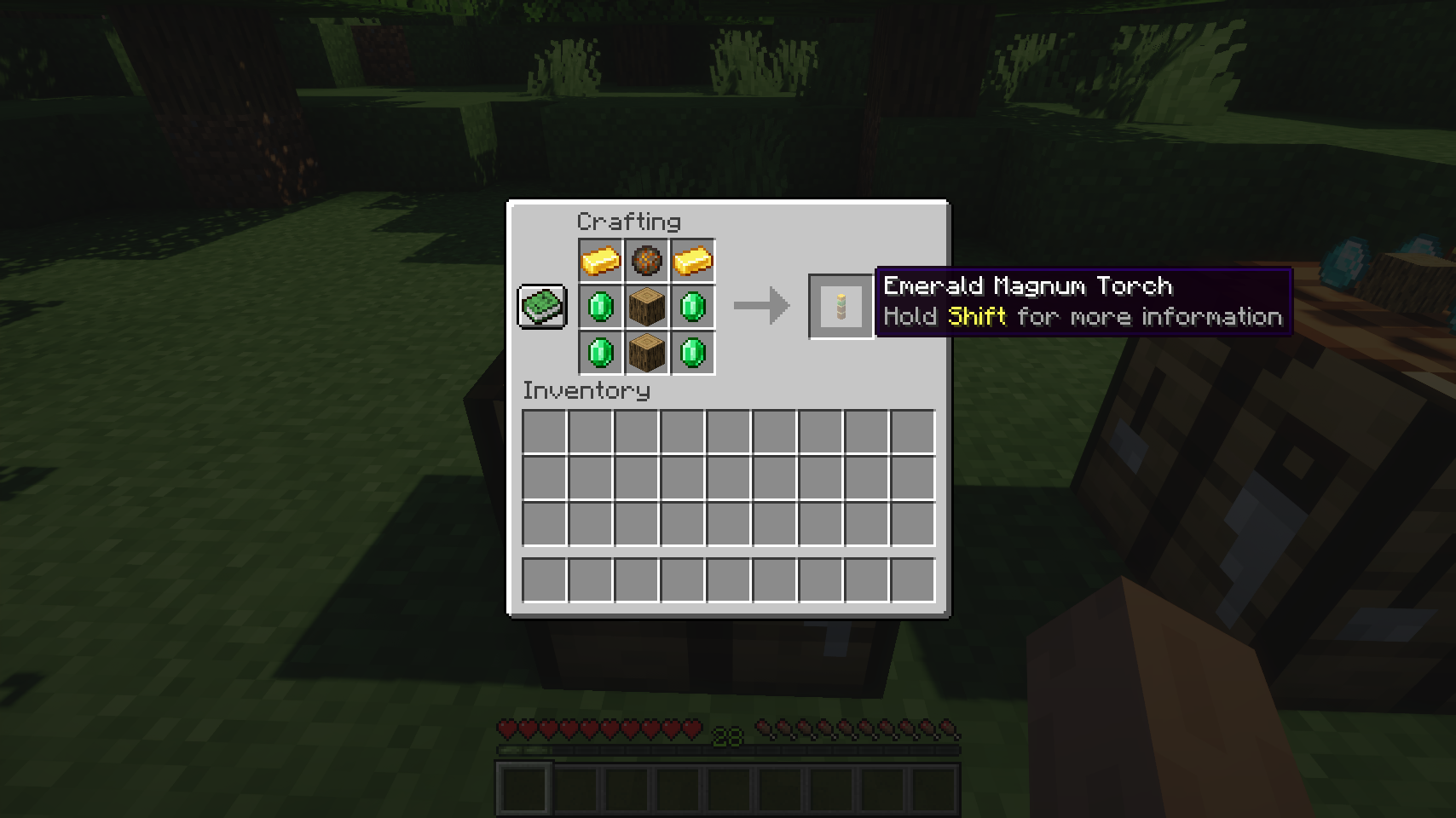
  
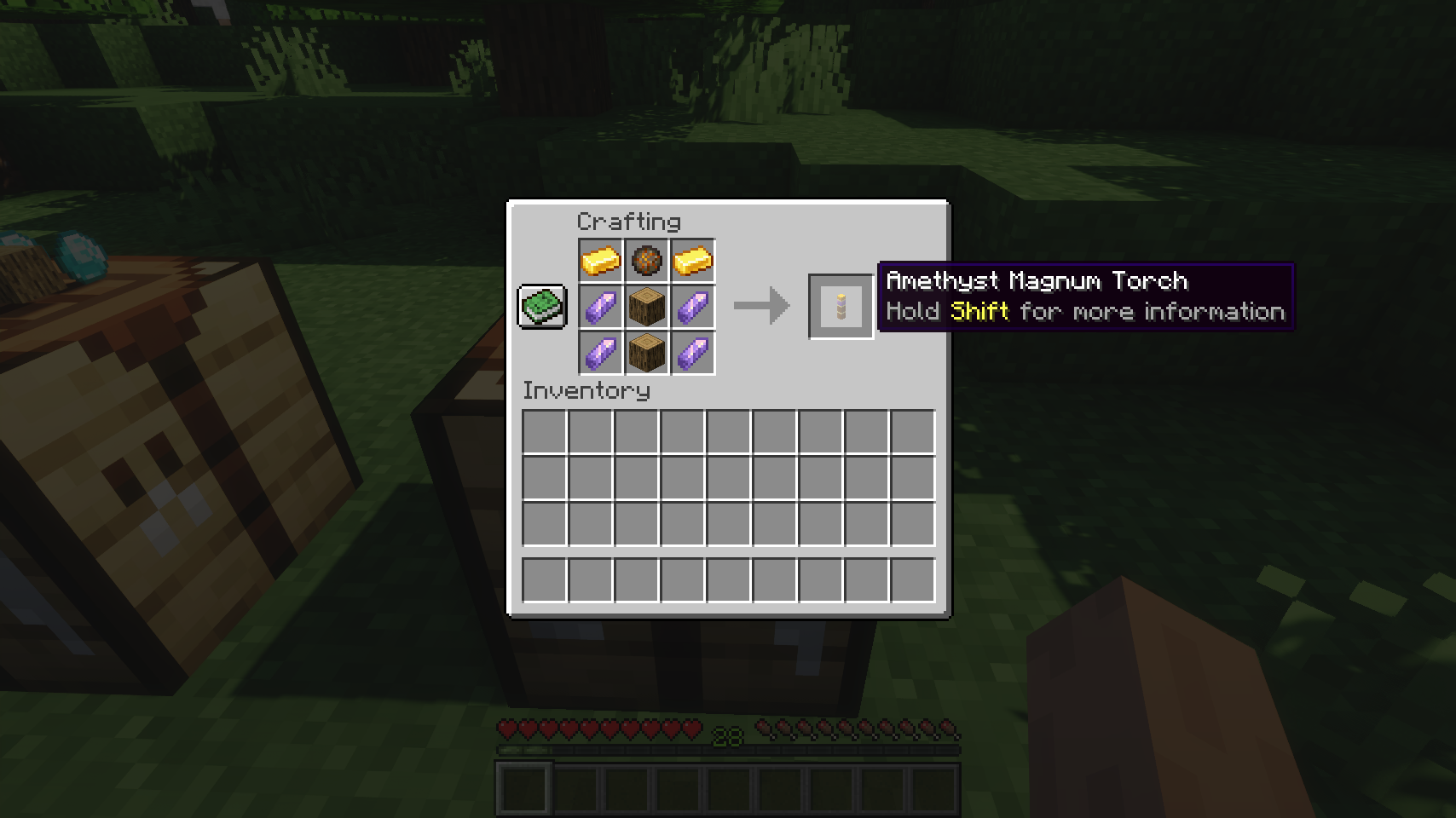
Crafting an emerald magnum torch    Crafting an amethyst magnum torch
💡 FAQ:
Q: How do I configure this mod on Forge? A: Install my Config Menus for Forge mod and do it directly in-game!
Q: How do I configure this mod on Fabric? A: Editing configs directly in-game has not yet been implemented. Instead when in a world run the /config showfile <modid> command by choosing either CLIENT or SERVER (depending on the mod), then click the file name (ending with .toml) that appears in chat to be able to manually edit the config file in a separate editor. After saving the file, the config will automatically reload in-game after a couple of seconds, so no game restart required.
Q: Where can I download this mod for Fabric on versions of Minecraft before 1.19? A: Older downloads are found on the old project page.
🏆 Credits:
Developing Magnum Torch was helped and inspired by:
- RWTema for inspiring this mod from the magnum torch block found in old versions of their Extra Utilities mod
- Nyffuuuh23 for creating those dandy textures


Installation von Magnum Torch
With Millida Launcher
Install Millida Launcher
The launcher is free: download it at millida.net/launcher and sign in with any nickname.
Click “Install” on this page
The launcher opens and installs the mod for Minecraft 1.18.2–26.3 on Fabric or NeoForge automatically, together with its dependencies: Fabric API, Puzzles Lib, Forge Config API Port.
Launch the game
A profile with it appears in the launcher: click “Play”.
Manually
Install Fabric or NeoForge
The loader must match the game version of the mod file, for example Minecraft 26.3. After installing it, a separate profile appears in your launcher.
Download the file for your version
In the version list above, pick the file magnumtorch-v26.3.0-mc26.3.x+neoforge.jar (92 KB) for your game version and loader.
Put it in the mods folder
The folder is inside .minecraft (Windows: %appdata%\.minecraft\mods). If it does not exist, create it. Required dependencies go there too: Fabric API, Puzzles Lib, Forge Config API Port.
Launch the loader profile
Open “Mods” in the main menu: Magnum Torch should be in the list.
On a server
A server on Fabric or NeoForge
The mod only works on a server with the same loader and game version, for example 26.3.
File goes into the server’s mods folder
Stop the server, put the mod file into the mods folder and start the server again.
Use the “To server” button
On Millida Hosting, the button at the top of the page uploads the file to your server and restarts it for you.
Versionen
Mit Abhängigkeiten
| Minecraft | Loader | Datei | Datum | Aktionen |
|---|---|---|---|---|
| 26.3 | NeoForge | 26.391.5 KB | ||
| 26.3 | Fabric | 26.391.8 KB 3 | ||
| 26.2 | NeoForge | 26.292.2 KB | — | |
| 26.1 | NeoForge | 26.192.3 KB | — | |
| 1.21.11 | Fabric | 1.21.1192.2 KB 1 | — | |
| 1.18.2 | Fabric | 1.18.278.6 KB | — |
Was zum Ausführen nötig ist
- Fabric APIerforderlich
- Puzzles Liberforderlich
- Forge Config API Porterforderlich
FAQ
Which Minecraft versions does Magnum Torch work on?
There are files for 1.18.2–26.3, 7 versions in total. The newest is 26.3.
Is Magnum Torch for Forge or Fabric?
There are files for Fabric: 1.18.2–26.3 and for NeoForge: 26.1–26.3. There are no files for Forge: a mod for another loader will not start.
What does Magnum Torch need to work?
Required: Fabric API, Puzzles Lib, Forge Config API Port. Without them the mod will not start: dependencies go into the same mods folder.
Does Magnum Torch work on a server?
Yes. Magnum Torch works both in singleplayer and on a server.
Where can I download Magnum Torch safely?
On this page: the file magnumtorch-v26.3.0-mc26.3.x+neoforge.jar (92 KB) is stored on Millida’s server, with no link shorteners. SHA-1 checksum: 088a0f16cd6378d2cbf692feb0a271ceb7c7bbe5.
Bewertungen
Bewerten Sie Magnum Torch als Erster


