

(Legacy) Tooltip Icons Mod für Minecraft 1.18.2
Stilisierte Anzeige von Werkzeugwerten
- Aufrufe
- 13 Aufrufe
- Aktualisiert
- Aktualisiert 18.10.2026
- 1.18.2
 Forge
Forge
Über die (Legacy) Tooltip Icons-Mod
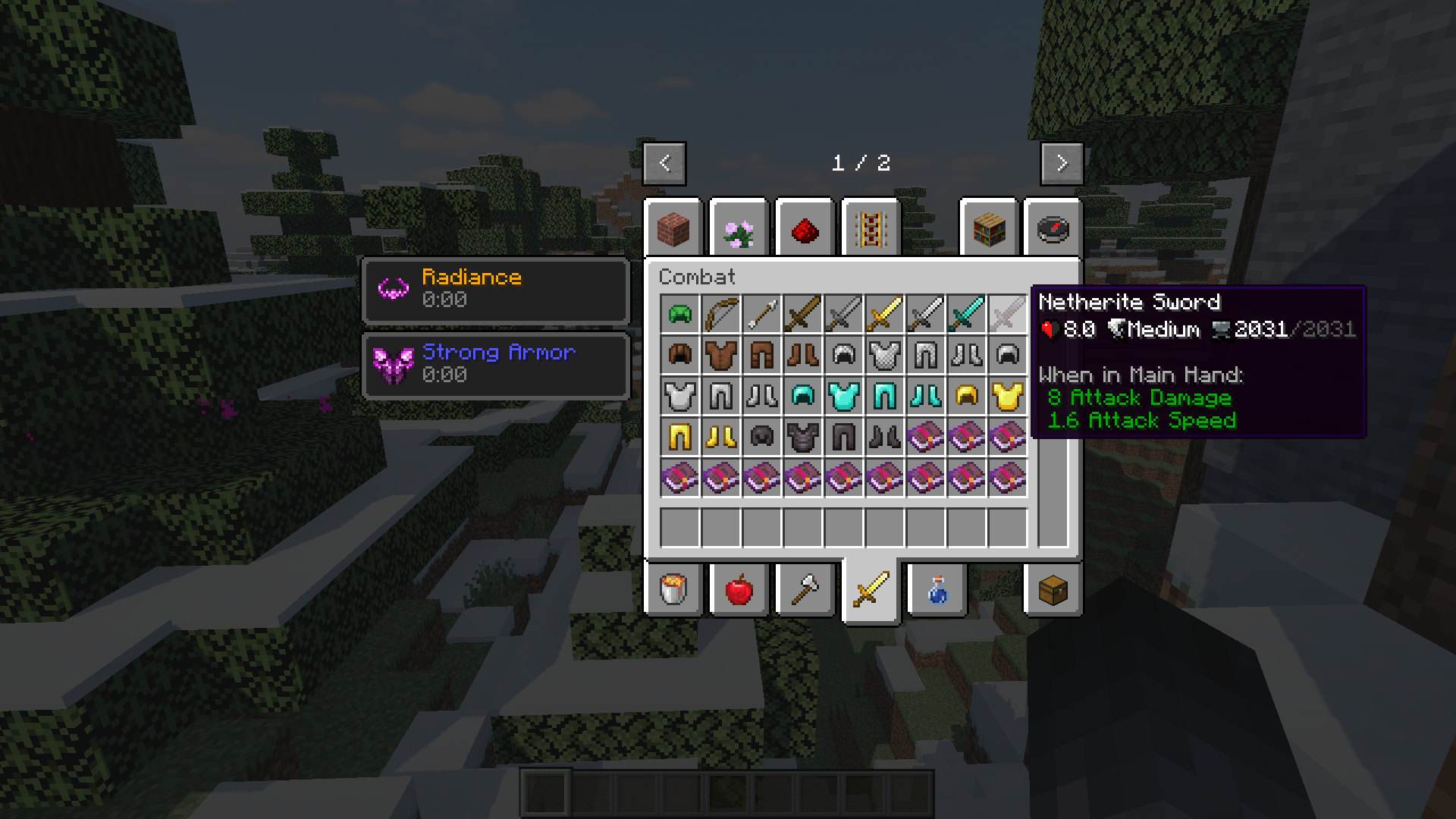
Obscuria's Tooltips is a client-side mod that adds extended descriptions and stat bars with icons for items.
Features ★ ★ ★
Config File
Stat bars displayed depending on item categories:
- for Swords (works with any swords from other mods)
- for Tools (works with any tools from other mods)
- for Armor (works with any armor from other mods)
Custom stat bars (version 1.1+):
You can add a stat bar to any item using forge tags. To let the mod know that a custom line needs to be collected for an item, add the item to the tag forge:tooltips/custom.
Further, adding an item to any of the following tags, the stat line will be updated with new information. You can combine any tags.
forge:tooltips/damage - displays the damage of an item forge:tooltips/speed - displays the attack speed of an item forge:tooltips/armor - displays the armor value of an item forge:tooltips/energy - displays the durability of an item with an energy icon forge:tooltips/souls - displays the durability of an item with a soul icon forge:tooltips/durability - displays the durability of an item with an anvil icon
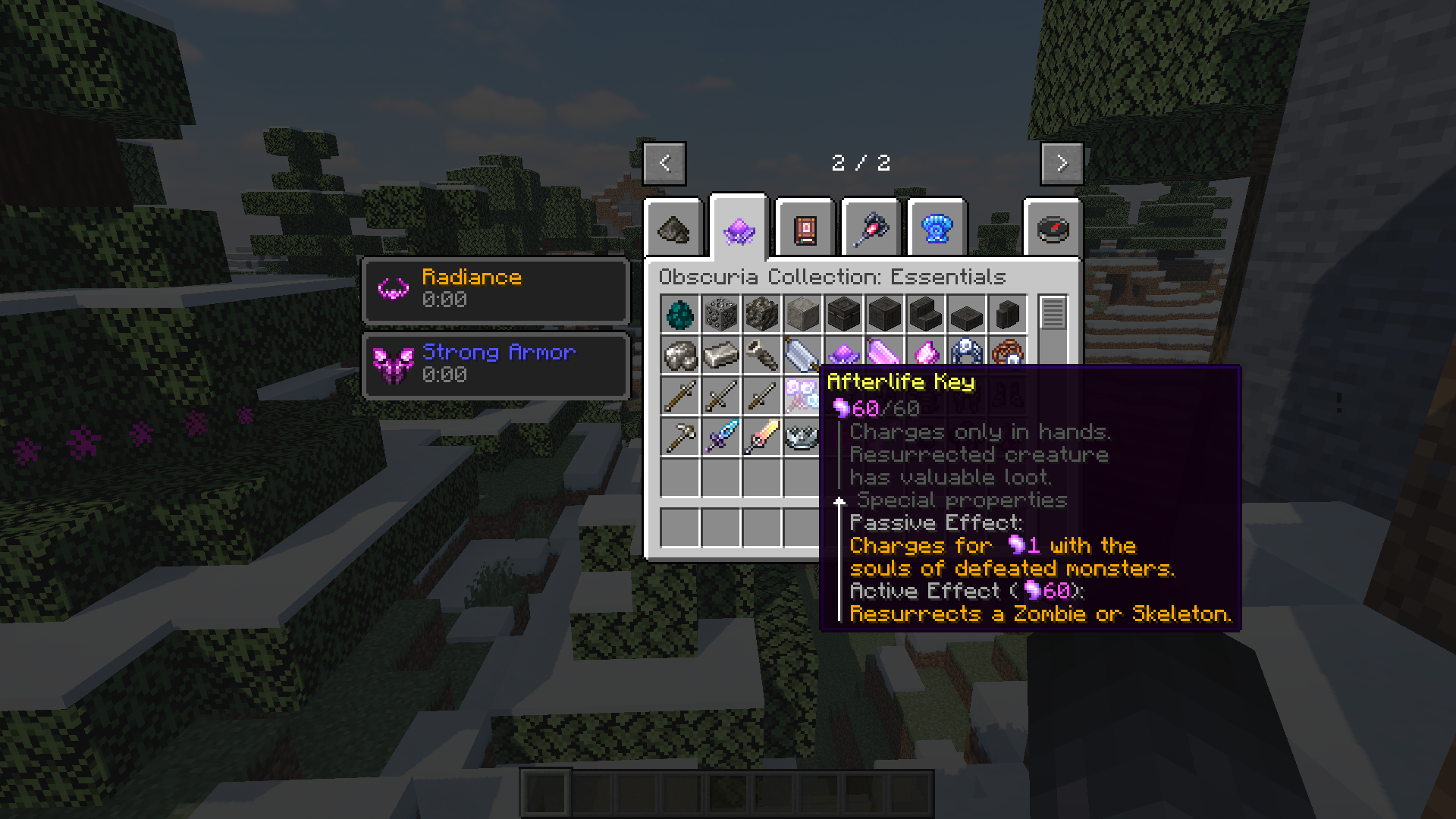
Descriptions & Tips for items from the Obscuria Collection:
Due to the large number of descriptions of items from the Obscuria Collection mods, it was decided to group them in this mod. This will make it easier to update and translate descriptions as they are all in one place.
Distribution Rules ⚑ ⚑ ⚑
You can:
- Use this mod in your modpacks and monetize modpacks with this mod.
- Use this mod on your servers and monetize servers with this mod.
- Use this mod in your videos and monetize videos with this mod.
- Repost this mod to other sites and services with a link to this page.
- Сreate addons for this mod.
You can not:
- Distribute modified mod files (Use them on public servers, add them to public modpacks or upload them to websites).
- Use mod assets for your projects. All resources are protected by copyright.
This mod is part of the Obscuria Collection ★ ★ ★ Obscuria Collection - a series of adventure mods united by a common story and game mechanics. Expect new biomes and structures that will offer legendary treasures as well as new bosses who will consider to send you into the oblivion.
Installation von (Legacy) Tooltip Icons
Install Millida Launcher
The launcher is free: download it at millida.net/launcher and sign in with any nickname.
Click “Install” on this page
The launcher opens and installs the mod for Minecraft 1.18.2 on Forge automatically.
Launch the game
A profile with it appears in the launcher: click “Play”.
Minecraft 1.18.2 runs on Java 17: with a different Java version the game may close right after launch.
Versionen
Mit Abhängigkeiten
| Minecraft | Loader | Datei | Datum | Aktionen |
|---|---|---|---|---|
| 1.18.2 | Forge | Obscuria's Tooltips 1.4.1 (Forge)45.2 KB |
FAQ
Which Minecraft versions does (Legacy) Tooltip Icons work on?
Only Minecraft 1.18.2: there are no files for other versions.
Is (Legacy) Tooltip Icons for Forge or Fabric?
Only for Forge: 1.18.2. There are no files for Fabric or NeoForge: a mod for another loader will not start.
Does (Legacy) Tooltip Icons need other mods?
The author lists no required dependencies: the Forge loader is enough.
Which Java does (Legacy) Tooltip Icons need?
Minecraft 1.18.2 runs on Java 17. If the game closes right after launch, the usual cause is the wrong Java version in the profile settings.
How do I download (Legacy) Tooltip Icons?
With Millida Launcher: it installs (Legacy) Tooltip Icons into a modpack by itself, for the right game version and loader. The launcher is free.
Bewertungen
Bewerten Sie (Legacy) Tooltip Icons als Erster


