
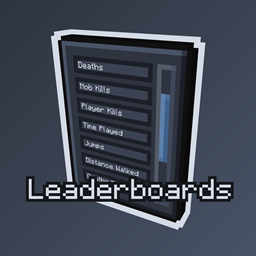
Leaderboards Mod für Minecraft 1.20.1, 26.1.2
Bringt die alte Rangliste aus FTB Utilities zurück. Jetzt mit mehr Funktionen!
 Fabric
 NeoForge
 Forge
ForgeLeaderboards
A remake of the classic FTB Utilities leaderboards from 1.12.2 that was abandoned years ago.
This mod brings back the beloved leaderboard system that lets you track and compare player statistics on your server. Whether you want to see who's died the most, who's traveled the farthest, or who's crafted the most items, it's all here.

Features
Core Statistics
- Deaths, mob kills, and player kills
- Time played tracking
- Deaths per hour calculation
- Last seen status for offline players
Movement & Travel
- Distance walked, sprinted, and flown
- Swimming, climbing, and falling distances
- Horse, boat, minecart, elytra, pig, strider travel tracking
- Walk on water and underwater distances
Combat Stats
- Damage dealt, taken, blocked, absorbed, and resisted
- Detailed PvE and PvP statistics
Progression Tracking
- Total blocks mined
- Items crafted, used, broken, and picked up
- Enchantments done
- Interactions with furnaces, anvils, crafting tables, and other blocks
- Animals bred, fish caught, raids won
Vanilla Stats
- Full support for all vanilla Minecraft statistics
- Over 100+ different trackable stats
- Organized and searchable interface
Integration Support
- FTB Quests integration for quest completion tracking
- Displays total quests completed and completion percentage
How to Use
Click the leaderboards button in the FTB Library sidebar to open the menu. Browse through the available leaderboards and click on any one to see the full rankings. Your position is highlighted in green so you can easily find yourself.
Requirements
- FTB Library (required)
- Architectury API (required)
- FTB Teams (optional)
- FTB Quests (optional, for quest leaderboards)
Support
Need help or have questions? Join me on Discord!
If you'd like to support me and the development of my mods, I recommend trying out BisectHosting. Use code "project8gbderam" to get 25% off your first month of a gaming server for new customers. They offer 24/7 support and lightning-fast response times, ensuring you're in great hands and providing exceptional assistance for all your gaming needs. https://www.bisecthosting.com/project8gbderam
Installation von Leaderboards
With Millida Launcher
Install Millida Launcher
The launcher is free: download it at millida.net/launcher and sign in with any nickname.
Click “Install” on this page
The launcher opens and installs the mod for Minecraft 1.20.1–26.1.2 on Fabric, Forge or NeoForge automatically.
Launch the game
A profile with it appears in the launcher: click “Play”.
Manually
Install Fabric, Forge or NeoForge
The loader must match the game version of the mod file, for example Minecraft 26.1.2. After installing it, a separate profile appears in your launcher.
Download the file for your version
In the version list above, pick the file leaderboards-26.1.2-Fabric-2.0.4.jar (89 KB) for your game version and loader.
Put it in the mods folder
The folder is inside .minecraft (Windows: %appdata%\.minecraft\mods). If it does not exist, create it.
Launch the loader profile
Open “Mods” in the main menu: Leaderboards should be in the list.
Versionen
Mit Abhängigkeiten
| Minecraft | Loader | Datei | Datum | Aktionen |
|---|---|---|---|---|
| 26.1.2 | Fabric | leaderboards-26.1.2-Fabric-2.0.4.jar89.3 KB | ||
| 26.1.2 | NeoForge | leaderboards-26.1.2-NeoForge-2.0.4.jar86.9 KB | ||
| 1.20.1 | Forge | leaderboards-1.20.1-Forge-2.0.4.jar94.4 KB |
Bewertungen
Bewerten Sie Leaderboards als Erster


