

Kobolds! Mod für Minecraft 1.20.1, 1.21.11
Fügt eine neue unterirdische Zivilisation kleiner Echsenmenschen hinzu!
 NeoForge
 Forge
ForgeÜber die Kobolds!-Mod
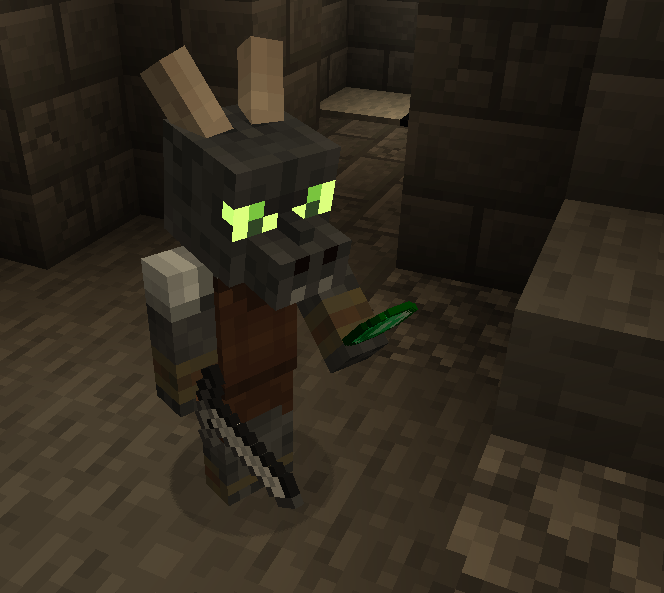
Diese Mod fügt eine unterirdische Zivilisation von Kobolden hinzu, mit denen gehandelt werden kann und die ihre Höhlen vor den üblichen Bedrohungen der Oberwelt verteidigen!
~Features~
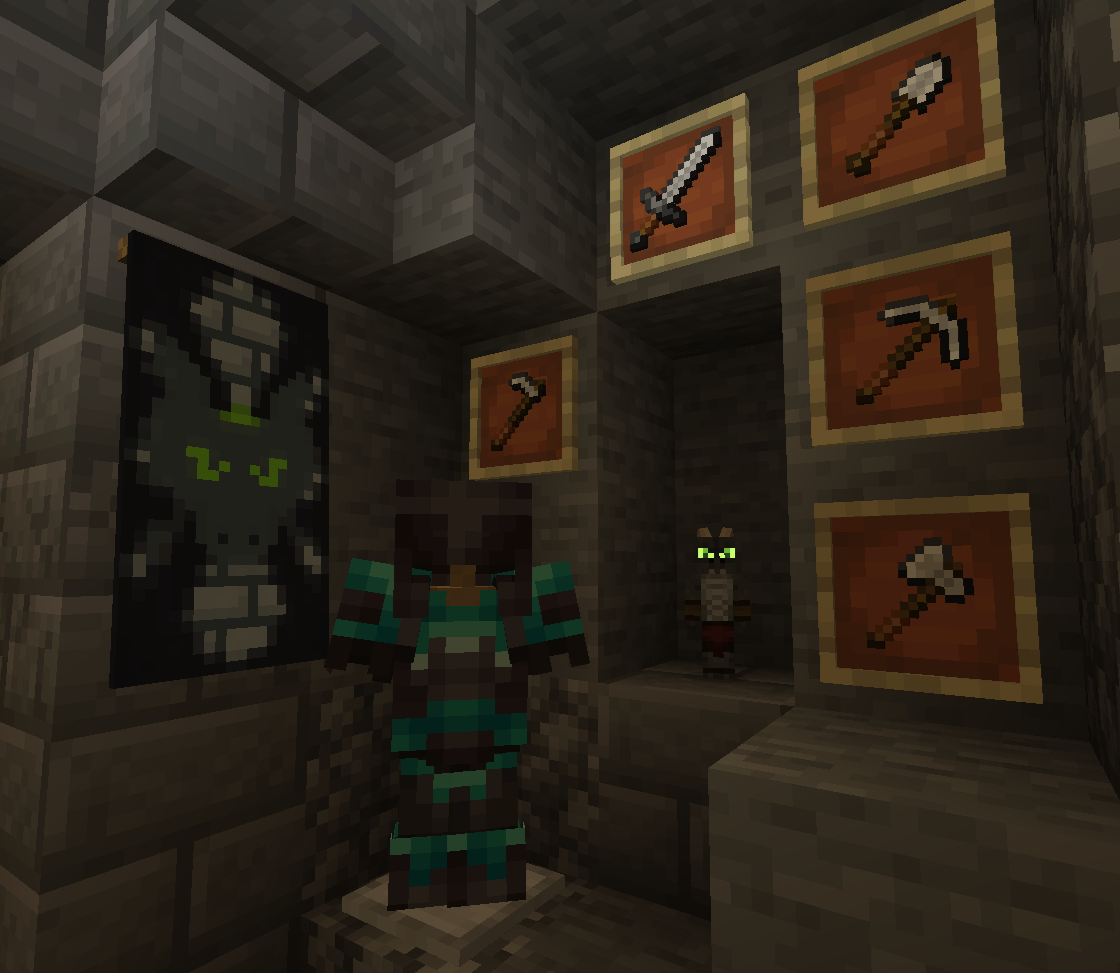
- Freundliche Kobolde, mit denen gehandelt werden kann!
- Kobolde genießen es, Amethystscherben zu verzehren!
- Kobolde verteidigen ihr Zuhause vor Feinden.
- Kobold-Verzauberer, die Tränke und Prospector anbieten, eine neue Verzauberung!
- Kobold-Höhlenstrukturen, die unter Wäldern und Bergen entstehen!
- Zombolds, die entstehen, wenn Kobolde durch einen beliebigen Zombie sterben, und die wie Zombiedorfbewohner geheilt werden können!
~Discord~
https://discord.gg/QWRjTW3D5n
Installation von Kobolds!
With Millida Launcher
Install Millida Launcher
The launcher is free: download it at millida.net/launcher and sign in with any nickname.
Click “Install” on this page
The launcher opens and installs the mod for Minecraft 1.20.1–1.21.11 on Forge or NeoForge automatically.
Launch the game
A profile with it appears in the launcher: click “Play”.
Manually
Install Forge or NeoForge
The loader must match the game version of the mod file, for example Minecraft 1.21.11. After installing it, a separate profile appears in your launcher.
Download the file for your version
In the version list above, pick the file Kobolds-4.1.1.jar (2.2 MB) for your game version and loader.
Put it in the mods folder
The folder is inside .minecraft (Windows: %appdata%\.minecraft\mods). If it does not exist, create it.
Launch the loader profile
Open “Mods” in the main menu: Kobolds! should be in the list.
Minecraft 1.21.11 runs on Java 21: with a different Java version the game may close right after launch.
Versionen
Mit Abhängigkeiten
| Minecraft | Loader | Datei | Datum | Aktionen |
|---|---|---|---|---|
| 1.21.11 | NeoForge | Kobolds V4.1.12.2 MB 1 | ||
| 1.20.1 | Forge | Kobolds V2.12.02.3 MB 1 |
FAQ
Which Minecraft versions does Kobolds! work on?
There are files for 1.21.11, 1.20.1. The newest is 1.21.11.
Is Kobolds! for Forge or Fabric?
There are files for Forge: 1.20.1 and for NeoForge: 1.21.11. There are no files for Fabric: a mod for another loader will not start.
Does Kobolds! need other mods?
The author lists no required dependencies: the Forge or NeoForge loader is enough.
Which Java does Kobolds! need?
Minecraft 1.21.11 runs on Java 21. If the game closes right after launch, the usual cause is the wrong Java version in the profile settings.
Where can I download Kobolds! safely?
On this page: the file Kobolds-4.1.1.jar (2.2 MB) is stored on Millida’s server, with no link shorteners. SHA-1 checksum: c9e6a186d533420425c24a757e3d8fb23d2019a8.
Bewertungen
Bewerten Sie Kobolds! als Erster


