

Items Displayed [Fabric] Mod für Minecraft 26.3
Eine Mod für Baumeister und Abenteurer, die ihre Gegenstände in der Welt platziert haben möchten, statt sie in Truhen herumliegen zu lassen!
- Downloads
- 19 Downloads
- Aufrufe
- 49 Aufrufe
- Aktualisiert
- Aktualisiert 30.09.2026
- 1.21.4 — 26.3
 Fabric
- Client und Server
Items Displayed
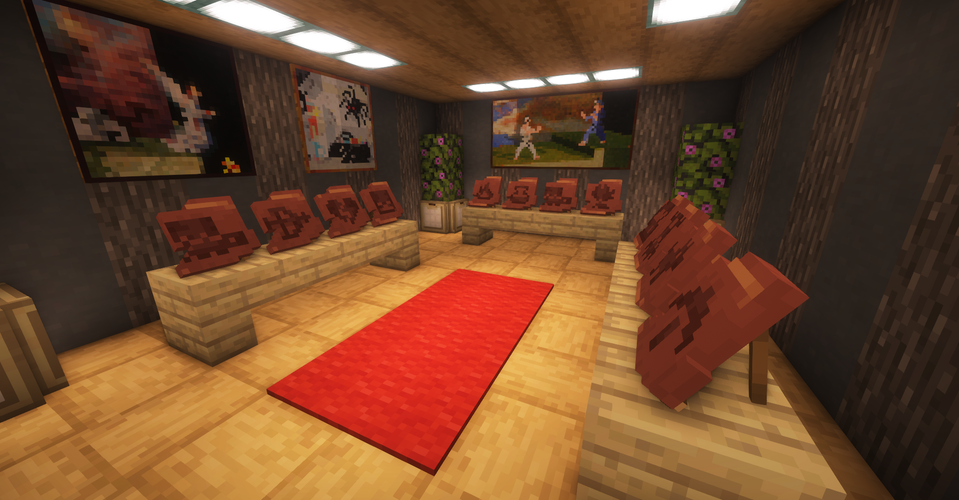
Did you ever think that there aren't any good ways to show off your stuff in Minecraft? Sure, we have item frames, but that's just plain old boring. If you're like me, then you'd prefer having your treasures displayed as 3D models in the world, not cluttering your chests.
Let me introduce you to Items Displayed! Designed for both daring adventurers and imaginative builders, this mod aims to redefine the way you store items and decorate your base.
![Items Displayed [Fabric] — Screenshot 3](/_next/image?url=https%3A%2F%2Fcdn.millida.trade%2Fforum%2Fdl%2F48dc15f0-4f4c-4834-9ac9-12ef0e91126d.webp&w=3840&q=75)
Forge version is here!
Core features
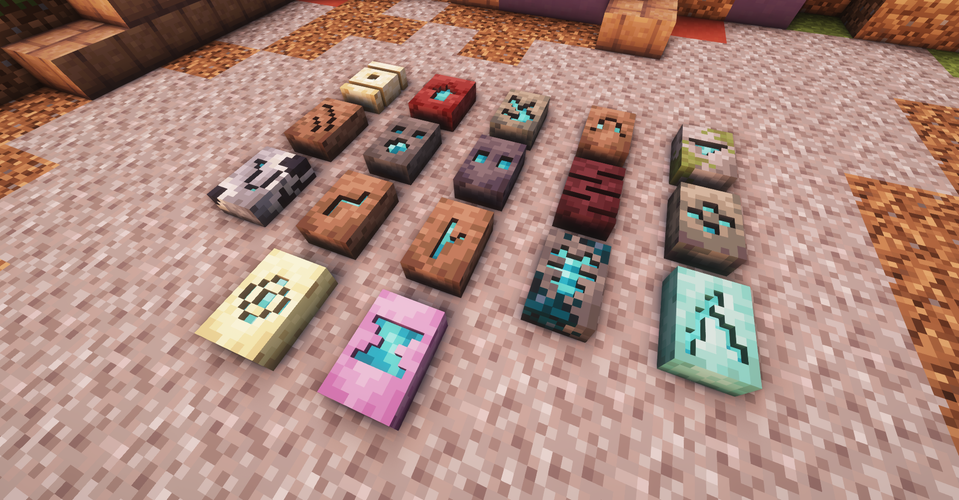
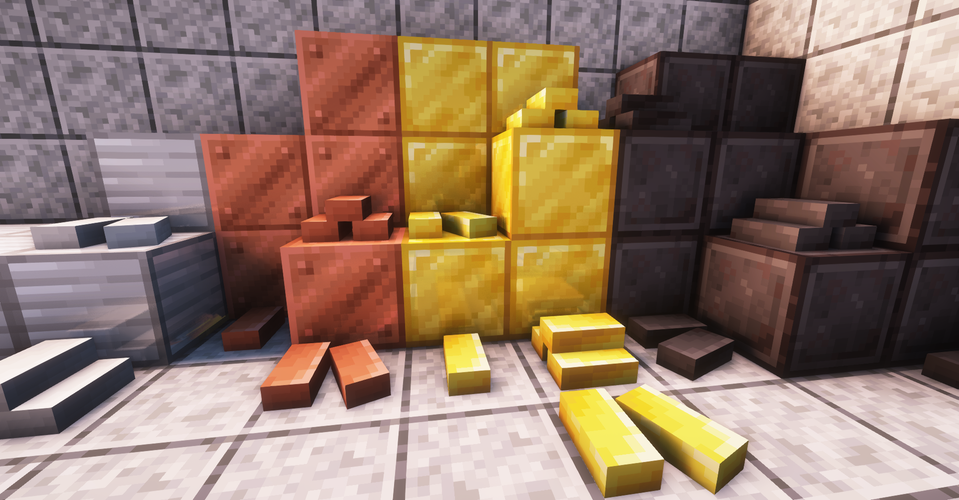
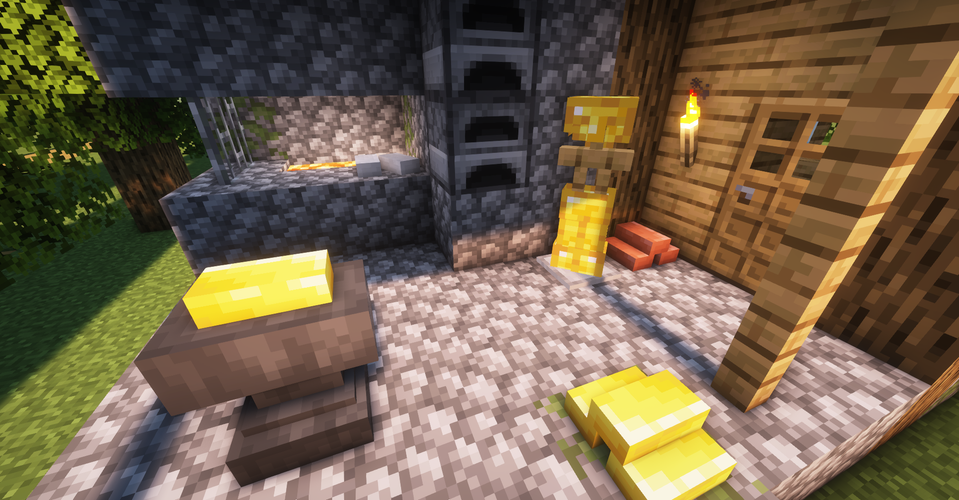
- Placeable items: Say goodbye to item frames. With Items Displayed, you'll be able to showcase your treasures in your house as stunning 3D models! Currently, the mod adds models for all sherds, smithing templates, ingots, etc. Want more items? Stay tuned for next updates :)
- Simple mechanics: My goal is to enhance your gameplay, not complicate it. You don't need to craft or tweak anything: to place an item, just right-click while sneaking with the item in your hand. Turning your house into a piece of art has never been easier!
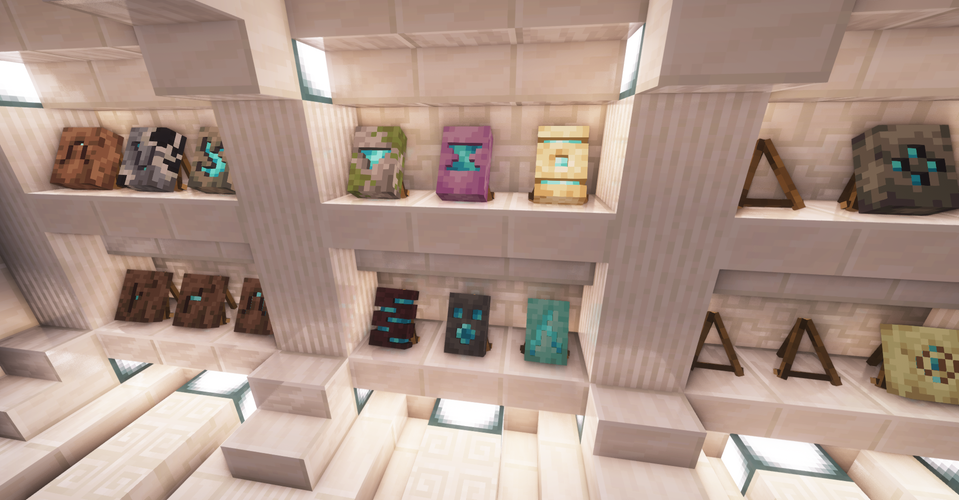
- Item Display: You may feel like leaving your treasures lying on the ground is a strange decision. Worry not, this mod also adds a new item called Item Display, which can be crafted using sticks. It works exactly like an Armor Stand, save for the fact that it can be rotated to any angle, not just 45 degrees. Currently, Item Display supports all sherds and smithing templates.
- Vanilla style: When making the mod, I made sure to keep the authenticity of vanilla style in place. And hey, my mom couldn't tell which models are from Minecraft, and which are mine! That must mean something, right?
- High compatiblity: Don't let mod conflicts hold you back from your adventures. Items Displayed has been thoroughly tested, so unless another mod makes big changes in the way items work, there shouldn't be any issues.
Q: How to propose a feature / submit an issue?
A: If you want to ask for a cool feature, just go to the comment section on CurseForge. I always make sure to read the comments! However, if you found an issue, please submit it on GitHub. To find Items Displayed on GitHub, just go to the "Issues" tab on top of this description.
Q: Can I add your mod to my modpack?
A: Yeah, sure, that'd be great! But as always, please leave a link to the mod's page, and don't change anything inside the mod itself. And also do mention how cool this mod is, but that's, uhhh, optional.
Q: Can you backport to an older version of Minecraft?
A: For now - nope! Come back a little later, when more vanilla items are already implemented.
Minecraft constantly evolves, and so does this mod. In future updates, I plan to add more items, including Blaze Rods, Totems of Undying, Bottles, and much more! Would you like to join me on this adventure?
![Items Displayed [Fabric] — Screenshot 4](/_next/image?url=https%3A%2F%2Fcdn.millida.trade%2Fforum%2Fdl%2F8d51595c-75e4-467a-b8b2-0c2681c7ef66.webp&w=3840&q=75)
Installation von Items Displayed [Fabric]
With Millida Launcher
Install Millida Launcher
The launcher is free: download it at millida.net/launcher and sign in with any nickname.
Click “Install” on this page
The launcher opens and installs the mod for Minecraft 1.21.4–26.3 on Fabric automatically, together with its dependencies: Fabric API.
Launch the game
A profile with it appears in the launcher: click “Play”.
Manually
Install Fabric
The loader must match the game version of the mod file, for example Minecraft 26.3. After installing it, a separate profile appears in your launcher.
Download the file for your version
In the version list above, pick the file ItemsDisplayed - v1.3-26.3.jar (506 KB) for your game version.
Put it in the mods folder
The folder is inside .minecraft (Windows: %appdata%\.minecraft\mods). If it does not exist, create it. Required dependencies go there too: Fabric API.
Launch the loader profile
Open “Mods” in the main menu: Items Displayed [Fabric] should be in the list.
On a server
A server on Fabric
The mod only works on a server with the same loader and game version, for example 26.3.
File goes into the server’s mods folder
Stop the server, put the mod file into the mods folder and start the server again.
Use the “To server” button
On Millida Hosting, the button at the top of the page uploads the file to your server and restarts it for you.
Versionen
Mit Abhängigkeiten
| Minecraft | Loader | Datei | Datum | Aktionen |
|---|---|---|---|---|
| 26.3 | Fabric | 26.3506 KB 3 | ||
| 26.2 | Fabric | 26.2523 KB 5 | ||
| 26.1.2 | Fabric | 26.1.2523 KB 1 | ||
| 1.21.11 | Fabric | 1.21.11505 KB 9 | ||
| 1.21.10 | Fabric | 1.21.10505 KB 1 | ||
| 1.21.8 | Fabric | 1.21.8505 KB | ||
| 1.21.5 | Fabric | 1.21.5505 KB | ||
| 1.21.4 | Fabric | 1.21.4505 KB |
Was zum Ausführen nötig ist
- Fabric APIerforderlich
Bewertungen
Bewerten Sie Items Displayed [Fabric] als Erster


