
Improved Sign Editing Mod für Minecraft 26.3
🪵 [Client] Bessere Funktionalität zum Bearbeiten von Schildern. Mit Shift zur nächsten und vorherigen Zeile während der Eingabe.
 Fabric
 Forge
Forge NeoForge
 Quilt
QuiltÜber die Improved Sign Editing-Mod
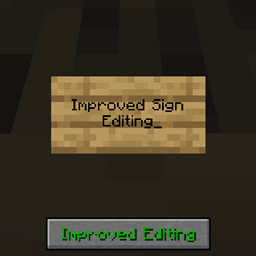
Improved Sign Editing is a client-side mod which adds some QoL changes to the process of writing text on signs in-game. Whenever text is typed on a sign, and the next word doesn't fit, it automatically shifts to the next line. No need for guessing whether the next part fits. Also works the other way around, when using backspace, it goes back to the previous line. Functionality can be toggled in the config or in-game via the button.
All available config options:
enableImprovedEditing default true A global toggle whether the improved editing functionality should be enabled.
showImprovedEditingButton default true Whether the Improved/Normal Editing button should be visible on the sign edit screen.
When typing the text on a sign, it automatically shifts to the next line when the current word doesn't fit:
Similarly, when using backspace, it goes to the previous line:
There is a button on the screen to enable/disable the improved editing for finer control. Can be disabled in the config:
You may freely use this mod in any modpack, as long as the download remains hosted within the CurseForge or Modrinth ecosystem.
Serilum.com contains an overview and more information on all mods available.
Comments are disabled as I'm unable to keep track of them across so many separate mod pages. For issues, ideas, suggestions or anything else there is the Github repo. Thanks!
Installation von Improved Sign Editing
With Millida Launcher
Install Millida Launcher
The launcher is free: download it at millida.net/launcher and sign in with any nickname.
Click “Install” on this page
The launcher opens and installs the mod for Minecraft 26.3 on Fabric, Forge, NeoForge or Quilt automatically.
Launch the game
A profile with it appears in the launcher: click “Play”.
Manually
Install Fabric, Forge, NeoForge or Quilt
The loader must match the game version of the mod file, for example Minecraft 26.3. After installing it, a separate profile appears in your launcher.
Download the file for your version
In the version list above, pick the file improvedsignediting-26.3.0-1.6.jar (55 KB) for your game version and loader.
Put it in the mods folder
The folder is inside .minecraft (Windows: %appdata%\.minecraft\mods). If it does not exist, create it.
Launch the loader profile
Open “Mods” in the main menu: Improved Sign Editing should be in the list.
Versionen
Mit Abhängigkeiten
| Minecraft | Loader | Datei | Datum | Aktionen |
|---|---|---|---|---|
| 26.3 | Fabric, Forge, NeoForge, Quilt | [Fabric/Forge/Neo] 26.3.0-1.6 | Improved Sign Editing54.8 KB |
FAQ
Which Minecraft versions does Improved Sign Editing work on?
Only Minecraft 26.3: there are no files for other versions.
Is Improved Sign Editing for Forge or Fabric?
There are files for Fabric: 26.3, for Forge: 26.3, for NeoForge: 26.3 and for Quilt: 26.3.
Does Improved Sign Editing need other mods?
The author lists no required dependencies: the Fabric, Forge, NeoForge or Quilt loader is enough.
Where can I download Improved Sign Editing safely?
On this page: the file improvedsignediting-26.3.0-1.6.jar (55 KB) is stored on Millida’s server, with no link shorteners. SHA-1 checksum: 18e4dee7ee512246ac1cca36e7681a412f8b5562.
Bewertungen
Bewerten Sie Improved Sign Editing als Erster


