

Immersive Overlays Mod für Minecraft 1.20.1, 26.3
Blendet nützliche Informationen wie Koordinaten und die Uhrzeit in dein HUD ein – solange du den richtigen Gegenstand in deinem Inventar hast (oder im Bündel!).
 NeoForge
 Fabric
 Forge
ForgeImmersive Overlays
This mod integrates a highly configurable coordinate overlay as an in-world mechanic, allowing it to only be visible as long as the player has a compass. In addition, it offers a similar overlay for clocks, showing the time of day.
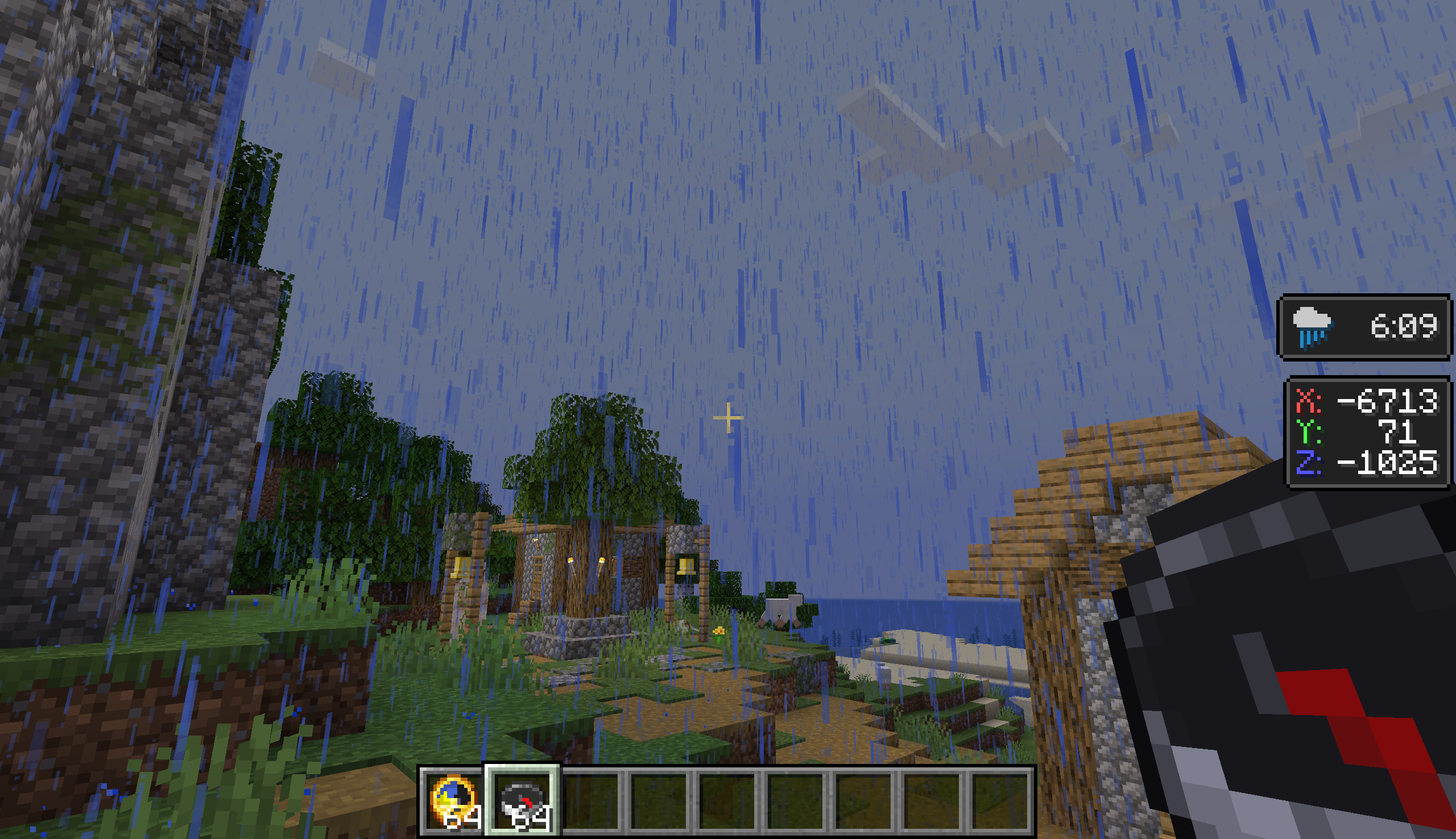
Coordinate Overlays
Coordinate overlays for the player's X and Z coordinates are visible whenever the player has a compass in their inventory, including in a bundle.
When a player additionally has an item that displays depth, like a Supplementaries Altimeter or a Depth Gauge from mods like Caverns & Chasms or Spelunkery, the Y coordinate value is shown as well. If no item is available, a compass item is sufficient to show the overlay.
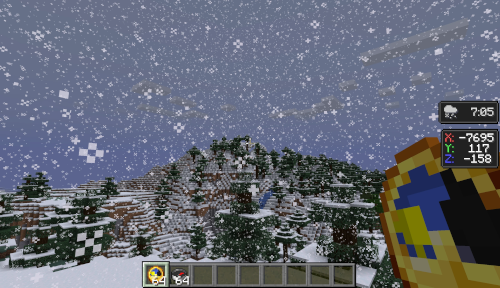
Time and Weather Overlays
An overlay displaying the current time of day is displayed whenever the player has a clcok in their inventory, including in a bundle.
When a player additionally has an item that displays the weather, like a Caverns & Chasms Barometer, the weather is shown as well. If no item is available, a clock item is sufficient to show the overlay.
Mod Compatibility
The mod has support for Spelunkery, Caverns & Chasms, and Supplementaries items out of the box. For other mods, items can be added to the mod's various config options.
Wind Overlays
An overlay displaying wind intensity and direction is displayed whenever the player has a gust gauge in their inventory, including in a bundle.
- With Breezy installed, this data is sourced from the Gust Gauge.
Credits
The concept for this mod came from a prototype by nöelle for Raspberry Flavoured. I took this concept and iterated on it in my mod, Raspberry Core, before finalizing it here as Immersive Overlays.
Textures and mod icon are also by nöelle.
Textures for Temperature Overlays and Season Overlays by ProbablyEkho.
Textures for No Man's Land, Abundant Atmosphere, and New World biome overlays by KevBo.
Installation von Immersive Overlays
With Millida Launcher
Install Millida Launcher
The launcher is free: download it at millida.net/launcher and sign in with any nickname.
Click “Install” on this page
The launcher opens and installs the mod for Minecraft 1.20.1–26.3 on Fabric, Forge or NeoForge automatically.
Launch the game
A profile with it appears in the launcher: click “Play”.
Manually
Install Fabric, Forge or NeoForge
The loader must match the game version of the mod file, for example Minecraft 26.3. After installing it, a separate profile appears in your launcher.
Download the file for your version
In the version list above, pick the file immersiveoverlays-1.8.5+26.3-neoforge.jar (459 KB) for your game version and loader.
Put it in the mods folder
The folder is inside .minecraft (Windows: %appdata%\.minecraft\mods). If it does not exist, create it.
Launch the loader profile
Open “Mods” in the main menu: Immersive Overlays should be in the list.
Versionen
Mit Abhängigkeiten
| Minecraft | Loader | Datei | Datum | Aktionen |
|---|---|---|---|---|
| 26.3 | NeoForge | Immersive Overlays 1.8.5 for 26.3 NeoForge459 KB | ||
| 26.3 | Fabric | Immersive Overlays 1.8.5 for 26.3 Fabric464 KB 2 | ||
| 1.20.1 | Forge | Immersive Overlays 1.8.5 for 1.20.1 Forge1.7 MB 1 | ||
| 1.20.1 | Forge | immersiveoverlays-1.5.0+1.20.1-forge.jar886 KB | ||
| 1.21.8 | Fabric | immersiveoverlays-fabric-1.2.0+1.21.6-pre3.jar73.2 KB | ||
| 1.21.5 | NeoForge | immersiveoverlays-neoforge-1.2.0+1.21.5.jar247 KB |
Bewertungen
Bewerten Sie Immersive Overlays als Erster


