

Gravestones Mod für Minecraft 26.2
Fügt hochgradig konfigurierbare Gräber hinzu, die beim Tod erscheinen und deine Gegenstände aufbewahren
 Fabric
 Quilt
QuiltGravestones
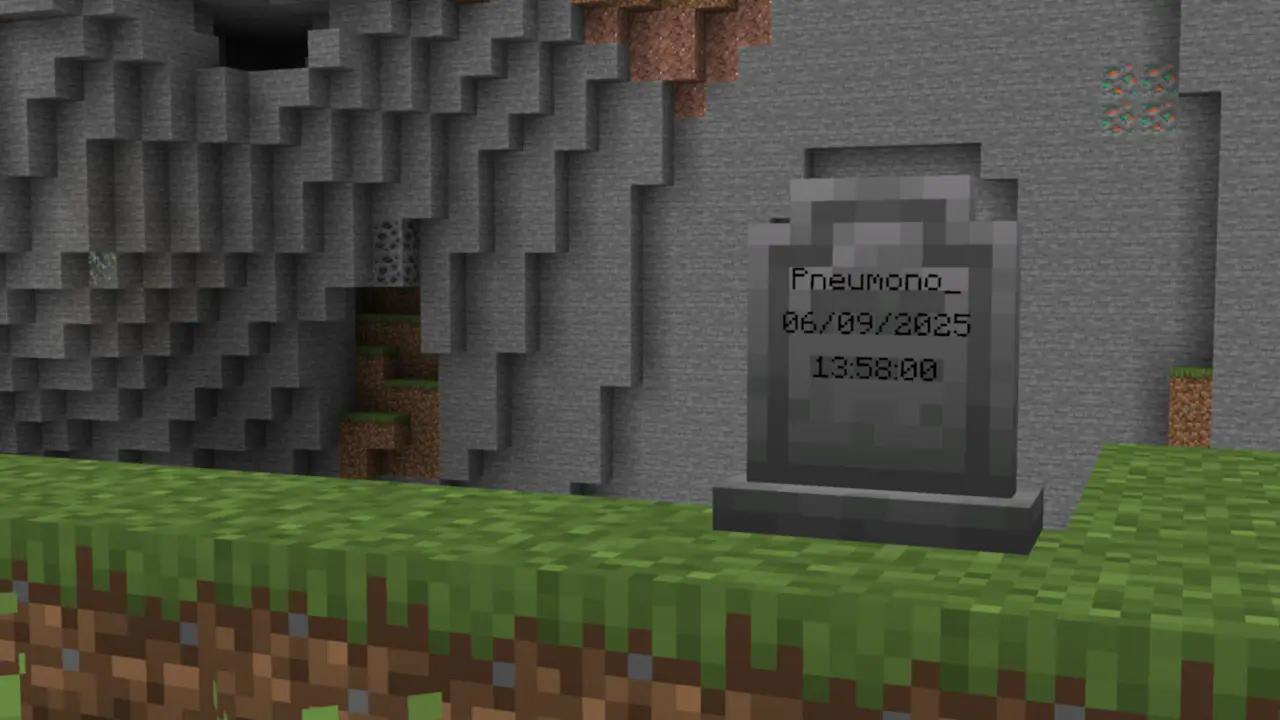
Gravestones adds blocks which store your items on death. You just right-click, and your items will go back to their original positions.
It's a fairly standard grave mod, but with nicer, vanilla-style textures, extra config options to help tailor the mod to specific servers, and the option to use gravestones in builds.
See the wiki for more detailed information!

Decay
Gravestone decay is very configurable and all of its features can be configured or disabled if they are not wanted!
By default, all gravestones decay over time and due to subsequent deaths. This is shown visually by a change in the block's texture.
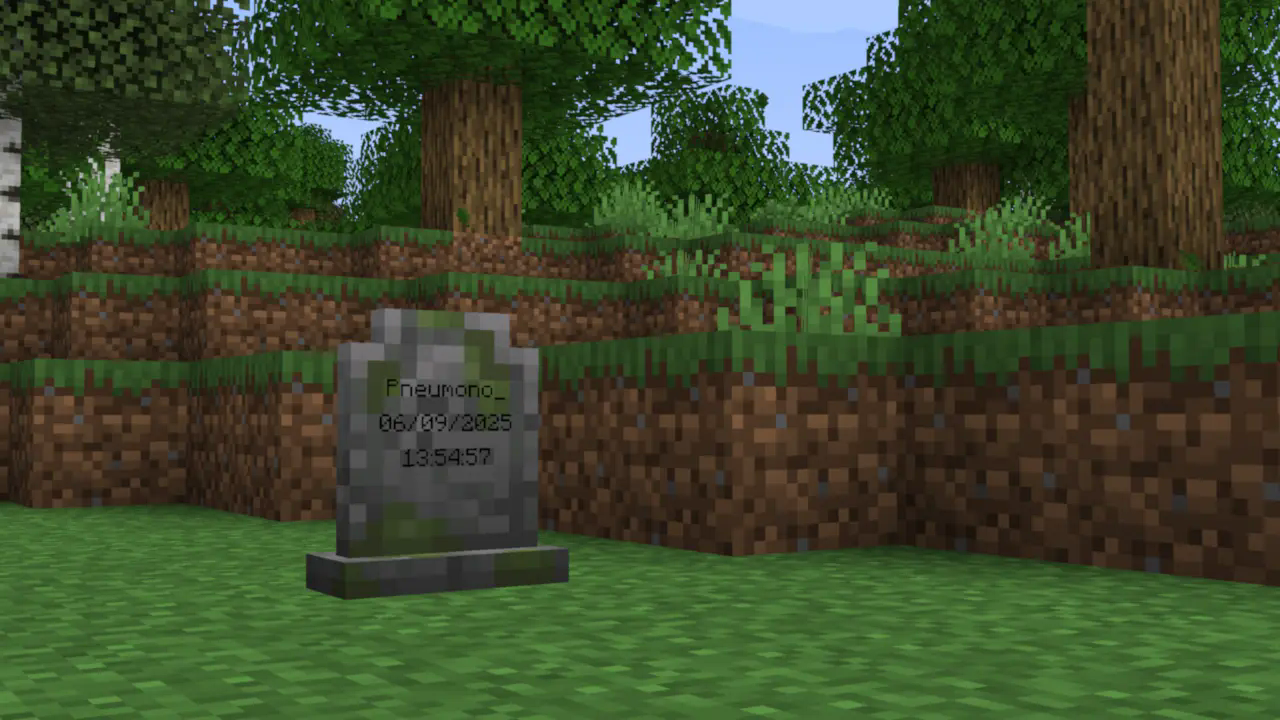
After a configurable amount of decay, the gravestone breaks entirely, spilling its contents onto the ground (after which the vanilla 5-minute despawn timer applies).

Aesthetic Gravestones
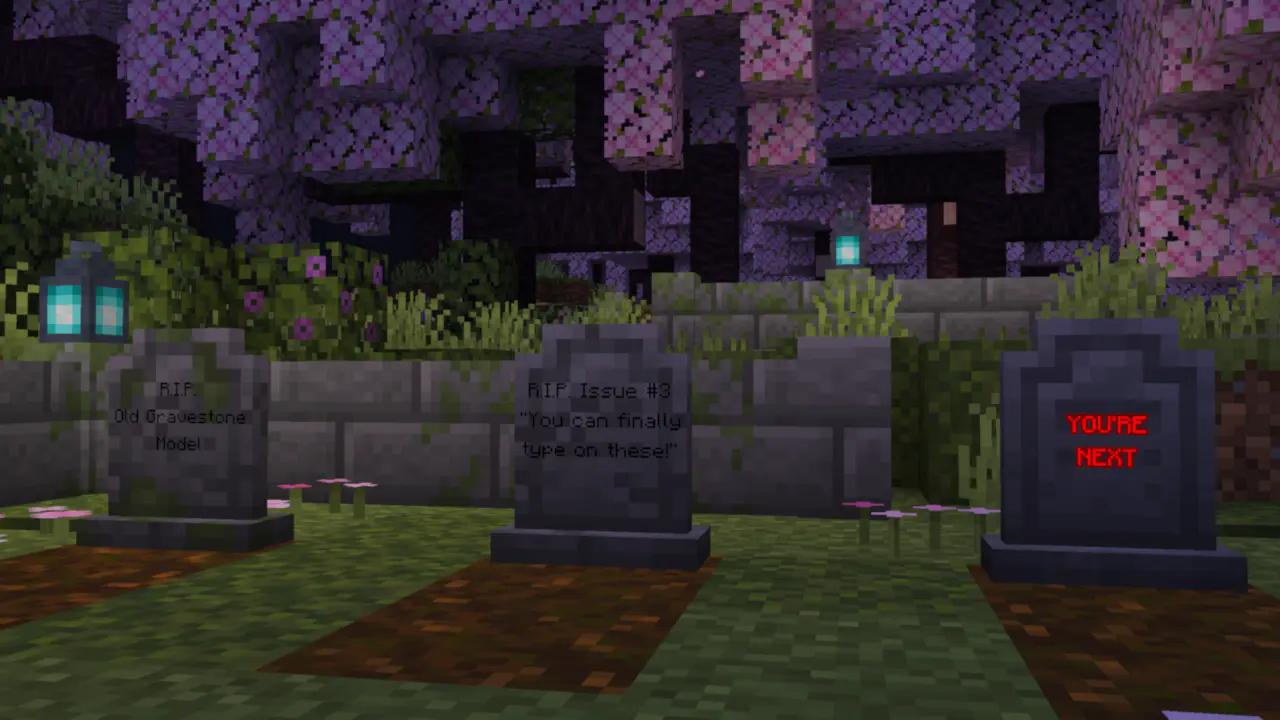
Gravestones also includes craftable "aesthetic gravestones", which allow builders to use the gravestone blocks without having their builds at risk of damage. They can also be written on and dyed just like signs.
Configs
This is a short summary of some of the mod's configs. For the full list with more detailed explanations, see the wiki.
- Whether gravestones decay due to subsequent deaths
- Whether gravestones decay over time, and how long it takes
- Whether gravestones store experience, how much they store,
and whether experience "decays" over time along with the gravestone itself
- Whether gravestones can be accessed by players other than their owner
- What time format the gravestones display (client-side)
- And more!
Compatibility
At the time of writing, Gravestones has built-in support for Trinkets, Accessories, several mods with Soulbound enchantments, and Spelunkery's recovery compass changes. More mods will be added in the future.
Gravestones has an API for mod developers to add support for Gravestones. Information about this can be found here.
Dependencies
Gravestones depends on my core mod, PneumonoCore.
Installation von Gravestones
With Millida Launcher
Install Millida Launcher
The launcher is free: download it at millida.net/launcher and sign in with any nickname.
Click “Install” on this page
The launcher opens and installs the mod for Minecraft 1.21.2–26.2 on Fabric or Quilt automatically, together with its dependencies: Fabric API, Dependency.
Launch the game
A profile with it appears in the launcher: click “Play”.
Manually
Install Fabric or Quilt
The loader must match the game version of the mod file, for example Minecraft 26.2. After installing it, a separate profile appears in your launcher.
Download the file for your version
In the version list above, pick the file gravestones-1.4.2+26.2+A.jar (287 KB) for your game version and loader.
Put it in the mods folder
The folder is inside .minecraft (Windows: %appdata%\.minecraft\mods). If it does not exist, create it. Required dependencies go there too: Fabric API, Dependency.
Launch the loader profile
Open “Mods” in the main menu: Gravestones should be in the list.
On a server
A server on Fabric or Quilt
The mod only works on a server with the same loader and game version, for example 26.2.
File goes into the server’s mods folder
Stop the server, put the mod file into the mods folder and start the server again.
Use the “To server” button
On Millida Hosting, the button at the top of the page uploads the file to your server and restarts it for you.
Versionen
Mit Abhängigkeiten
| Minecraft | Loader | Datei | Datum | Aktionen |
|---|---|---|---|---|
| 26.2 | Fabric, Quilt | 26.2287 KB 6 | ||
| 26.1.2 | Fabric, Quilt | 26.1.2293 KB 2 | ||
| 1.21.11 | Fabric, Quilt | 1.21.11286 KB 10 | ||
| 1.21.10 | Fabric, Quilt | 1.21.10289 KB | ||
| 1.21.8 | Fabric, Quilt | 1.21.8285 KB | ||
| 1.21.5 | Fabric, Quilt | 1.21.5286 KB | ||
| 1.21.4 | Fabric, Quilt | 1.21.4286 KB 1 | ||
| 1.21.3 | Fabric, Quilt | 1.21.3280 KB |
Was zum Ausführen nötig ist
- Fabric APIerforderlich
- Dependencyerforderlich
Bewertungen
Bewerten Sie Gravestones als Erster


