
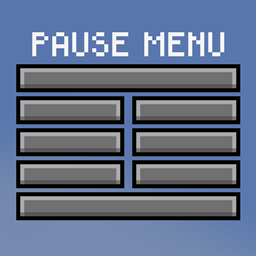
FTB Pause Menu API Mod für Minecraft 1.21.1
Einheitliche Pause-Menü-API für Mods, um das Pause-Menü anzupassen
- Aufrufe
- 7 Aufrufe
- Aktualisiert
- Aktualisiert 18.10.2026
- 1.21.1
 NeoForge
FTB Pause menu API
Custom pause menu for unification API for adding new buttons and elements to the pause menu. To achieve this, we fully replace the pause menu with our own implementation to ensure no mod is able to bypass our API. We only recommend using this mod in your modpack when you know what should be on your pause menu
Features
- Developer friendly API
- Clean default pause menu
- Customisable pause menu
- Built in support for
- Discord & Github links (Top left corner)
- Tips (By Darkhax)
- Just Zoom (By Keksuccino)
Developer Docs
Check out our developer docs on our README.md
Support
- For Modpack issues, please go here: https://go.ftb.team/support-modpack
- For Mod issues, please go here: https://go.ftb.team/support-mod-issues
- Just got a question? Check out our Discord: https://go.ftb.team/discord
Licence
All Rights Reserved to Feed The Beast Ltd. Source code is visible source, please see our LICENSE.md for more information. Any Pull Requests made to this mod must have the CLA (Contributor Licence Agreement) signed and agreed to before the request will be considered.
Installation von FTB Pause Menu API
With Millida Launcher
Install Millida Launcher
The launcher is free: download it at millida.net/launcher and sign in with any nickname.
Click “Install” on this page
The launcher opens and installs the mod for Minecraft 1.21.1 on NeoForge automatically.
Launch the game
A profile with it appears in the launcher: click “Play”.
Manually
Install NeoForge
The loader must match the game version of the mod file, for example Minecraft 1.21.1. After installing it, a separate profile appears in your launcher.
Download the file for your version
In the version list above, pick the file ftb-pause-menu-api-21.1.3.jar (40 KB) for your game version.
Put it in the mods folder
The folder is inside .minecraft (Windows: %appdata%\.minecraft\mods). If it does not exist, create it.
Launch the loader profile
Open “Mods” in the main menu: FTB Pause Menu API should be in the list.
Minecraft 1.21.1 runs on Java 21: with a different Java version the game may close right after launch.
Versionen
Mit Abhängigkeiten
| Minecraft | Loader | Datei | Datum | Aktionen |
|---|---|---|---|---|
| 1.21.1 | NeoForge | FTB Pause Menu API 21.1.340 KB |
Bewertungen
Bewerten Sie FTB Pause Menu API als Erster


