
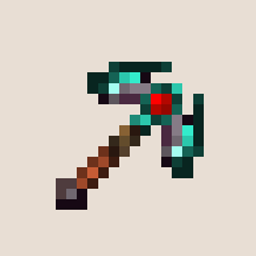
Forgero - [Fabric] Mod für Minecraft 1.20.1
Mod zum Herstellen individueller Werkzeuge mit Fabric
 Fabric
 Quilt
QuiltForgero [Fabric]
Forgero is a tool creation and customization mod with an immense amount of variations and possible upgrades. This mod allows you to construct tools consisting of a variety of parts, procedurally generated based on available materials and schematics found scattered through your world. The core of this mod completely data driven, which makes it possible to create a configuration that perfectly fits your playstyle.
This mod is under active development, and is in a BETA phase. If you need help, have cool ideas, want to contribute, or just want to check in on the development, visit the discord channel, we would love to see you there! Forgero Discord
![Forgero - [Fabric] — Screenshot 2](https://media.forgecdn.net/attachments/655/684/comparison_pickaxe.png)
About
Forgero is a mod all about creating, customizing and upgrading your gear. The goal of this mod is to provide the player with as many options for tinkering with your own tools as possible, and to provide yet another reason for exploring Minecraft's world, in search of new upgrades. This mod takes a lot of inspiration from Tinker's construct, and other tools creation mods like Smithee. This is not a copy of these mods, as it tries to put its own spin on the process of crafting and upgrading your equipment.
Mod spotlight video by: wiredboy27
Gallery
An example of different tools that can be created by different parts and materials.
Upcoming
Forgero 0.12: Bows & arrows The bow and arrow update is the latest update! It makes it possible to craft bows and arrows using all available materials in the game. There are multiple available bow and arrow variants, and they all affect different aspect using the bow,
Other upcoming features: We will continue to update the mod with exiting content, and QoL improvements between the big updates. If you have any needs, or good ideas for the mod, feel free to let us know!
- Progression and station overhaul
- Gem and extended module overhaul
- Armor sets
- Smithing
Key features
- Almost every material in the game can be used to craft part for your tools (but some are better suited than others)
- Unique schematics will enhance the look, attributes and functionality of your tools
- Vanilla friendly, this mod uses Minecraft's own textures to generate palettes for materials, and aims to fit the vanilla look and feel
- Gems can further enhance tools and weapons through an expansive upgrade path
- Support for vanilla enchanting
- All materials, schematics and gems can be entirely customized and expanded though configuration files
Getting started
Tools
Getting started with Forgero is pretty simple - just craft your first tool!
Tip: Forgero includes a command for creating a station with most items required for tinkering with its systems. Just run /forgero createstation
Tip: Forgero has support for Patchouli's guidebooks and will give you a access to an in-game guidebook to aid with you progression. If you want to craft the book, simply combine a tool part and a book in the crafting table.
Tools can be crafted by combining tool part in a crafting table. A tool requires a handle and a head. The binding is optional, but can yield supply the tool with additional attributes just like the other tools parts. The tools type, i.e. pickaxe, is decided by which head component you have used. Creating an axe requires a axe head, and a shovel requires a shovel head. The primary stats and functionality will be decided by the tools head by default, the handle and binding provides less significant stats, but can be supplied with upgrades making them a vital part of your tool. Tools are based on Minecraft's vanilla tools, which makes them compatible with all tool related activities in game, like enchanting or stripping logs with an axe.
You can view the tool's attributes in the tooltip, which will tell you how each unique tool configuration will perform as well as which tool parts were used to craft it.
Tool parts
Before you can create your first tools, you need to create the proper tools parts!
There are many different types of tool parts: heads, handles, bindings, blades, sword guards and pummels. Creating a toolpart requires a schematic for that specific toolpart. The schematic will tell you how much material is needed for creating it. The material used when creating the toolpart will give it it's primary look, as well as some core attributes. The recipes are shapeless, but you need to fill out the correct amount of material!
Currently available tools parts:
- Pickaxe head
- Shovel head
- Axe head
- Sword blade
- Hoe head
- Handle
- Binding
- Sword guard
- Pummel
Materials
Materials can be used for two purposes in Forgero, construction and upgrades. Constructing with materials will create the base of your tool parts and will give the tool part some core stats. Different tool parts will benefit from different attributes of a material. These materials are used to calculate the core attributes of a tool like damage, mining speed, mining level and attack speed. Secondary materials give unique looks and some additional bonuses to tool part. Secondary materials increase the properties of tool parts, and can increase the mining level. Materials and their properties are based on configuration files, editing existing materials, and adding new materials can all be done through editing some files! A goal for the mod is for other mods which adds materials to be easily integrated with Forgero's tool system. The textures of tool parts are generated from palettes which are listed alongside the properties of materials. If there exists a reference image which contains all colours of a materials, Forgero can extract a palette from these images and create new dynamic textures.
Currently available primary materials:
- Spruce
- Birch
- Oak
- Stone
- Iron
- Gold
- Diamond
- Netherite
- Copper
- Andesite
- Dark oak
- Crimson
- Diorite
- Granite
- Jungle wood
- Warped wood
Additional secondary materials:
- Leather
- Glowstone
- Rabbit hide
If you want to check out the progress on adding more materials to the game, as well as planned materials, head over to Github
Upgrading tool parts with secondary materials can be done with the upgrade table
Schematics
Schematics are the most important factor when creating tool parts. They decide the primary functionality of the tool part. Schematics will decide which type of tool it is, as well as how it looks. Different schematics can create different looking tools. Schematics can vary both in attributes, functionality and looks! The schematics with better attributes will be more rare, and harder to come by. Rarer schematics might also require more materials for crafting. Check the tool tip of the schematic to see how much material is required. Some schematics will contains properties which will allow a tool to alter how it will interact with the world. These properties can be Vein mining and pattern mining. Different variant are available for all tools.
Pattern mining pickaxe head. This head will allow blocks to be broken, in a specified pattern, like 3x3. More patterns are coming in the future. This mining style will take a lot more time, than regular single block mining, as it will accumulate all blocks in the range and add the mining efficiency calculation of all blocks as one. Each broken block will also affect the tools durability.
Vein mining pickaxe head. This schematic will allow you to break veins of blocks, like coal and iron. The axe alternative allows you to vein mine Logs. The pattern has a set depth, which limits how many blocks can be broken as a single vein. Lower tier schematics will have lower vein depth. Mining veins can take a lot of time, as the tool will calculate all the selected vein block to break when calculating the efficiency of tools.
More schematics and supported properties for interacting with blocks and entities are planned and in develooment, head over to Github to check the current progress.
Loot and treasure
A lot of the possible tool parts are not craftable by default. Only the default schematics can be crafted with piece of paper. More advanced schematics and tool parts are supposed to be found in treasure chests and dropped from enemies. Treasure chests have been manually configured to contain some types of Forgero loot corresponding to the type of chest as well as the rarity level of the tool part or schematic, here is the complete list of chests which can contain Forgero loot, as well as their targeted content:
Ancient city
Rarity: 60-120
Schematics: all
Parts: all
Gems:
Mineshaft
Rarity: 10-50
Schematics: pickaxe, handle
Parts: pickaxe, handle, binding
Gems:
Stronghold
Rarity: 30-70
Schematics: pickaxe, handle
Parts: pickaxe, handle, binding
Gems:
Pyramid
Rarity: 20-60
Schematics: shovel
Parts: shovel
Gems:
Jungle temple
Rarity: 20-60
Schematics: axes
Parts: axes, handles, wooden parts
Gems:
Pillager outpost
Rarity: 20-50
Schematics: weapon/sword schematics
Parts: blades and sword guards
Gems:
Swamp hut
Village
Rarity: 10-50
Schematics: All, in relevant
Parts: All, in relevant
Gems: Some, in relevant chests
Woodland mansion
Rarity: 50-90
Schematics: all
Parts: all
Gems: overworld
Ruined portal
Rarity: 30-80
Schematics: none
Parts: only gold
Gems:
Ocean ruin
Shipwreck
Rarity: 10-80
Installation von Forgero - [Fabric]
With Millida Launcher
Install Millida Launcher
The launcher is free: download it at millida.net/launcher and sign in with any nickname.
Click “Install” on this page
The launcher opens and installs the mod for Minecraft 1.19–1.20.1 on Fabric or Quilt automatically.
Launch the game
A profile with it appears in the launcher: click “Play”.
Manually
Install Fabric or Quilt
The loader must match the game version of the mod file, for example Minecraft 1.20.1. After installing it, a separate profile appears in your launcher.
Download the file for your version
In the version list above, pick the file forgero-fabric-0.13.2+1.20.1.jar (2.9 MB) for your game version and loader.
Put it in the mods folder
The folder is inside .minecraft (Windows: %appdata%\.minecraft\mods). If it does not exist, create it.
Launch the loader profile
Open “Mods” in the main menu: Forgero - [Fabric] should be in the list.
Minecraft 1.20.1 runs on Java 17: with a different Java version the game may close right after launch.
Versionen
Mit Abhängigkeiten
| Minecraft | Loader | Datei | Datum | Aktionen |
|---|---|---|---|---|
| 1.20.1 | Fabric, Quilt | Forgero [Fabric]: 0.13.2+1.20.12.9 MB | ||
| 1.20.1 | Fabric, Quilt | Forgero [Fabric]: 0.13-RC-2+1.20.12.9 MB | ||
| 1.19 | Fabric | Forgero [Fabric]: 0.9.0-pre-3-BETA-1.191 MB |
Bewertungen
Bewerten Sie Forgero - [Fabric] als Erster


