

Essential Mod für Minecraft 1.20.1, 1.21.1
Verbessere dein Minecraft mit einem einzigen einfachen Mod. Hoste Welten kostenlos, chatte mit Freunden und vieles mehr!
 Fabric
 NeoForge
 Forge
Über die Essential Mod-Mod


Verbessere dein Minecraft mit nur einem einzigen Mod. Schnell, benutzerfreundlich und für alle!
[ ](https://essential.gg/downloads)

Hoste deine Minecraft-Welt kostenlos, lade deine Freunde ein und spielt gemeinsam in nur wenigen Klicks!

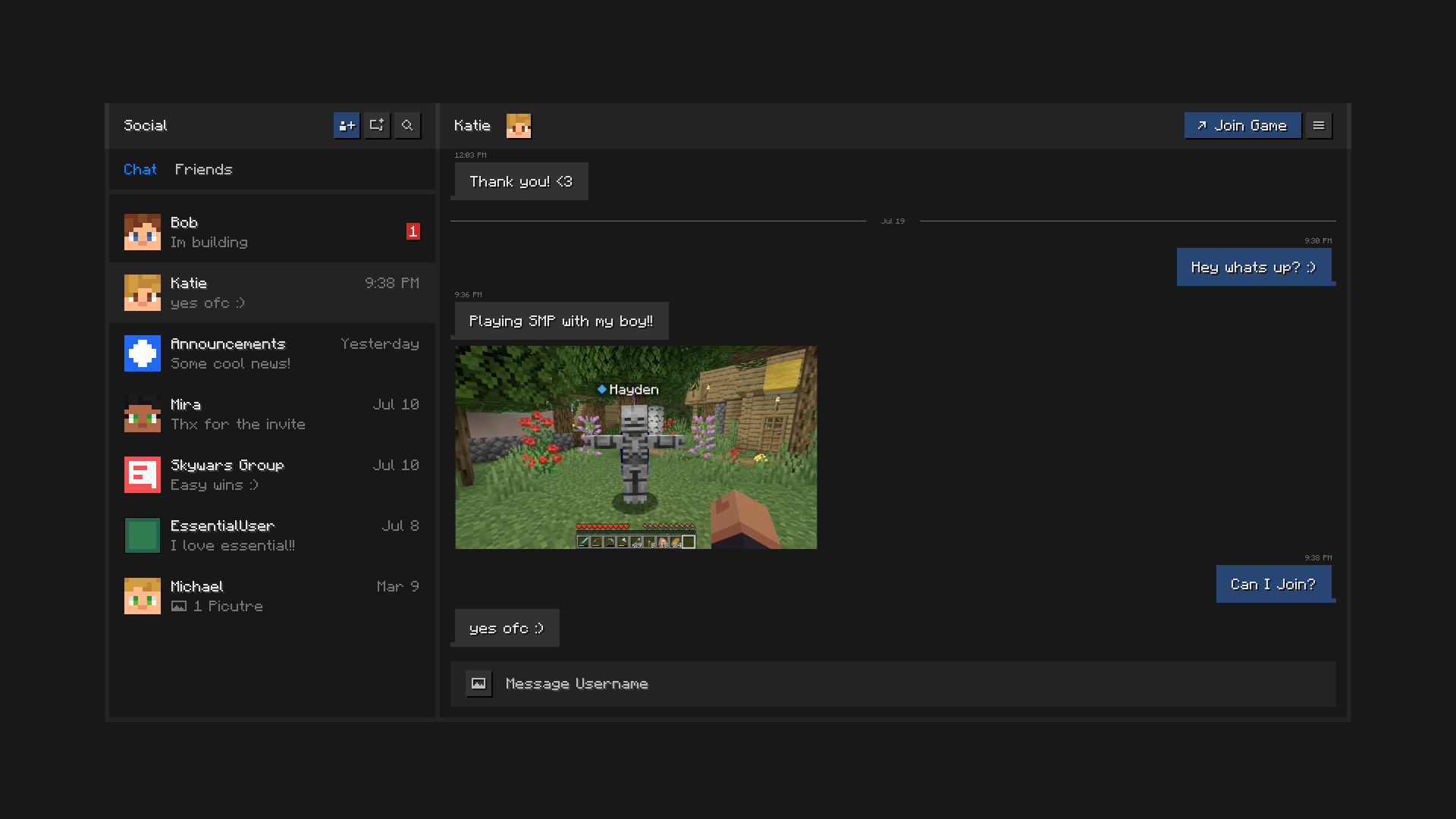
Bleib mit deinen Freunden in Kontakt, direkt in Minecraft. Chatte, erstelle Gruppen, teile Bilder und sende Einladungen zu Welten und Servern.

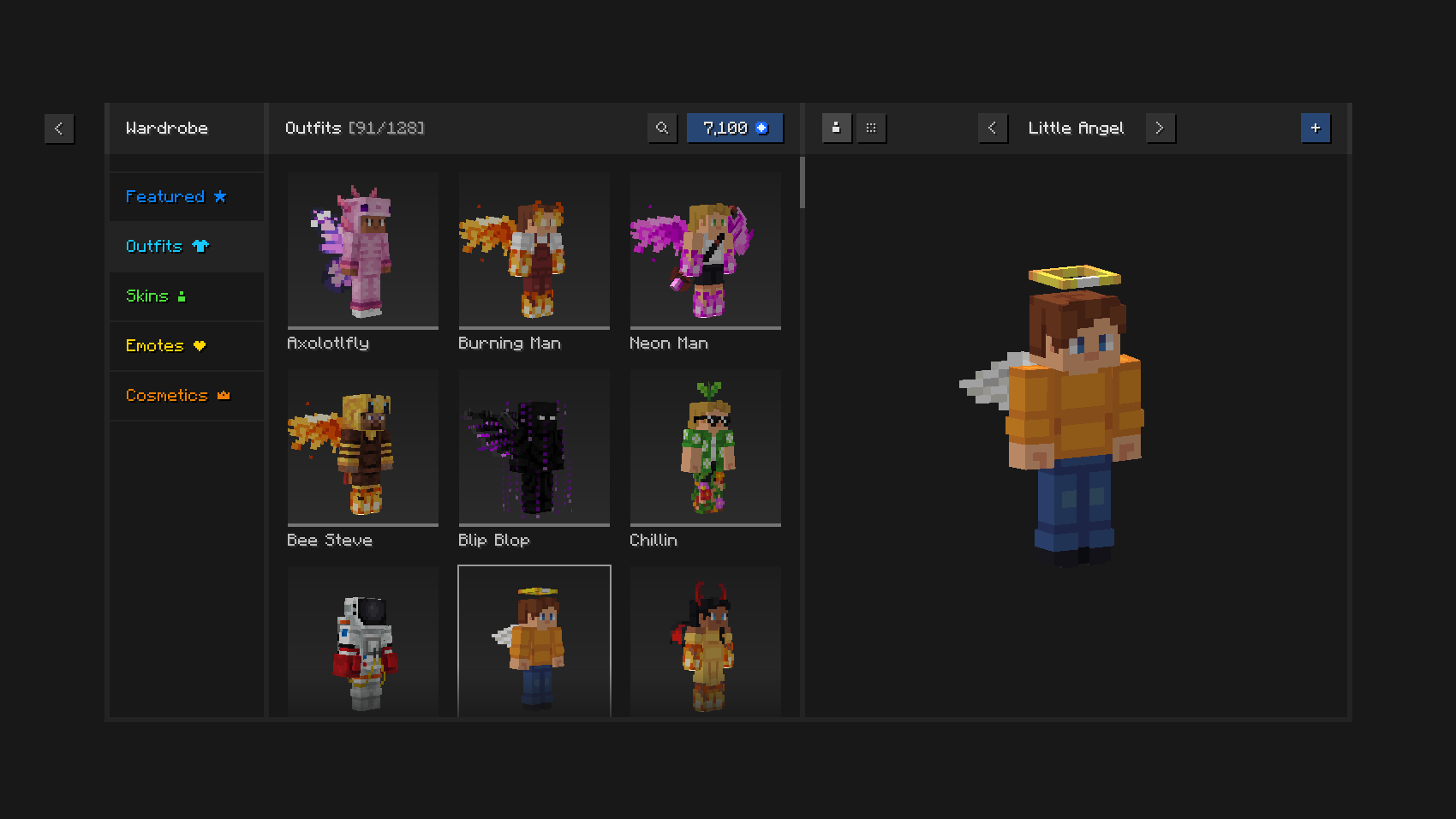
Spiele mit Stil mit einzigartigen Outfits und Kosmetikartikeln, dem In-Game-Skin-Manager und ausdrucksstarken Emotes.

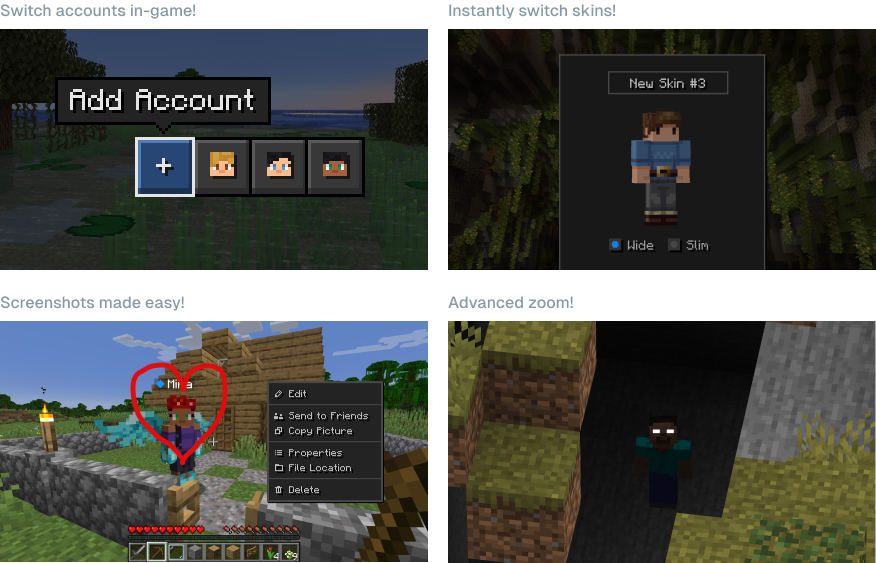
Spare Zeit und Mühe mit den leistungsstarken Funktionen von Essential.

Kann ich Essential mit anderen Mods und Modpacks verwenden? Ja, Essential ist weitgehend mit anderen Mods kompatibel und eine großartige Ergänzung für dein Lieblings-Modpack. Du kannst ganz einfach gemoddete Welten für dich und deine Freunde kostenlos hosten, stelle nur sicher, dass sie dieselben Mods installiert haben.
Welche Minecraft-Versionen unterstützt Essential? Der Essential-Mod unterstützt die beliebtesten Versionen von Minecraft Java Edition (1.8, 1.12, 1.16 bis 26.3) sowie die Modloader Fabric und Forge.

Wie funktioniert das Welt-Hosting von Essential? Essential nutzt branchenführende Peer-to-Peer-Technologie und die Leistung der Hardware deines PCs, damit du ganz einfach und kostenlos Minecraft-Welten hosten und deine Freunde einladen kannst.
[ ](https://essential.gg/wiki)
© ModCore Inc, Spark Universe GmbH 2026

Installation von Essential Mod
With Millida Launcher
Install Millida Launcher
The launcher is free: download it at millida.net/launcher and sign in with any nickname.
Click “Install” on this page
The launcher opens and installs the mod for Minecraft 1.8–26.2 on Fabric, Forge or NeoForge automatically.
Launch the game
A profile with it appears in the launcher: click “Play”.
Manually
Install Fabric, Forge or NeoForge
The loader must match the game version of the mod file, for example Minecraft 26.2. After installing it, a separate profile appears in your launcher.
Download the file for your version
In the version list above, pick the file Essential_1-4-1-1_fabric_26-2.jar (51 MB) for your game version and loader.
Put it in the mods folder
The folder is inside .minecraft (Windows: %appdata%\.minecraft\mods). If it does not exist, create it.
Launch the loader profile
Open “Mods” in the main menu: Essential Mod should be in the list.
Essential Mod works on the player’s side only: there is no need to install it on a server.
Versionen
Mit Abhängigkeiten
| Minecraft | Loader | Datei | Datum | Aktionen |
|---|---|---|---|---|
| 1.21.1 | NeoForge | 1.21.149.1 MB 43 | ||
| 1.21.4 | NeoForge | 1.21.449.1 MB 1 | ||
| 1.21.8 | NeoForge | 1.21.849.1 MB | ||
| 1.8.9 | Forge | 1.8.953.2 MB | ||
| 1.16.5 | Forge | 1.16.549.1 MB 2 | ||
| 1.12.2 | Forge | 1.12.253.2 MB 2 | ||
| 1.18.2 | Forge | 1.18.249.1 MB 1 | ||
| 1.19.2 | Forge | 1.19.249.1 MB 3 |
Inhalte, die dies benötigen
FAQ
Which Minecraft versions does Essential Mod work on?
There are files for 1.8–26.2, 25 versions in total. The newest is 26.2.
Does Essential Mod need other mods?
The author lists no required dependencies: the Fabric, Forge or NeoForge loader is enough.
Do I need to install Essential Mod on a server?
No. Essential Mod works on the player’s side only: there is no need to install it on a server.
Where can I download Essential Mod safely?
On this page: the file Essential_1-4-1-1_fabric_26-2.jar (51 MB) is stored on Millida’s server, with no link shorteners. SHA-1 checksum: 5a26631c7eca58b2e5a852002bfa8d1b01b1f10c.
Bewertungen
Bewerten Sie Essential Mod als Erster


