
EffectsLeft (Fabric/Quilt) Mod für Minecraft 1.19.4
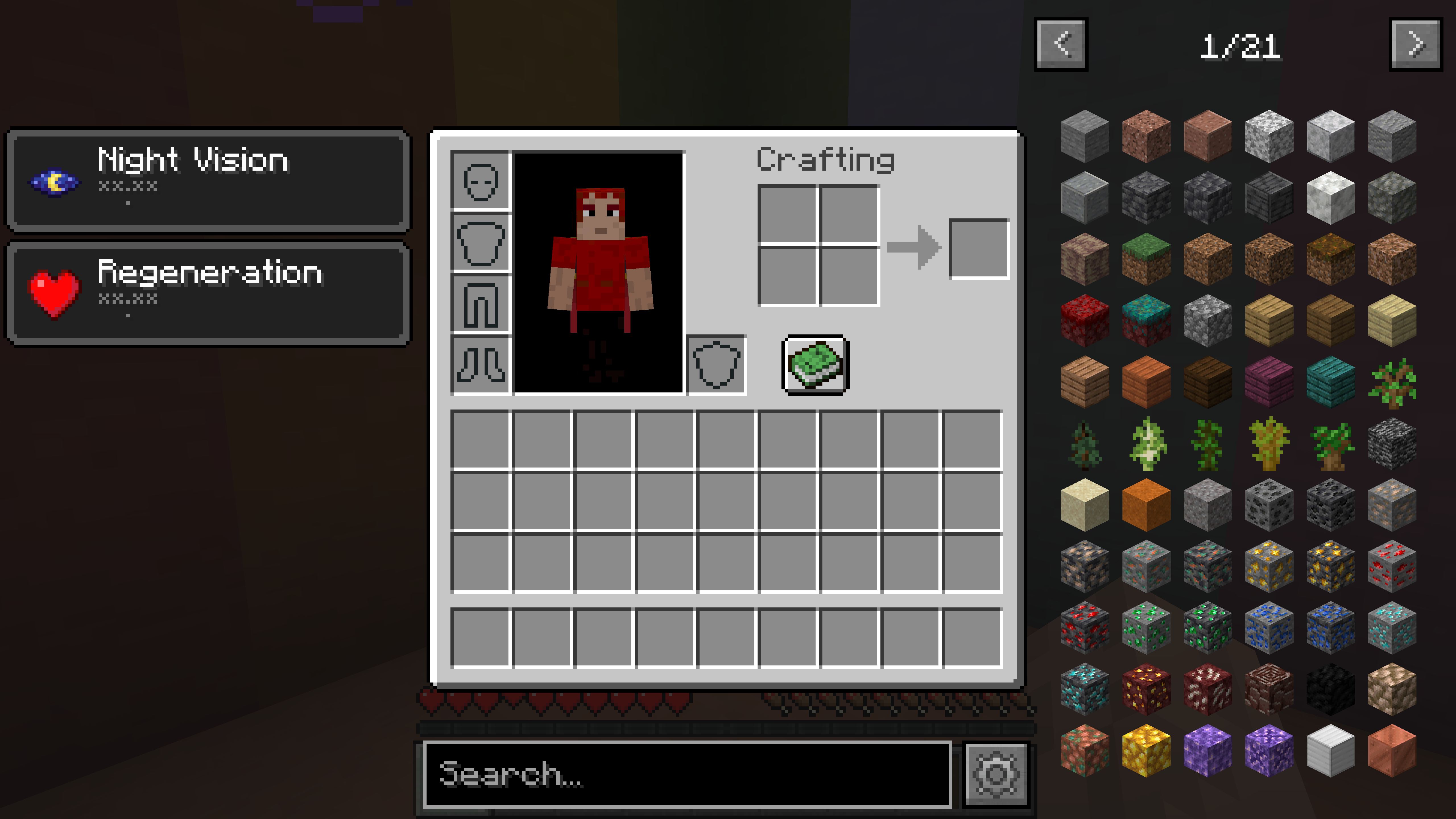
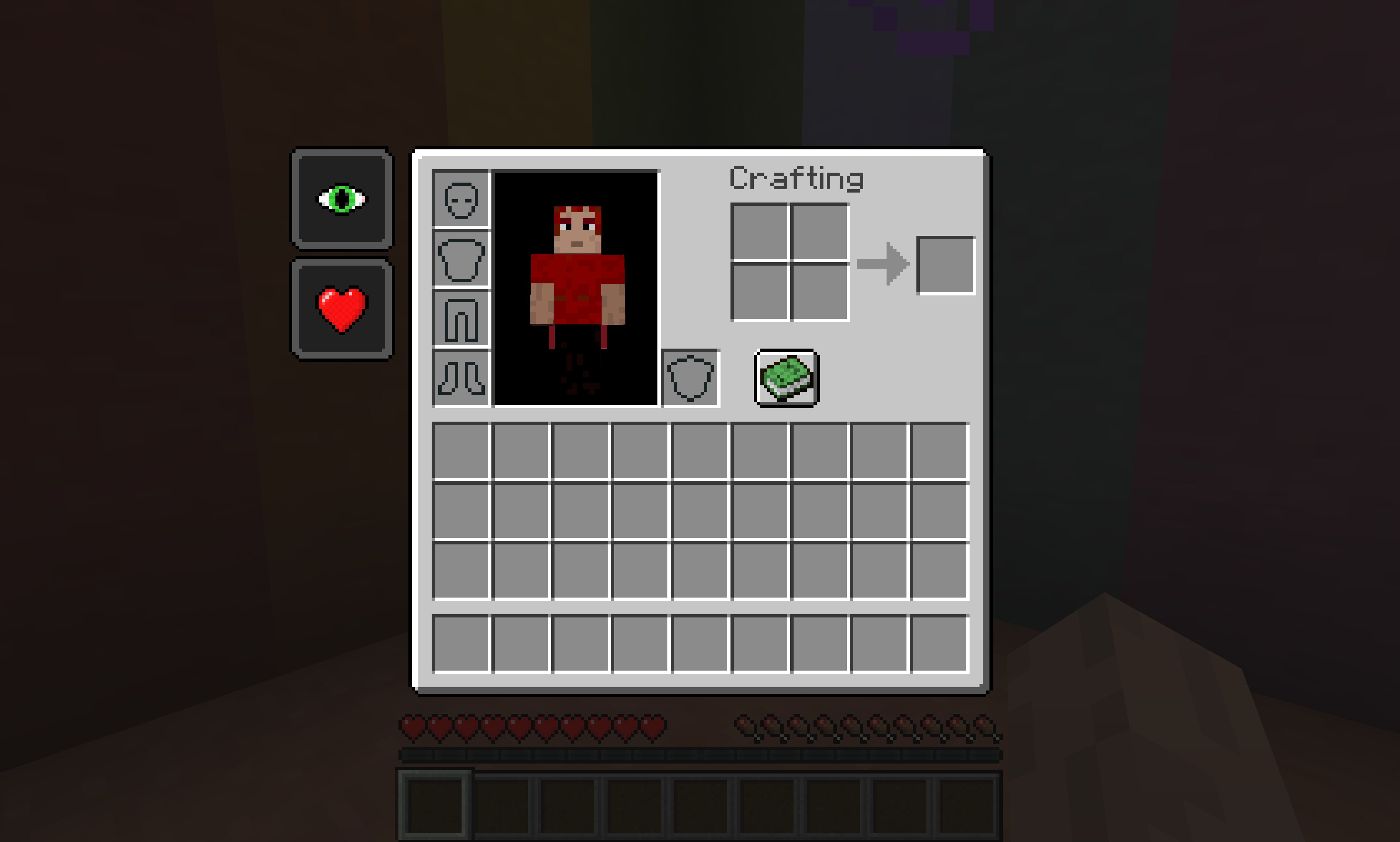
EffectsLeft verschiebt die Trank-Effekte im Inventarbildschirm, sodass sie links statt rechts angezeigt werden, zurück zu der Darstellung vor 1.18
 Fabric
 Quilt
QuiltEffectsLeft Overview:
EffectsLeft is a small mod that moves the potion effects in the inventory screen to display on the left rather than the right, back to how it was before 1.18. It works as a client-side mod, and supports JEI, REI, and EMI. Originally, coolsim created this mod as he was fed up with potion effects interfering with REI's display.
EffectsLeft Community:
Myself, along with other players of EffectsLeft, can found at our Discord here. There is also a Guilded server for those who prefer to join it instead of Discord.
EffectsLeft Requirements:
EffectsLeft requires Fabric API to be installed and cannot be used without it. EffectsLeft is Client-Side only adding it to a server will do nothing. The Forge Version can be found here.
Main Features:
- Uses Mixin to move the effects display to the right as well as to adjust JEI, REI, and EMI's exclusion zones.
- Supports the Programmer Art Resouce Pack by adding the 1.18 Small Effect Icon to it
- Client-side, meaning you can use this with any server
- Built-in Update Checker
Recommended Mods:
SurvivalPlus - SurvivalPlus enhances the vanilla survival experience of Minecraft whilst interacting with other mods to create seamless gameplay
MoreThanAPickaxe - Adds a multi-tool called an Adze which is a pickaxe, axe, sword, hoe, and shovel
SurvivalPlus Lightsabers - Adds Lightsabers from Star Wars with Industrial Craft 2 and Galacticraft Integration
ServerStop - A small server-side Minecraft mod that auto-shutdowns a server at a certain time on a certain day. Supports 33 Languages.
Minecraft Version:
Please do not ask for Effects to be ported to an older version of Minecraft. coolsim intends to maintain all current Minecraft versions (1.18+) backporting to a version older than 1.18 is not possible since effects are already on the left. coolsim will begin to update EffectsLeft to 1.20 as the corresponding Fabric Full Release version is released, so please don't ask.
License and Modpacks:
Please feel free to use EffectsLeft in any modpack whilst making sure to give credit to coolsim. Do not redistribute EffectsLeft in any form.
Installation von EffectsLeft (Fabric/Quilt)
Install Millida Launcher
The launcher is free: download it at millida.net/launcher and sign in with any nickname.
Click “Install” on this page
The launcher opens and installs the mod for Minecraft 1.19.3–1.19.4 on Fabric or Quilt automatically.
Launch the game
A profile with it appears in the launcher: click “Play”.
Minecraft 1.19.4 runs on Java 17: with a different Java version the game may close right after launch.
Versionen
Mit Abhängigkeiten
| Minecraft | Loader | Datei | Datum | Aktionen |
|---|---|---|---|---|
| 1.19.3 | Fabric, Quilt | EffectsLeft-Fabric-1.19.3-0.1.2.jar38.3 KB |
FAQ
Is EffectsLeft (Fabric/Quilt) for Forge or Fabric?
There are files for Fabric: 1.19.3–1.19.4 and for Quilt: 1.19.3–1.19.4. There are no files for Forge or NeoForge: a mod for another loader will not start.
Does EffectsLeft (Fabric/Quilt) need other mods?
The author lists no required dependencies: the Fabric or Quilt loader is enough.
Which Java does EffectsLeft (Fabric/Quilt) need?
Minecraft 1.19.4 runs on Java 17. If the game closes right after launch, the usual cause is the wrong Java version in the profile settings.
How do I download EffectsLeft (Fabric/Quilt)?
With Millida Launcher: it installs EffectsLeft (Fabric/Quilt) into a modpack by itself, for the right game version and loader. The launcher is free.
Bewertungen
Bewerten Sie EffectsLeft (Fabric/Quilt) als Erster


