

Easy Mob Farm Mod für Minecraft 26.2
Die einfache Mob-Farm ist eine serverfreundliche Möglichkeit, verschiedene Arten von Tieren und Mobs zu fangen, um ihre Beute zu sammeln. Diese Mod bietet mehrere Fanggegenstände und Mob-Farmen, um es unterhaltsamer zu machen.
 Forge
Forge Fabric
 Quilt
Quilt NeoForge
🪤 Easy Mob Farm 🐾
Easy Mob Farm is a streamlined, server-friendly mod that allows players to capture and farm mobs for their loot. With customizable loot tables, experience collection, and automation, the Easy Mob Farm is perfect for those looking to simplify resource gathering while adding fun gameplay mechanics.
⚠️ IMPORTANT DISCLAIMER: Major Version Updates ⚠️
Major version updates (e.g. 8.x → 9.x → 10.x) may introduce breaking changes that are NOT backward-compatible with previous versions.
Before upgrading to a new major version, please keep the following in mind:
- 🛑 Existing setups may break and require reconfiguration.
- 🔄 Data, items, and settings from previous versions might not work as expected.
- 💾 Always back up your world or test on a separate instance before upgrading!
Make sure to read the Changelog and release notes carefully to avoid any issues. Happy farming! 🌾
Features ✨
- Capture Cards 📇: Specialized cards to capture mobs easily.
- Card Binder 📦: Organize and store up to 250 Mob Capture Cards in a single item.
- Mob Catcher 🕸️: Multiple capture devices for mobs of all sizes, from small to boss-tier.
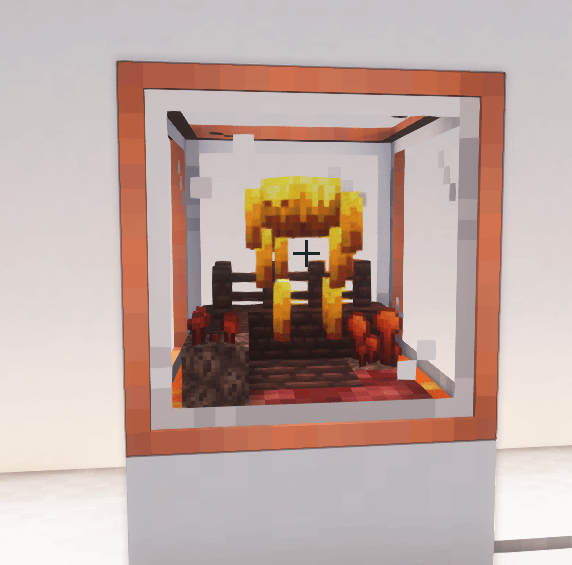
- Mob Farm 🏭: Automatically harvest loot from captured mobs.
- Tiered Mob Farms 📈: Upgrade your mob farms to increase efficiency and loot output.
- In-Place Tier Upgrades 🔄: Upgrade existing mob farm blocks to higher tiers without rebuilding.
- Custom Loot Tables 📜: Four loot table modes (overwrite, priority, bonus, fallback) via datapacks.
- Experience Collection ⭐: Gain experience automatically from farmed mobs.
- Redstone Control 🔴: Disable farms with a redstone signal for precise automation.
- Item Buffer System 🛡️: Prevents item loss when output slots are full.
- Configurable Enhancements ⚙️: Enable, disable, and fine-tune each enhancement individually.
- Datapack & Resource Pack Support 📁: Define custom mob capture cards and loot tables via datapacks.
- Mod Integration 🧩: Built-in support for Farmer's Delight, Ice and Fire, Swampier Swamps, and more.

Mob Capture Cards 📇
Mob Capture Cards allow you to catch different types of mobs and use them within the Mob Farm. Each card displays information about the captured mob, including its type, attributes, and rarity level.
- Card Types: Common, Uncommon, Rare, and Epic.
- Color-Coding: Each rarity level is color-coded for easy identification.
Learn more about capture cards on the Mob Capture Card wiki page.
Mob Catcher 🕸️
The Mob Catcher is a special item that enables you to safely and efficiently capture mobs. Once captured, mobs can be stored in Mob Capture Cards, ready to be processed in the Mob Farm.
- Simple to Use: Just aim and catch!
- Multiple Tiers: From Enduring Capture Net (small mobs) to Void Binding Chain (boss-tier).
- Configurable: Adjust durability, size limits, and allow/deny lists per capture item.
More details on the Mob Catcher wiki page.
Mob Farm 🏭
The heart of the Easy Mob Farm mod, the Mob Farm, processes captured mobs to produce loot automatically. With tiered upgrades, you can increase the farm's output, adjust loot types, and more.
- Automation: Automatically harvest loot from captured mobs.
- Upgradable: Unlock additional features and improve output with tiered upgrades.
- Visual Customization: Each tier has a unique visual appearance.
Check out more about the Mob Farm on the Mob Farm wiki page.
Installation and Compatibility ⚙️
This mod is available for Fabric, Forge, and NeoForge, compatible with multiple Minecraft versions and other mods.
License ⚖️
The MIT LICENSE applies only to the code in this repository. Images, models and other assets are explicitly excluded.
More Information ℹ️
Please check the wiki for additional information.
Installation von Easy Mob Farm
With Millida Launcher
Install Millida Launcher
The launcher is free: download it at millida.net/launcher and sign in with any nickname.
Click “Install” on this page
The launcher opens and installs the mod for Minecraft 26.1.1–26.2 on Fabric, Forge, NeoForge or Quilt automatically.
Launch the game
A profile with it appears in the launcher: click “Play”.
Manually
Install Fabric, Forge, NeoForge or Quilt
The loader must match the game version of the mod file, for example Minecraft 26.2. After installing it, a separate profile appears in your launcher.
Download the file for your version
In the version list above, pick the file easy_mob_farm-forge-26.2-10.13.0.jar (1.1 MB) for your game version and loader.
Put it in the mods folder
The folder is inside .minecraft (Windows: %appdata%\.minecraft\mods). If it does not exist, create it.
Launch the loader profile
Open “Mods” in the main menu: Easy Mob Farm should be in the list.
Versionen
Mit Abhängigkeiten
| Minecraft | Loader | Datei | Datum | Aktionen |
|---|---|---|---|---|
| 26.2 | Forge | easy_mob_farm-forge-26.2-10.13.0.jar1.1 MB | ||
| 26.2 | Fabric, Quilt | easy_mob_farm-fabric-26.2-10.13.0.jar1.1 MB 3 | ||
| 26.2 | NeoForge | easy_mob_farm-neoforge-26.2-10.13.0.jar1.1 MB | ||
| 26.1.1 | Fabric, Quilt | easy_mob_farm-fabric-26.1.1-10.6.0.jar957 KB | ||
| 26.1.1 | Forge | easy_mob_farm-forge-26.1.1-10.6.0.jar927 KB | ||
| 26.1.1 | NeoForge | easy_mob_farm-neoforge-26.1.1-10.6.0.jar929 KB |
Bewertungen
Bewerten Sie Easy Mob Farm als Erster


