
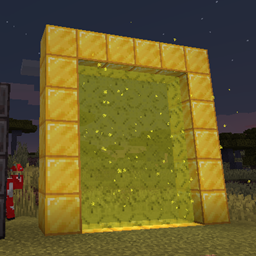
Datapack Portals Mod für Minecraft 1.21.1, 1.21
Erstelle benutzerdefinierte Portale mit CustomPortalApi über Datapacks
- Aufrufe
- 7 Aufrufe
- Aktualisiert
- Aktualisiert 18.10.2026
- 1.21 — 1.21.1
 Fabric
Datapack Portals
Create custom portals using CustomPortalApi with datapacks.
Inside your datapack create a "portals" folder, this is where you'll put all your custom portals. There is no set limit of allowed portals, as long as there aren't any duplicate frame blocks. See an example datapack here
Here is an example file: stoneendportal.json
{ "block": "minecraft:stone", "dim": "minecraft:the_end", "r": 66, "g": 135, "b": 245 }
- block: the block used for the frame.
- dim: the dim id to travel to
- r, g, b: the color to tint the portal
There are also some optional arguments
- ignitionType: the type of ignition to use. Options are "BLOCK", "FLUID", "ITEM".
- ignitionSource: the id for block/item/fluid for ignition of the portal, the only supported block being fire : "minecraft:fire". All items and fluids are supported.
- returnDim: the dimmension to return to, allows for specifying a location other than the overworld to return to
That is all! Portals will function exactly like vanilla nether portals do
Installation von Datapack Portals
With Millida Launcher
Install Millida Launcher
The launcher is free: download it at millida.net/launcher and sign in with any nickname.
Click “Install” on this page
The launcher opens and installs the mod for Minecraft 1.21–1.21.1 on Fabric automatically.
Launch the game
A profile with it appears in the launcher: click “Play”.
Manually
Install Fabric
The loader must match the game version of the mod file, for example Minecraft 1.21.1. After installing it, a separate profile appears in your launcher.
Download the file for your version
In the version list above, pick the file datapackportals-1.2.3-1.21.jar (230 KB) for your game version.
Put it in the mods folder
The folder is inside .minecraft (Windows: %appdata%\.minecraft\mods). If it does not exist, create it.
Launch the loader profile
Open “Mods” in the main menu: Datapack Portals should be in the list.
Minecraft 1.21.1 runs on Java 21: with a different Java version the game may close right after launch.
Versionen
Mit Abhängigkeiten
| Minecraft | Loader | Datei | Datum | Aktionen |
|---|---|---|---|---|
| 1.21 | Fabric | datapackportals-1.2.3-1.21.jar230 KB |
Bewertungen
Bewerten Sie Datapack Portals als Erster


