
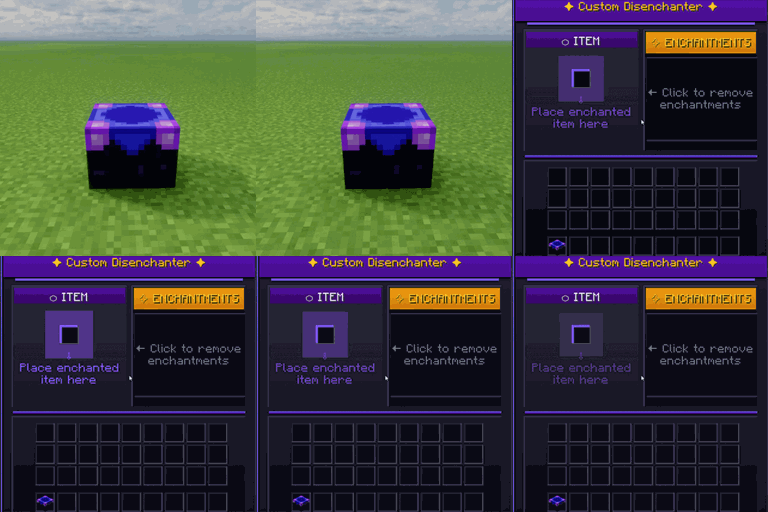
Custom Disenchanter Mod für Minecraft 26.2
Präzise Entfernung von Verzauberungen - behalte, was du willst, entferne, was du nicht willst.
 Forge
Forge NeoForge
 Fabric
 Quilt
QuiltCustom Disenchanter
Overview
Custom Disenchanter is a next-generation Minecraft mod that completely redefines enchantment management. Unlike the vanilla Grindstone, which removes all enchantments, this mod introduces a dedicated Disenchanter Block — allowing you to selectively extract enchantments from your items with full control.
Features
- Selective Enchantment Removal — Remove specific enchantments without affecting others
- Intuitive GUI — Easy-to-use interface for managing your enchanted items
- Custom Creative Tab — Access all disenchanter-related items quickly
- Full Capability Support — Inventory persists properly and supports hoppers
- Multiplayer Ready — Works flawlessly in single-player and server environments
Crafting Recipes
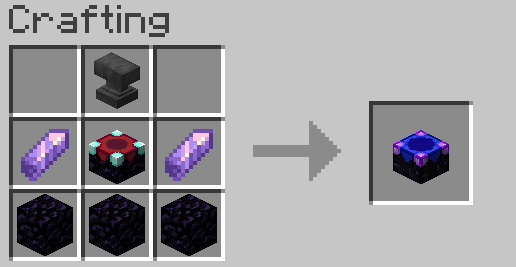
Recipe (Minecraft 1.17+)
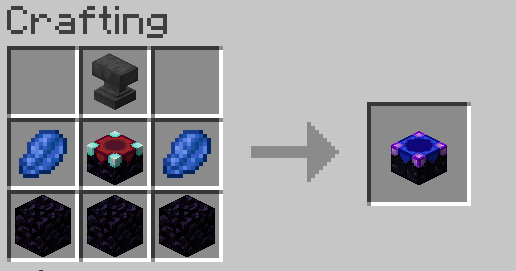
Recipe (Minecraft 1.16.5 & below)
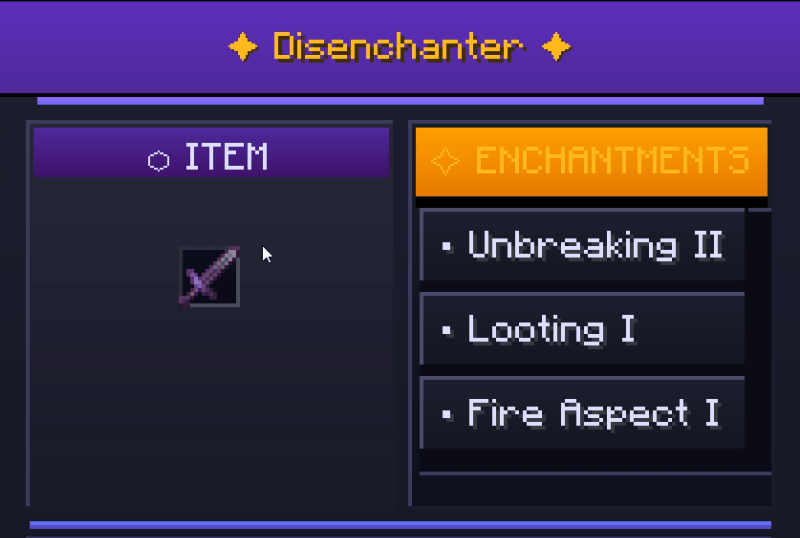
In-Game Preview
How to Use
- Craft or obtain a Disenchanter Block
- Place it in your world
- Right-click to open the interface
- Important: You must have at least one book in your inventory to store removed enchantments
- Insert your enchanted item
- Select the enchantment(s) to remove
- Retrieve your modified item and the book containing the extracted enchantment(s)
💬 Community & Support
Join our Discord community for help, feedback, and updates!
License & Credits
Developed by OSAMA All rights reserved. Feel free to share and use in your modpacks with credit.
Installation von Custom Disenchanter
With Millida Launcher
Install Millida Launcher
The launcher is free: download it at millida.net/launcher and sign in with any nickname.
Click “Install” on this page
The launcher opens and installs the mod for Minecraft 26.1–26.2 on Fabric, Forge, NeoForge or Quilt automatically.
Launch the game
A profile with it appears in the launcher: click “Play”.
Manually
Install Fabric, Forge, NeoForge or Quilt
The loader must match the game version of the mod file, for example Minecraft 26.2. After installing it, a separate profile appears in your launcher.
Download the file for your version
In the version list above, pick the file CustomDisenchanter-3.2.0.jar (41 KB) for your game version and loader.
Put it in the mods folder
The folder is inside .minecraft (Windows: %appdata%\.minecraft\mods). If it does not exist, create it.
Launch the loader profile
Open “Mods” in the main menu: Custom Disenchanter should be in the list.
Versionen
Mit Abhängigkeiten
| Minecraft | Loader | Datei | Datum | Aktionen |
|---|---|---|---|---|
| 26.1 | NeoForge | CustomDisenchanter-3.8.0.jar39.7 KB | ||
| 26.1 | Fabric, Quilt | CustomDisenchanter-3.4.0.jar39.1 KB | ||
| 26.2 | Forge | CustomDisenchanter-3.2.0.jar40.9 KB |
Bewertungen
Bewerten Sie Custom Disenchanter als Erster


