

- Aufrufe
- 9 Aufrufe
- Aktualisiert
- Aktualisiert 18.10.2026
- 1.18.1 — 1.19.2
 Fabric
Über die Croptosis-Mod
Croptosis
Speed up crop production.
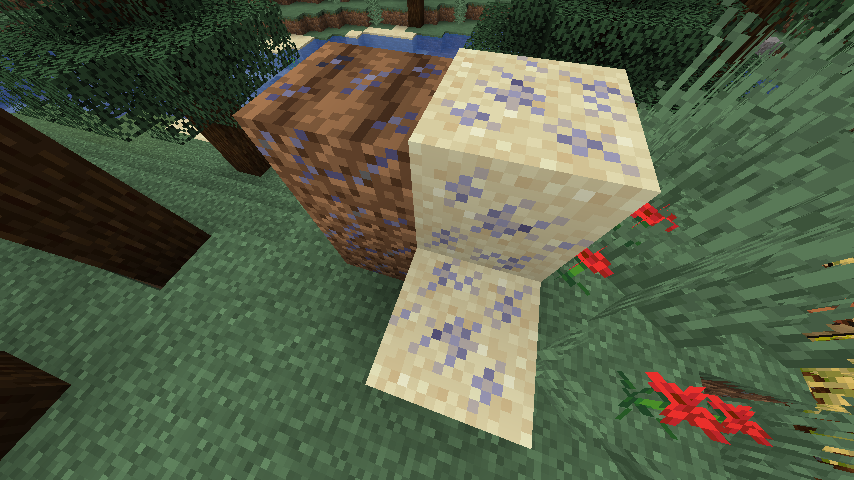
Adds 4 new fertilizers and fertilized variants of normal blocks (dirt, farmland and sand) that grow crops twice as fast as normal blocks.
These blocks are made by right-clicking on their respective blocks with a fertilizer.
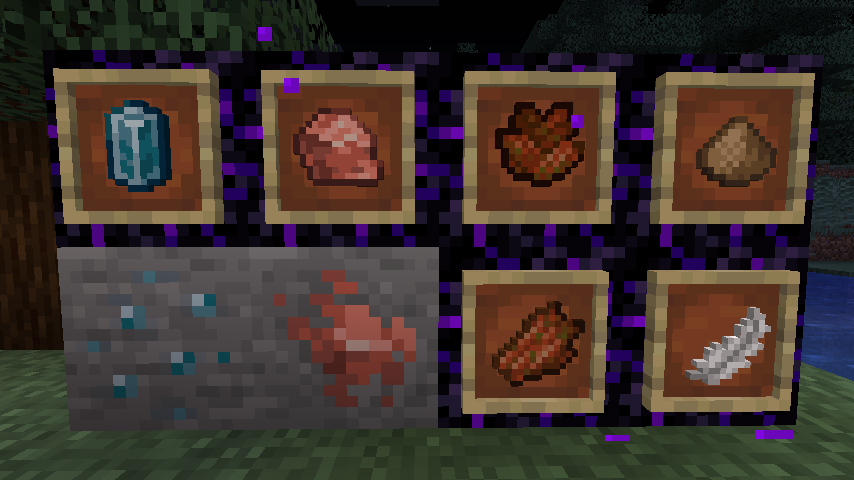
2 of the fertilizers (feather meal, rotten pile), are obtained from feathers and rotten flesh, while the other 2 (apatite, potash) are obtained from mining (those 2 are new ores, so you either need to make a new world, or explore new chunks to find them.)
Another new item added is a watering can, that "fertilizes" crops in a 2 block radius (5 block diameter) around the player's location.
Recipes for the different watering cans (mod used for displaying: Colored Crafting Stations):
Video example of the watering can (note: the power of the watering can is increased in the video for demonstration purposes):
https://streamable.com/y8w6wo
Recommended mods:
Harvest Scythes
Installation von Croptosis
With Millida Launcher
Install Millida Launcher
The launcher is free: download it at millida.net/launcher and sign in with any nickname.
Click “Install” on this page
The launcher opens and installs the mod for Minecraft 1.18.1–1.19.2 on Fabric automatically.
Launch the game
A profile with it appears in the launcher: click “Play”.
Manually
Install Fabric
The loader must match the game version of the mod file, for example Minecraft 1.19.2. After installing it, a separate profile appears in your launcher.
Download the file for your version
In the version list above, pick the file wraith-croptosis-1.5.1.jar (92 KB) for your game version.
Put it in the mods folder
The folder is inside .minecraft (Windows: %appdata%\.minecraft\mods). If it does not exist, create it.
Launch the loader profile
Open “Mods” in the main menu: Croptosis should be in the list.
Minecraft 1.19.2 runs on Java 17: with a different Java version the game may close right after launch.
Versionen
Mit Abhängigkeiten
| Minecraft | Loader | Datei | Datum | Aktionen |
|---|---|---|---|---|
| 1.19.2 | Fabric | Croptosis 1.5.192.3 KB | ||
| 1.18.1 | Fabric | Croptosis 1.3.076 KB |
FAQ
Which Minecraft versions does Croptosis work on?
There are files for 1.19.2, 1.19.1, 1.19, 1.18.1. The newest is 1.19.2.
Is Croptosis for Forge or Fabric?
Only for Fabric: 1.18.1–1.19.2. There are no files for Forge or NeoForge: a mod for another loader will not start.
Does Croptosis need other mods?
The author lists no required dependencies: the Fabric loader is enough.
Which Java does Croptosis need?
Minecraft 1.19.2 runs on Java 17. If the game closes right after launch, the usual cause is the wrong Java version in the profile settings.
Where can I download Croptosis safely?
On this page: the file wraith-croptosis-1.5.1.jar (92 KB) is stored on Millida’s server, with no link shorteners. SHA-1 checksum: 4f2f1aff67f1506471dab66a6c2eb81a128b6433.
Bewertungen
Bewerten Sie Croptosis als Erster


