

Create: Transmission! Mod für Minecraft 1.20.1, 1.21.1
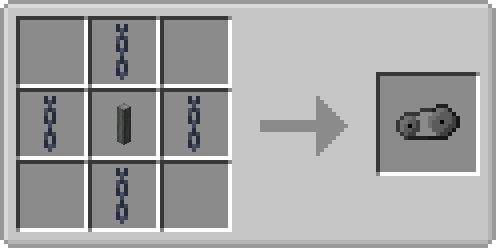
Minecraft-Create-Add-on, das einen einzigen Block hinzufügt: die Transmission Chain! Dieser Block kann verwendet werden, um Bänder auf sauberere Weise anzutreiben, ohne Encased Chain Drive zu verwenden.
 NeoForge
 Forge
Forge Fabric
Über die Create: Transmission!-Mod
This addon for create adds the Transmission Chain! Its a useful block that can be used to transfer rotational power between belts.
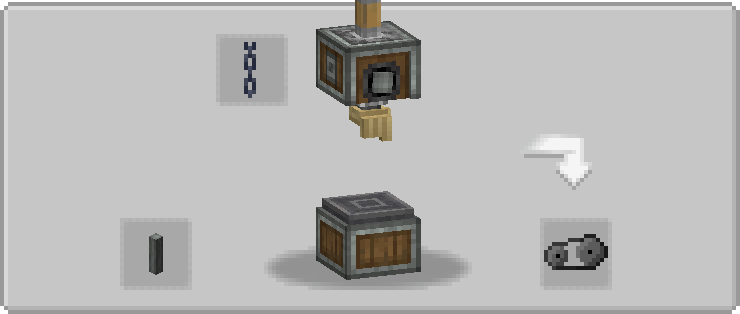
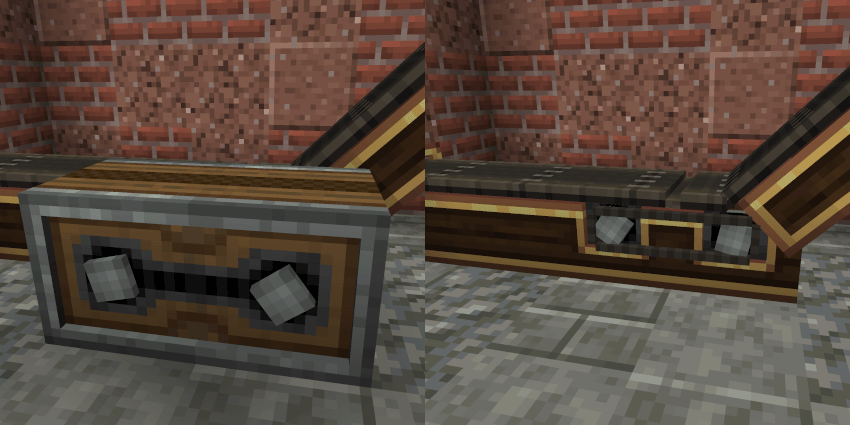
It can be used to connect right angle belts, consecutive belts and even belts that are on top of each other!

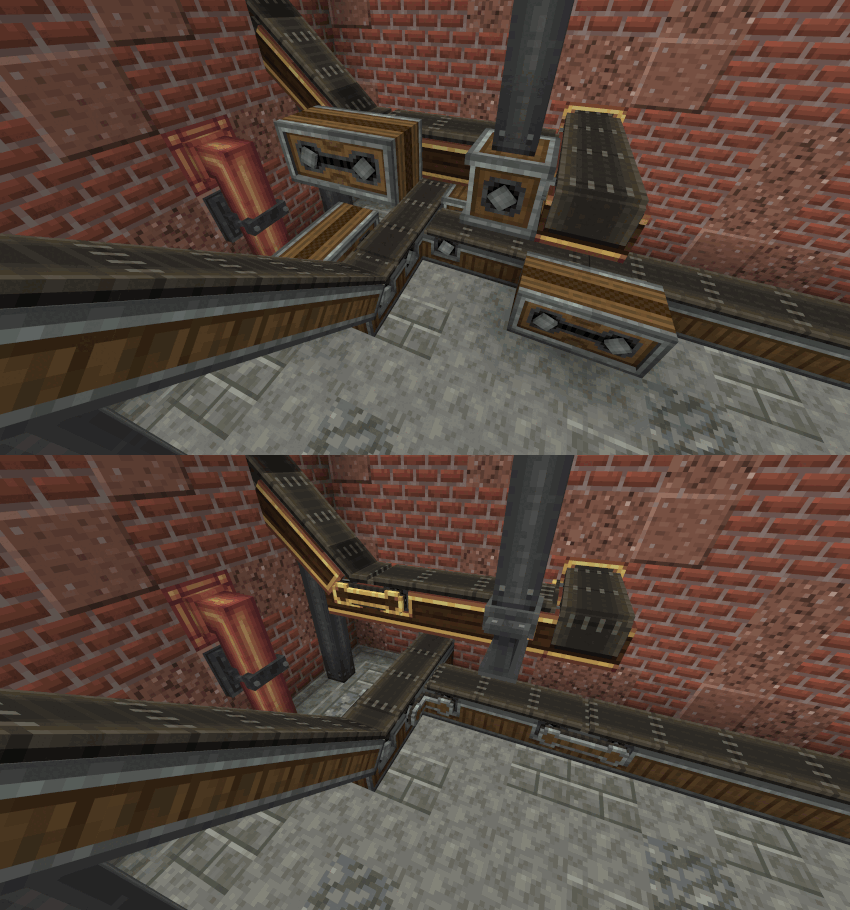
It is designed to simplify belt powering and avoid clunky setup with gearboxes and encased chain drives without making them obsolete! The transmission chain in fact can be only placed on belt… but if you'd like to place them without restriction there is a config option that lets you do that!
Here are some examples of the improvements:

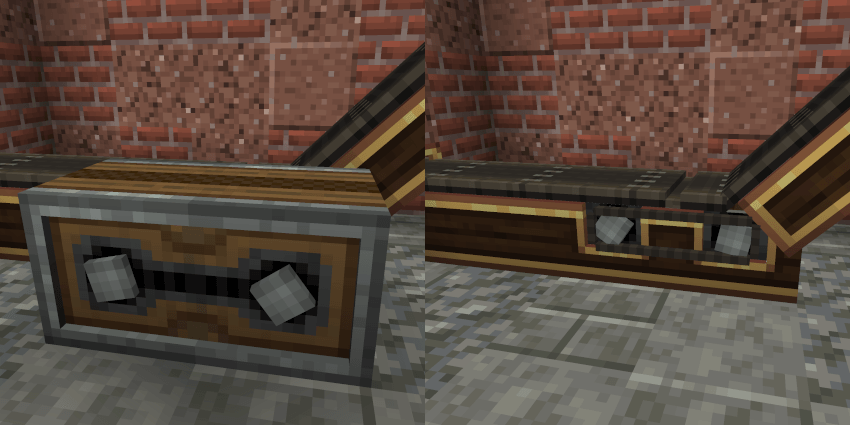
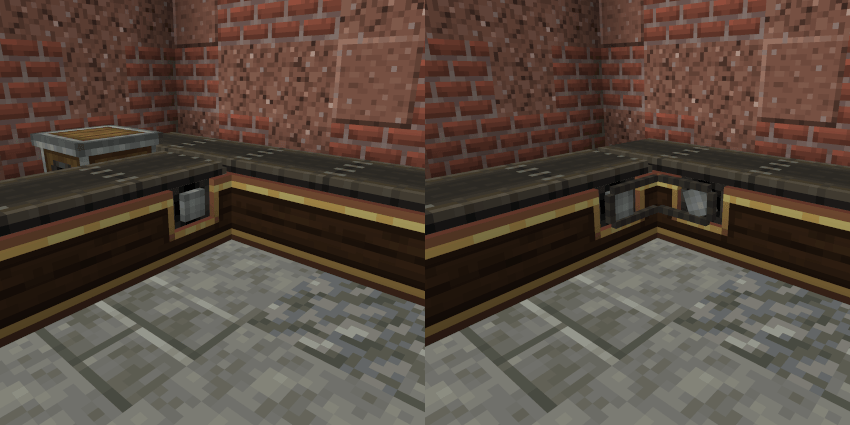
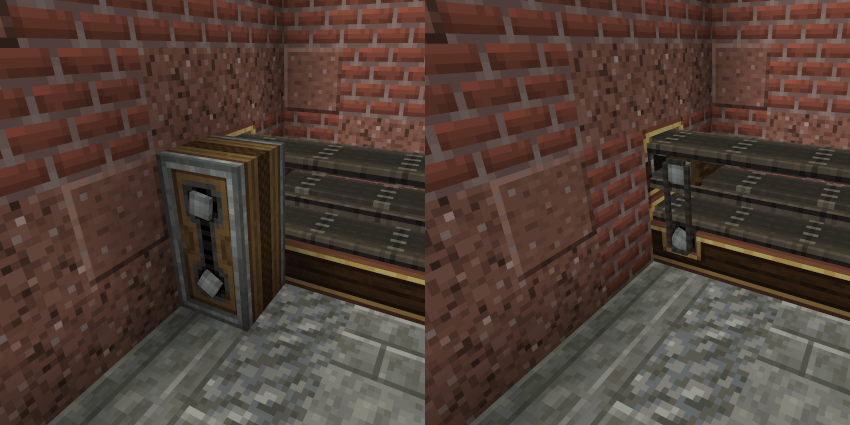
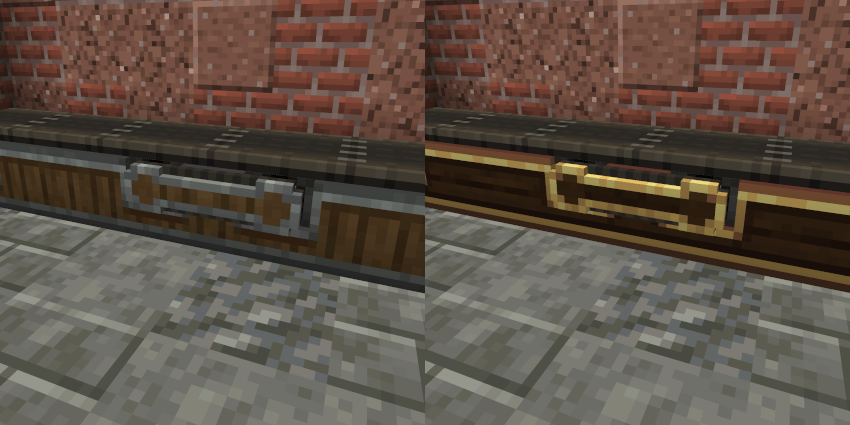
It can also be encased like belts!
I hope you will enjoy my mod! Have fun!
Installation von Create: Transmission!
With Millida Launcher
Install Millida Launcher
The launcher is free: download it at millida.net/launcher and sign in with any nickname.
Click “Install” on this page
The launcher opens and installs the mod for Minecraft 1.20.1–1.21.1 on Fabric, Forge or NeoForge automatically.
Launch the game
A profile with it appears in the launcher: click “Play”.
Manually
Install Fabric, Forge or NeoForge
The loader must match the game version of the mod file, for example Minecraft 1.21.1. After installing it, a separate profile appears in your launcher.
Download the file for your version
In the version list above, pick the file createtransmission-1.2.2+neoforge-create6-1.21.1.jar (245 KB) for your game version and loader.
Put it in the mods folder
The folder is inside .minecraft (Windows: %appdata%\.minecraft\mods). If it does not exist, create it.
Launch the loader profile
Open “Mods” in the main menu: Create: Transmission! should be in the list.
Minecraft 1.21.1 runs on Java 21: with a different Java version the game may close right after launch.
Versionen
Mit Abhängigkeiten
| Minecraft | Loader | Datei | Datum | Aktionen |
|---|---|---|---|---|
| 1.21.1 | NeoForge | createtransmission-1.2.2+neoforge-create6-1.21.1.jar245 KB 30 | ||
| 1.20.1 | Forge | createtransmission-1.2.2+forge-create6-1.20.1.jar862 KB 9 | ||
| 1.20.1 | Fabric | createtransmission-1.2.2+fabric-create6-1.20.1.jar244 KB 5 |
FAQ
Which Minecraft versions does Create: Transmission! work on?
There are files for 1.21.1, 1.20.1. The newest is 1.21.1.
Is Create: Transmission! for Forge or Fabric?
There are files for Fabric: 1.20.1, for Forge: 1.20.1 and for NeoForge: 1.21.1.
Does Create: Transmission! need other mods?
The author lists no required dependencies: the Fabric, Forge or NeoForge loader is enough.
Which Java does Create: Transmission! need?
Minecraft 1.21.1 runs on Java 21. If the game closes right after launch, the usual cause is the wrong Java version in the profile settings.
Where can I download Create: Transmission! safely?
On this page: the file createtransmission-1.2.2+neoforge-create6-1.21.1.jar (245 KB) is stored on Millida’s server, with no link shorteners. SHA-1 checksum: 60e020b39a243e4eca5d15e3c9299fcdf8ed20d2.
Bewertungen
Bewerten Sie Create: Transmission! als Erster


