
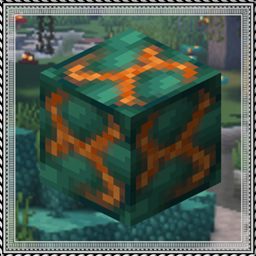
Create: Molten Vents Mod für Minecraft 1.20.1, 1.21.1
Eine erneuerbare Quelle für Creates Erzsteine
 NeoForge
 Forge
ForgeÜber die Create: Molten Vents-Mod
Molten Vents is a mod which adds a renewable source of the orestones found in the Create mod, and by extension the many resources that can be processed from them.
How to use:
- Locate a vent; Vents are found anywhere on the surface, but are more easily found underwater. (Configurable)
- Dig out the blocks inside of the vent until you find a block that looks like the orestones the vent is made of except with magma on it, that is the dormant orestone.
- Explode the dormant orestone by any means.
- Notice that the dormant molten vent is now an active molten vent by seeing the magma in it become brighter.
- Dump lava (preferrably via an automated method) on the active molten vent and watch as the lava turns into the corresponding orestone.
- Process the orestones into resources, or use them for building.
Default Vents:
- Veridium Vent
- Asurine Vent
- Crimsite Vent
- Ochrum Vent
- Scorchia Vent
- Scoria Vent
How to add a custom molten block
Just add the name of the block to this list (a .json file that generates in the config folder)
{"values":["asurine","veridium","crimsite","ochrum","scorchia","scoria","exampleblock"]}
And then depending on your modloader:
NeoForge:
- Copy paste any other file in the config/molten_vents/conductive & config/molten_vents/convertible folders. - Rename the files to the name of the custom block. - Change values inside the files (Conductive is a list of blocks the molten vent can convert blocks through, it must contain the active molten vent at minimum. Convertible is a list of blocks the molten vent can convert into the new block. (ex. lava -> asurine))
Forge:
Make a datapack that adds these two jsons: data/molten_vents/molten_vents/blocks/conductive/exampleblock.json (You can add whatever blocks you want here but definitely include these three)
{ "replace": false, "values": [ "examplemodthataddsblock:exampleblock", "molten_vents:dormant_molten_exampleblock", "molten_vents:active_molten_exampleblock" ] }
data/molten_vents/molten_vents/blocks/convertible/exampleblock.json (The lava can be changed to any other block and other blocks can be additionally added)
{ "replace": false, "values": [ "minecraft:lava" ] }
Example datapack can be found in the #datapacks channel in the discord (https://discord.gg/HHqKa8vTAN))
Then make a resourcepack that adds the name translations, blockstates, models, and textures for "molten_vents.active_molten_exampleblock" and "molten_vents.dormant_molten_exampleblock" (optional)
How to make a custom molten vent feature
Just recreate your own copy of the placed and configured feature jsons available in the base mod in the respective directories within your own datapack: data/yourdatapackname/worldgen/configured_feature/examplevent.json data/yourdatapackname/worldgen/placed_feature/examplevent.json Then add your placed feature to the forge biome modifiers: data/yourdatapackname/forge/biome_modifier/add_vents.json
Examples are here:
<=1.20.1
=1.21
Discord: https://discord.gg/HHqKa8vTAN
This mod may be used in any modpack.

Installation von Create: Molten Vents
With Millida Launcher
Install Millida Launcher
The launcher is free: download it at millida.net/launcher and sign in with any nickname.
Click “Install” on this page
The launcher opens and installs the mod for Minecraft 1.20.1–1.21.8 on Forge or NeoForge automatically.
Launch the game
A profile with it appears in the launcher: click “Play”.
Manually
Install Forge or NeoForge
The loader must match the game version of the mod file, for example Minecraft 1.21.8. After installing it, a separate profile appears in your launcher.
Download the file for your version
In the version list above, pick the file molten_vents-1.21.1-2.1.1.jar (86 KB) for your game version and loader.
Put it in the mods folder
The folder is inside .minecraft (Windows: %appdata%\.minecraft\mods). If it does not exist, create it.
Launch the loader profile
Open “Mods” in the main menu: Create: Molten Vents should be in the list.
Minecraft 1.21.8 runs on Java 21: with a different Java version the game may close right after launch.
Versionen
Mit Abhängigkeiten
| Minecraft | Loader | Datei | Datum | Aktionen |
|---|---|---|---|---|
| 1.21 | NeoForge | Molten Vents 1.21.1-2.1.186.4 KB 6 | ||
| 1.21 | Forge | Molten Vents 1.20.x-2.0.993.8 KB 5 |
FAQ
Which Minecraft versions does Create: Molten Vents work on?
There are files for 1.20.1–1.21.8, 10 versions in total. The newest is 1.21.8.
Is Create: Molten Vents for Forge or Fabric?
There are files for Forge: 1.20.1–1.21.4 and for NeoForge: 1.21–1.21.8. There are no files for Fabric: a mod for another loader will not start.
Does Create: Molten Vents need other mods?
The author lists no required dependencies: the Forge or NeoForge loader is enough.
Which Java does Create: Molten Vents need?
Minecraft 1.21.8 runs on Java 21. If the game closes right after launch, the usual cause is the wrong Java version in the profile settings.
Where can I download Create: Molten Vents safely?
On this page: the file molten_vents-1.21.1-2.1.1.jar (86 KB) is stored on Millida’s server, with no link shorteners. SHA-1 checksum: 0d645330128d1d7dc0b330760f4517d3ff4a2a9d.
Bewertungen
Bewerten Sie Create: Molten Vents als Erster


