

 Forge
 Fabric
 Quilt
Cozy's Improved Wolves (Now Available for Forge!)
Make every wolf feel like a real companion. Build trust through care, track their unique stats, and keep them safe with soul-bound collars. Adds personality, and soul-bound loyalty.
Bring your wolves to life. Build stories. Form bonds.
If you've ever loved a Minecraft wolf, this is the mod that makes them feel alive - and keeps them by your side. ✧
📖 Wiki / Full Feature Guide → https://cozysimprovedmobs.netlify.app/
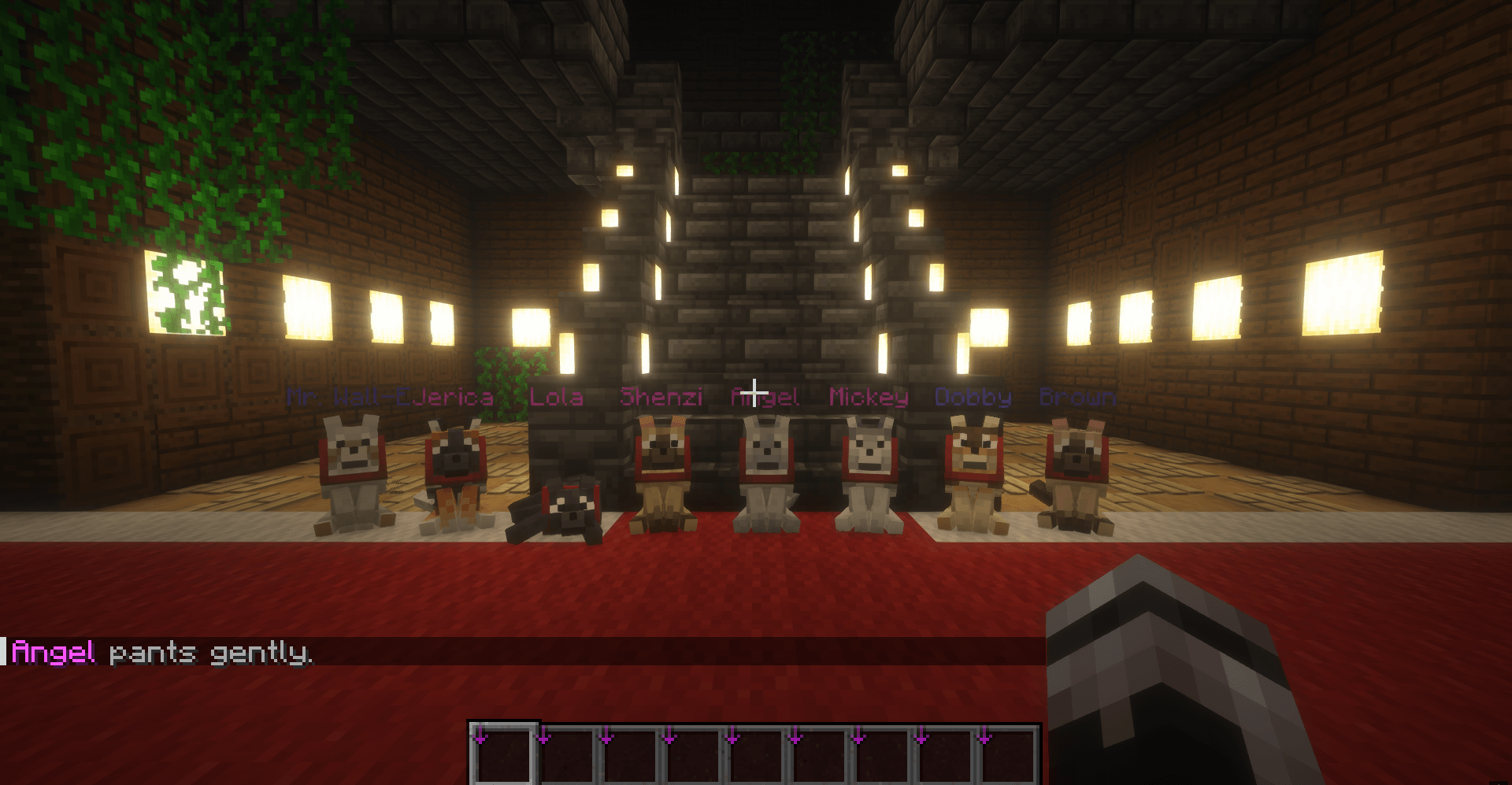
Why Players Install
- Never lose a best friend: Tamed wolves drop a Wolf Collar into their owner's inventory on death. Use it on a block to revive your wolf. No more needing to leave your pets at home for safety.
- Bonding that matters: Pet, scratch, and interact (sneak + right-click with an empty hand) with visible progress and affectionate feedback.
- Unique companions: Randomized stats (health, attack, speed, gift chance, wander range), class (Hunter/Gatherer), and optional gender.
- Roles with real behavior: Hunters gift items after kills; Gatherers dig up gifts and deliver them to you.
- Expressive behavior: Wolves emote based on weather, time, and their bond with their owner. They react to the world, teleport smartly, show affection, and follow when tempted with food.
- Multiplayer friendly: Optional friendly-fire protection and owner-only breeding.
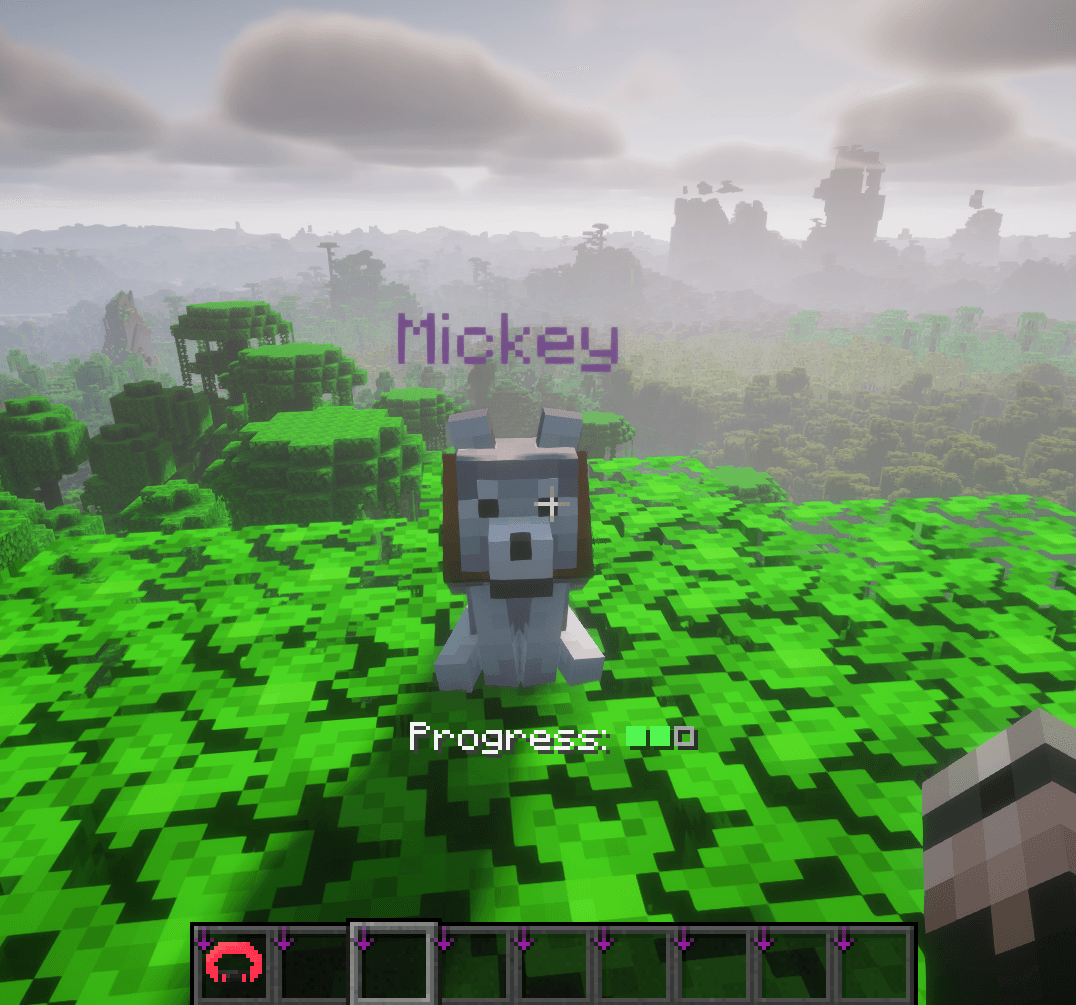
How It Works
- Automatic upgrade: Vanilla wolves become Improved Wolves (keeps name, variant, owner, and collar color).
- Custom taming: Use Ancient Bones. They drop from skeletons or can be traded from clerics. Vanilla bone taming can be enabled in config.
- Ancient Bone bonus: Use Ancient Bones on tamed wolves to grant them a short random positive effect.
- Stat inspection: Sneak + right-click a tamed wolf with a Training Stick to view their full stat sheet.
Classes & Gifts
- Hunter: Stronger combat focus and gifts triggered by kills.
- Gatherer: Digs up gifts and delivers them when nearby.
Items
- Ancient Bone (taming + buffs)
- Ancient Bone Meal (applies bone meal multiple times per use)
- Training Stick (stat inspection)
- Wolf Collar (revival)
Compatibility & Requirements
- Loader: Fabric, Forge
- Minecraft: 1.19.2, 1.20, 1.20.1, 1.21, 1.21.4, 1.21.5-1.21.11
- Required (Fabric): Fabric API, Cloth Config
- Optional (Fabric): Mod Menu (for in-game config UI)
Configuration
- Config file: config/cozys-improved-wolves.json
- Reload command: /reloadcozywolvesconfig (server operators)
⚠️ Important: Read Before Installing on Existing Worlds
This mod replaces vanilla wolves with custom wolf entities in order to support its features (personality, abilities, respawn system, etc.).
Uninstall warning
If you remove this mod and then load your world, wolves that were converted/managed by this mod may disappear permanently because the custom entity no longer exists without the mod installed.
Before uninstalling
- Back up your world first
- Do not open the world without the mod unless you accept the risk of losing modded wolves
- If you already removed the mod and loaded the world, recovery may only be possible from a backup
Related Mods
Cozy's Improved Cats 🐱
Installation von Cozy's Improved Wolves
With Millida Launcher
Install Millida Launcher
The launcher is free: download it at millida.net/launcher and sign in with any nickname.
Click “Install” on this page
The launcher opens and installs the mod for Minecraft 1.19.2 on Fabric, Forge or Quilt automatically.
Launch the game
A profile with it appears in the launcher: click “Play”.
Manually
Install Fabric, Forge or Quilt
The loader must match the game version of the mod file, for example Minecraft 1.19.2. After installing it, a separate profile appears in your launcher.
Download the file for your version
In the version list above, pick the file cozys-improved-wolves-1.4.0-forge-1.19.2.jar (1.4 MB) for your game version and loader.
Put it in the mods folder
The folder is inside .minecraft (Windows: %appdata%\.minecraft\mods). If it does not exist, create it.
Launch the loader profile
Open “Mods” in the main menu: Cozy's Improved Wolves should be in the list.
Minecraft 1.19.2 runs on Java 17: with a different Java version the game may close right after launch.
Versionen
Mit Abhängigkeiten
| Minecraft | Loader | Datei | Datum | Aktionen |
|---|---|---|---|---|
| 1.19.2 | Forge | 1.4.0-Forge-1.19.21.4 MB | ||
| 1.19.2 | Fabric, Quilt | 1.4.0-Fabric-1.19.2817 KB |
Bewertungen
Bewerten Sie Cozy's Improved Wolves als Erster


