
Compact Crafting Mod für Minecraft 1.16.5, 1.19.2
Dinge schrumpfen, um andere Dinge herzustellen!
- Aufrufe
- 3 Aufrufe
- Aktualisiert
- Aktualisiert 18.10.2026
- 1.16.3 — 1.19.2
 Forge
Forge
Compact Crafting
Crafting just got smaller.
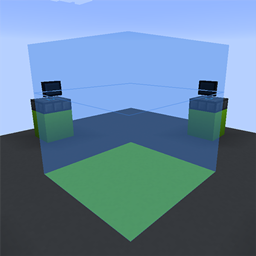
Compact Crafting is inspired from the Miniaturization Crafting mechanic from the Compact Machines mod. It's a brand new update featuring improved recipe loading, datapack support, fancy new client-side features, and a modernized codebase. The goal for Compact Crafting is to streamline the usage of the crafting mechanics, to make it painless for users and modpack developers alike.
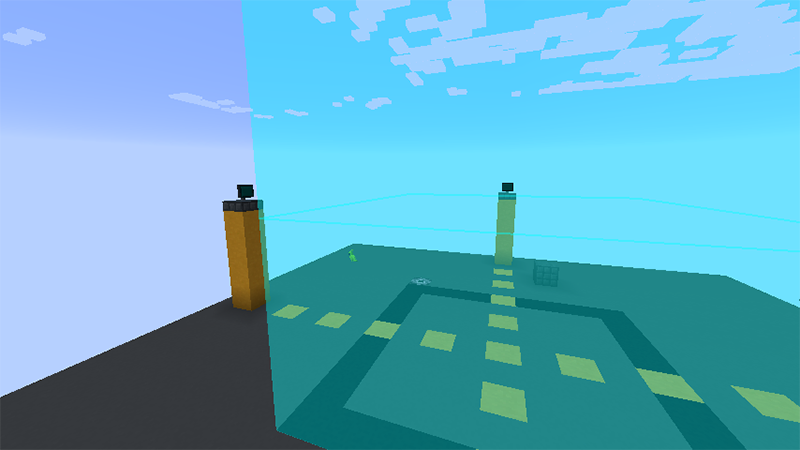
Feature: JEI layer-by-layer view
The JEI interface has been completely overhauled to show recipes in an exploded view (for a quick peek into the center of a recipe) or, if you want to get nitty-gritty, you can even view the recipes layer-by-layer! Huge credits to Elucent for the sprite work for the controls for this.
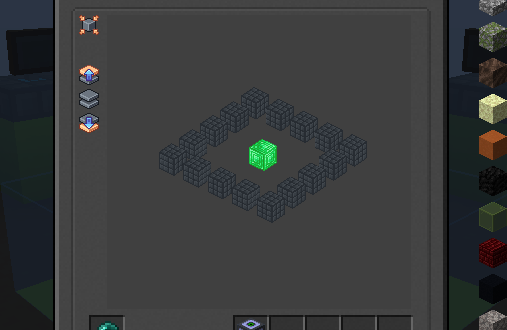
Feature: Recipe layers
Previously in Compact Machines 3, the crafting mechanic forced a recipe designer to be incredibly explicit about how recipe layers were defined. Given that this means a lot more work on a designer rather than letting the mod itself "figure it out," it meant that custom recipes felt like a second-class citizen to the mod. In Compact Crafting, this system was overhauled to make layer definitions more streamlined.
Recipe specification comparison here - for now, take a look at the wiki link to see how layers work.
Modpack Usage
All of Compact Mods are free to use on modpacks. If you re-host the mod outside of Curseforge, please provide a link back to the mod page if your publishing platform supports it. Thank you!
Bug Reports and Issues
Compact Crafting is a full rewrite of the logic of Miniaturization crafting, so issues are expected. You can log them on the public repository on GitHub under the issue tracker.
Installation von Compact Crafting
With Millida Launcher
Install Millida Launcher
The launcher is free: download it at millida.net/launcher and sign in with any nickname.
Click “Install” on this page
The launcher opens and installs the mod for Minecraft 1.16.3–1.19.2 on Forge automatically.
Launch the game
A profile with it appears in the launcher: click “Play”.
Manually
Install Forge
The loader must match the game version of the mod file, for example Minecraft 1.19.2. After installing it, a separate profile appears in your launcher.
Download the file for your version
In the version list above, pick the file compactcrafting-3.1.0.jar (2.6 MB) for your game version.
Put it in the mods folder
The folder is inside .minecraft (Windows: %appdata%\.minecraft\mods). If it does not exist, create it.
Launch the loader profile
Open “Mods” in the main menu: Compact Crafting should be in the list.
Minecraft 1.19.2 runs on Java 17: with a different Java version the game may close right after launch.
Versionen
Mit Abhängigkeiten
| Minecraft | Loader | Datei | Datum | Aktionen |
|---|---|---|---|---|
| 1.19.2 | Forge | compactcrafting-3.1.0.jar2.6 MB | ||
| 1.16.5 | Forge | compactcrafting-1.0.0-beta.7.jar403 KB | ||
| 1.16.3 | Forge | compact-crafting-1.0.0-alpha.2.jar239 KB |
Bewertungen
Bewerten Sie Compact Crafting als Erster


