

Cinematic Zoom Mod für Minecraft 26.2
Nicht nur ein langweiliger Zoom, sondern ein komplettes Kit für deine Cinematics in Minecraft
 NeoForge
 Fabric
 Forge
Über die Cinematic Zoom-Mod

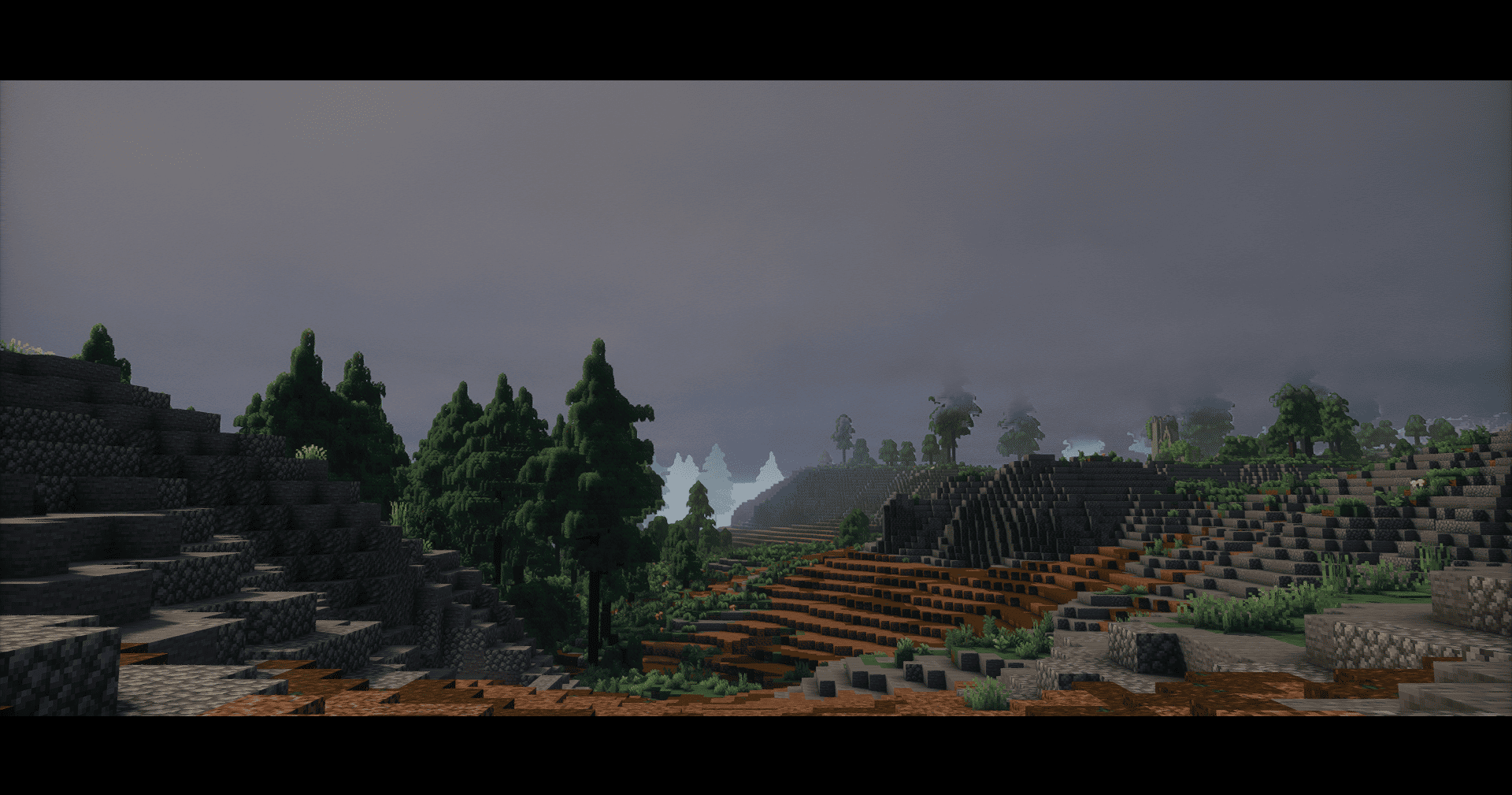
Cinematic Zoom is a lightweight Minecraft Forge mod for version 1.20.1 that effortlessly turns your gameplay into a true cinematic masterpiece. With a single configurable key, you gain the power of a digital camera directly within Minecraft, allowing you to capture your favorite scenes with unparalleled immersion. It activates a smooth, customizable zoom, cinematic black bars, and automatically hides distracting HUD elements, giving you a clean, professional frame. Features: Smooth Cinematic Zoom: Activate a zoom effect that gracefully transitions to a predetermined level based on your camera perspective (first-person or third-person). Experience the world through a focused lens, just like a digital camera. Adjustable Digital Camera Zoom (Mouse Scroll): Once activated, precisely fine-tune your zoom level using the mouse scroll wheel. The zoom motion is incredibly smooth, mimicking the natural focus adjustments of a high-quality camera, perfect for tracking subjects or framing shots. Immersive Black Bars: Elegant black bars appear at the top and bottom of your screen with a smooth, linear animation, providing a true cinematic aspect ratio. Distraction-Free HUD: Automatically hides various HUD elements for a clean, immersive view, including: Hotbar (items and player hand) Crosshair Experience Bar Health & Armor Food & Air Bubbles Mount Health & Jump Bar Item Name display Chat Panel Highly Configurable Settings: Every aspect of this cinematic digital camera effect can be tailored to your preference through an easy-to-use client-side TOML configuration file (cinematicc-client.toml). Perfect for: Content creators seeking professional-looking cinematic gameplay footage. Filmmakers in Minecraft who want precise camera control and a distraction-free frame. Players who desire a more immersive and aesthetically pleasing viewing experience, as if recording their own Minecraft movie. Advanced Configuration (cinematicc-client.toml) The mod generates a configuration file in your game directory's config folder, letting you fine-tune your cinematic camera experience: animationDurationMs (Animation Duration in Milliseconds): Determines how long (in milliseconds) it takes for the zoom and black bars to smoothly appear and disappear. Lower value: Faster, more abrupt animation. Higher value: Slower, more gradual animation. Default: 500 (0.5 seconds). firstPersonDefaultZoom (First-Person Default Zoom Factor): This is the initial zoom level the camera will snap to when you activate cinematic mode in first-person view. Lower value (e.g., 0.1): More zoom (closer view). Higher value (e.g., 0.8): Less zoom (further view). Default: 0.2. maxZoomFactor (Maximum Zoom Factor): Defines the upper limit for the zoom factor you can manually reach with the mouse wheel. A higher factor means less zoom (more of the world is visible). Default: 1.5. minZoomFactor (Minimum Zoom Factor): Defines the lower limit for the zoom factor you can manually reach with the mouse wheel. A lower factor means more zoom (less of the world is visible, a tighter shot). Default: 0.1. smoothZoomSpeed (Mouse Wheel Smooth Zoom Speed): This is key to the "digital camera" feel. It controls how smoothly the zoom adjusts as you use the mouse wheel, mimicking a camera's focus adjustment. Lower value (e.g., 0.001): Very slow, fluid, and "lazy" zoom movement, ideal for cinematic focus pulls. Higher value (e.g., 0.8): Faster, more reactive zoom movement. Default: 0.4. thirdPersonDefaultZoom (Third-Person Default Zoom Factor): Sets the initial zoom level when you activate cinematic mode in third-person views (both front and back). Default: 0.65. zoomStep (Mouse Wheel Zoom Step): Determines the amount by which the target zoom level changes with each "click" of the mouse wheel. Lower value (e.g., 0.001): More granular control, allowing for very precise zoom adjustments. Higher value (e.g., 0.2): Larger jumps in zoom per wheel movement. Default: 0.05. Español (Spanish Description) Cinematic Zoom Mod: Transforma tu Minecraft en una Experiencia Cinematográfica Descripción en Español Cinematic Zoom es un mod ligero para Minecraft Forge versión 1.20.1 que transforma sin esfuerzo tu experiencia de juego en una verdadera obra maestra cinematográfica. Con una única tecla configurable, obtienes el poder de una cámara digital directamente en Minecraft, permitiéndote capturar tus escenas favoritas con una inmersión sin igual. Activa un zoom suave y personalizable, barras negras cinematográficas y oculta automáticamente los elementos del HUD que distraen, brindándote un encuadre limpio y profesional. Características: Zoom Cinematográfico Suave: Activa un efecto de zoom que transiciona suavemente a un nivel predeterminado basado en tu perspectiva de cámara (primera o tercera persona). Experimenta el mundo a través de un lente enfocado, justo como una cámara digital. Zo
Installation von Cinematic Zoom
With Millida Launcher
Install Millida Launcher
The launcher is free: download it at millida.net/launcher and sign in with any nickname.
Click “Install” on this page
The launcher opens and installs the mod for Minecraft 1.21.11–26.2 on Fabric, Forge or NeoForge automatically.
Launch the game
A profile with it appears in the launcher: click “Play”.
Manually
Install Fabric, Forge or NeoForge
The loader must match the game version of the mod file, for example Minecraft 26.2. After installing it, a separate profile appears in your launcher.
Download the file for your version
In the version list above, pick the file CinematicZoom-1.3.2-NeoForge-26.2.jar (62 KB) for your game version and loader.
Put it in the mods folder
The folder is inside .minecraft (Windows: %appdata%\.minecraft\mods). If it does not exist, create it.
Launch the loader profile
Open “Mods” in the main menu: Cinematic Zoom should be in the list.
Versionen
Mit Abhängigkeiten
| Minecraft | Loader | Datei | Datum | Aktionen |
|---|---|---|---|---|
| 26.2 | NeoForge | CinematicZoom-1.3.2-NeoForge-26.2.jar62.4 KB | ||
| 1.21.11 | Forge | CinematicZoom-1.3.2-Forge-1.21.11.jar61.8 KB 2 | ||
| 26.2 | Fabric | CinematicZoom-1.3.1-Fabric-26.2.jar70 KB 18 |
FAQ
Which Minecraft versions does Cinematic Zoom work on?
There are files for 26.2, 1.21.11. The newest is 26.2.
Is Cinematic Zoom for Forge or Fabric?
There are files for Fabric: 26.2, for Forge: 1.21.11 and for NeoForge: 26.2.
Does Cinematic Zoom need other mods?
The author lists no required dependencies: the Fabric, Forge or NeoForge loader is enough.
Where can I download Cinematic Zoom safely?
On this page: the file CinematicZoom-1.3.2-NeoForge-26.2.jar (62 KB) is stored on Millida’s server, with no link shorteners. SHA-1 checksum: f1be75294875017f517e28b5fe3ae12cf8a7cd8b.
Bewertungen
Bewerten Sie Cinematic Zoom als Erster


