
Cave Spelunking Mod für Minecraft 1.20.1, 1.21.1
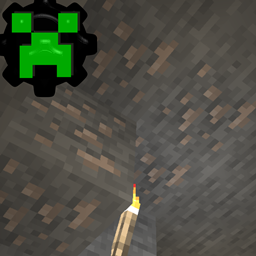
Überarbeitet die Erzgenerierung von Minecraft, sodass Erze größtenteils in Höhlen spawnen (konfigurierbar)
 NeoForge
 Fabric
 Forge
ForgeÜber die Cave Spelunking-Mod
Cave Spelunking allows you to configure how ore is spawned, you can set the percentage of ore that is allowed to generate outside of caves.
The cave detection works indirectly by preventing ore from spawning when it is not next to specified blocks, by default air/water/lava/other ore.
Ore veins can be configured seperatedly, allowing you to modify their size.
Additionally you can configure how much ore in total is generated, e.g. you can set it to only generate 70% of normal minecraft ore amounts.
And it allows you to configure Minecraft's hidden ore mechanic, where minecraft actively hides spawned ore inside a wall 1-2 blocks wide, when they are visible from a cave.
Requires Cuboard dependency to be installed in newer versions
- Set the chance for ore to spawn outside of caves
- Set which blocks ore is allowed to spawn next to, default is air, liquids and other ore blocks
- Reduce the chance of all ore to spawn globally
- Set the density of ore veins(iron/copper)
- Set which ores are affected/excluded
Installation von Cave Spelunking
With Millida Launcher
Install Millida Launcher
The launcher is free: download it at millida.net/launcher and sign in with any nickname.
Click “Install” on this page
The launcher opens and installs the mod for Minecraft 1.20–1.21.1 on Fabric, Forge or NeoForge automatically.
Launch the game
A profile with it appears in the launcher: click “Play”.
Manually
Install Fabric, Forge or NeoForge
The loader must match the game version of the mod file, for example Minecraft 1.21.1. After installing it, a separate profile appears in your launcher.
Download the file for your version
In the version list above, pick the file caveore-1.21.1-4.0.jar (14 KB) for your game version and loader.
Put it in the mods folder
The folder is inside .minecraft (Windows: %appdata%\.minecraft\mods). If it does not exist, create it.
Launch the loader profile
Open “Mods” in the main menu: Cave Spelunking should be in the list.
Minecraft 1.21.1 runs on Java 21: with a different Java version the game may close right after launch.
Versionen
Mit Abhängigkeiten
| Minecraft | Loader | Datei | Datum | Aktionen |
|---|---|---|---|---|
| 1.21 | NeoForge | caveore-1.21.1-4.0.jar13.8 KB 1 | ||
| 1.20.1 | NeoForge, Forge | caveore-1.20.1-4.0.jar15.6 KB | ||
| 1.21 | Fabric | caveore-fabric-1.21.1-4.0.jar13 KB |
FAQ
Which Minecraft versions does Cave Spelunking work on?
There are files for 1.21.1, 1.21, 1.20.1, 1.20. The newest is 1.21.1.
Is Cave Spelunking for Forge or Fabric?
There are files for Fabric: 1.21–1.21.1, for Forge: 1.20–1.20.1 and for NeoForge: 1.20–1.21.1.
Does Cave Spelunking need other mods?
The author lists no required dependencies: the Fabric, Forge or NeoForge loader is enough.
Which Java does Cave Spelunking need?
Minecraft 1.21.1 runs on Java 21. If the game closes right after launch, the usual cause is the wrong Java version in the profile settings.
Where can I download Cave Spelunking safely?
On this page: the file caveore-1.21.1-4.0.jar (14 KB) is stored on Millida’s server, with no link shorteners. SHA-1 checksum: e5a7bbd808023ea98c8bc2ec8bb2a9700e165ef1.
Bewertungen
Bewerten Sie Cave Spelunking als Erster


