

Bundles Beyond Mod für Minecraft 26.3
Ermöglicht dir den Zugriff auf jeden Gegenstand im Bundle über das Vanilla-Limit von 12 Gegenständen hinaus.
 Fabric
 Quilt
 NeoForge
Über die Bundles Beyond-Mod
Since bundles were officially released, only up to 12 items from the bundle are accessible from the inventory without taking out other items first. This mod removes this limit of 12 items allowing all items inside the bundle to be viewed and extracted
This Modrinth page is the only official source of the mod!
26.3 version soon (up to a few days)

Using this mod:
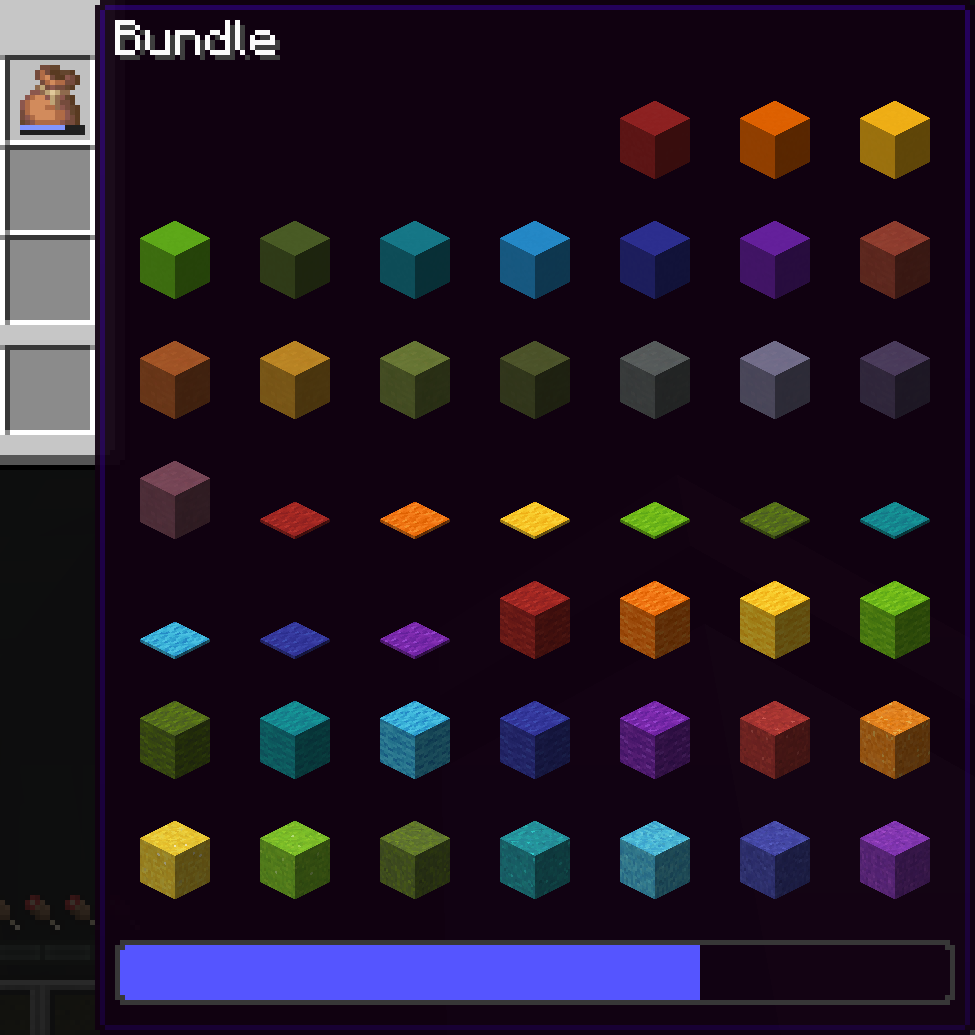
Vanilla:
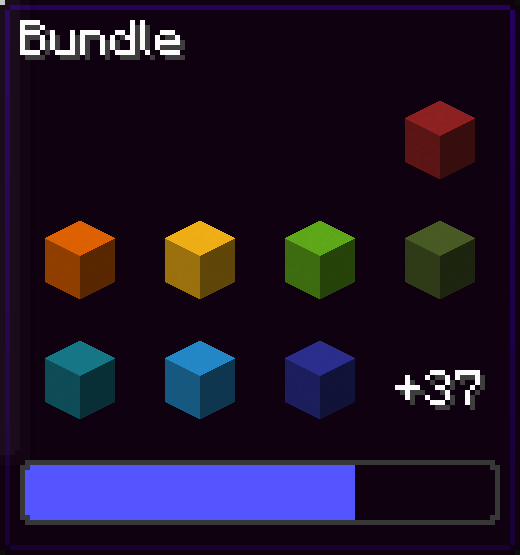
You can navigate in the bundle's gui with the movement or arrow keys.
Press space while hovering over a bundle to put an item or take an item from the bundle!

Config screen
Open the config screen from Mod Menu in Fabric, from the Mods menu in NeoForge, or with /bundlesbeyond
Image coming here Soon™
Keybinds
There are 2 keybinds that you can find in Options > Controls:
Mod Enabled keybind
If the mod is On or Off, pressing this keybind will toggle it.
If the mod is on Hold key, holding this keybind will enable the mod.
Scroll Axis keybind
If the scroll mode is Horizontal or Vertical, pressing this keybind will toggle it.
If the scroll mode is on Hold for horizontal, holding this keybind will make the scrolling horizontal, releasing the button will make it vertical.
Same for Hold for vertical, but opposite.
Other Stuff
This mod is client side only.
In the Fabric version, this mod requires Fabric API.
Bundles Beyond is licensed under the CC-BY-NC-SA 4.0 license.
Installation von Bundles Beyond
Install Millida Launcher
The launcher is free: download it at millida.net/launcher and sign in with any nickname.
Click “Install” on this page
The launcher opens and installs the mod for Minecraft 1.21.11–26.3 on Fabric, NeoForge or Quilt automatically, together with its dependencies: Fabric API.
Launch the game
A profile with it appears in the launcher: click “Play”.
Bundles Beyond works on the player’s side only: there is no need to install it on a server.
Versionen
Mit Abhängigkeiten
| Minecraft | Loader | Datei | Datum | Aktionen |
|---|---|---|---|---|
| 26.3 | Fabric, Quilt | 26.3204 KB 2 | ||
| 26.3 | NeoForge | 26.3204 KB | ||
| 26.2 | Fabric, Quilt | 26.2204 KB 2 | ||
| 26.2 | NeoForge | 26.2204 KB | ||
| 26.1.2 | Fabric, Quilt | 26.1.2204 KB | ||
| 26.1.2 | NeoForge | 26.1.2204 KB | ||
| 1.21.11 | Fabric, Quilt | 1.21.11204 KB 1 | ||
| 1.21.11 | NeoForge | 1.21.11204 KB |
Was zum Ausführen nötig ist
- Fabric APIerforderlich
- Mod Menuoptional
FAQ
Which Minecraft versions does Bundles Beyond work on?
There are files for 26.3, 26.2, 26.1.2, 26.1.1, 26.1, 1.21.11. The newest is 26.3.
Is Bundles Beyond for Forge or Fabric?
There are files for Fabric: 1.21.11–26.3, for NeoForge: 1.21.11–26.3 and for Quilt: 1.21.11–26.3. There are no files for Forge: a mod for another loader will not start.
What does Bundles Beyond need to work?
Required: Fabric API. Without it the mod will not start: dependencies go into the same mods folder. Optional: Mod Menu.
Do I need to install Bundles Beyond on a server?
No. Bundles Beyond works on the player’s side only: there is no need to install it on a server.
How do I download Bundles Beyond?
With Millida Launcher: it installs Bundles Beyond into a modpack by itself, for the right game version and loader. The launcher is free.
Bewertungen
Bewerten Sie Bundles Beyond als Erster


