
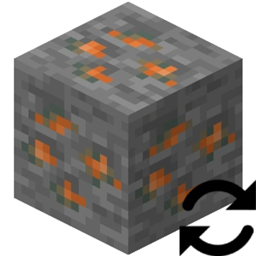
Block Swap (Fabric) Mod für Minecraft 1.19.2
Eine einfache Mod, um einen bestimmten Block durch einen anderen zu ersetzen.
- Aufrufe
- 8 Aufrufe
- Aktualisiert
- Aktualisiert 18.10.2026
- 1.19.2
 Fabric
Über die Block Swap (Fabric)-Mod
Block Swap is a simple mod that let's you replace one block with another. This works both during world gen and placing blocks in a live generated world.
Why would I want this?
Imagine this: You've installed 25 technology mods and you have 10 tin ores, 14 copper ores, 4 uranium ores, 10 lead ores, and 15 silver ores. Or maybe.... you've installed Oh The Biomes You'll Go and Biomes O' Plenty and don't like the fact that both mods add Redwood Logs.
Painful right? Now imagine a mod that let's you make these duplicate block a single block... yup you've just found it!
This mod allows you to replace Block A with Block B in its config and that's it.
But what about Block State properties?
This mod will remap the Block State properties from Block A's Block State to Block B's Block State(if the property is present).
Performance? Is this slow?
In my own profiling, it has NO performance hit.
Config
Config is reloaded each world load.
Installation von Block Swap (Fabric)
With Millida Launcher
Install Millida Launcher
The launcher is free: download it at millida.net/launcher and sign in with any nickname.
Click “Install” on this page
The launcher opens and installs the mod for Minecraft 1.19.2 on Fabric automatically.
Launch the game
A profile with it appears in the launcher: click “Play”.
Manually
Install Fabric
The loader must match the game version of the mod file, for example Minecraft 1.19.2. After installing it, a separate profile appears in your launcher.
Download the file for your version
In the version list above, pick the file Block Swap-fabric-1.19.2-2.0.0.1.jar (310 KB) for your game version.
Put it in the mods folder
The folder is inside .minecraft (Windows: %appdata%\.minecraft\mods). If it does not exist, create it.
Launch the loader profile
Open “Mods” in the main menu: Block Swap (Fabric) should be in the list.
Minecraft 1.19.2 runs on Java 17: with a different Java version the game may close right after launch.
Versionen
Mit Abhängigkeiten
| Minecraft | Loader | Datei | Datum | Aktionen |
|---|---|---|---|---|
| 1.19.2 | Fabric | Block Swap-fabric-1.19.2-2.0.0.1.jar310 KB |
FAQ
Which Minecraft versions does Block Swap (Fabric) work on?
Only Minecraft 1.19.2: there are no files for other versions.
Is Block Swap (Fabric) for Forge or Fabric?
Only for Fabric: 1.19.2. There are no files for Forge or NeoForge: a mod for another loader will not start.
Does Block Swap (Fabric) need other mods?
The author lists no required dependencies: the Fabric loader is enough.
Which Java does Block Swap (Fabric) need?
Minecraft 1.19.2 runs on Java 17. If the game closes right after launch, the usual cause is the wrong Java version in the profile settings.
Where can I download Block Swap (Fabric) safely?
On this page: the file Block Swap-fabric-1.19.2-2.0.0.1.jar (310 KB) is stored on Millida’s server, with no link shorteners. SHA-1 checksum: 40f8faadd2feb6dcba2aa74cc904b23a841b19eb.
Bewertungen
Bewerten Sie Block Swap (Fabric) als Erster


