
Blighted Beasts Mod für Minecraft 1.19.2
Fügt neue Sculk-thematisierte Mobs zum Deep Dark hinzu
- Aufrufe
- 4 Aufrufe
- Aktualisiert
- Aktualisiert 18.10.2026
- 1.19.2
 Forge
Über die Blighted Beasts-Mod
Blighted Beasts adds 8 new Sculk mobs to the game, 6 of which spawn in the Deep Dark
The Reaper
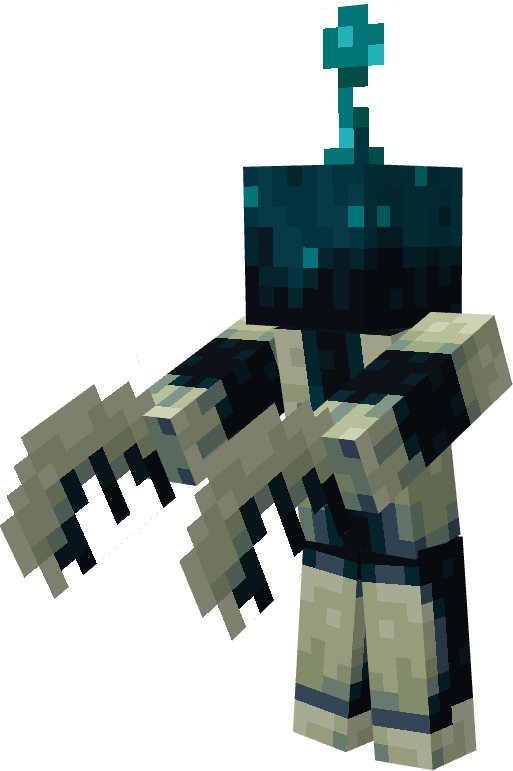
Reapers have scythes for hands and will hunt you and any other passive mob
The Reverb
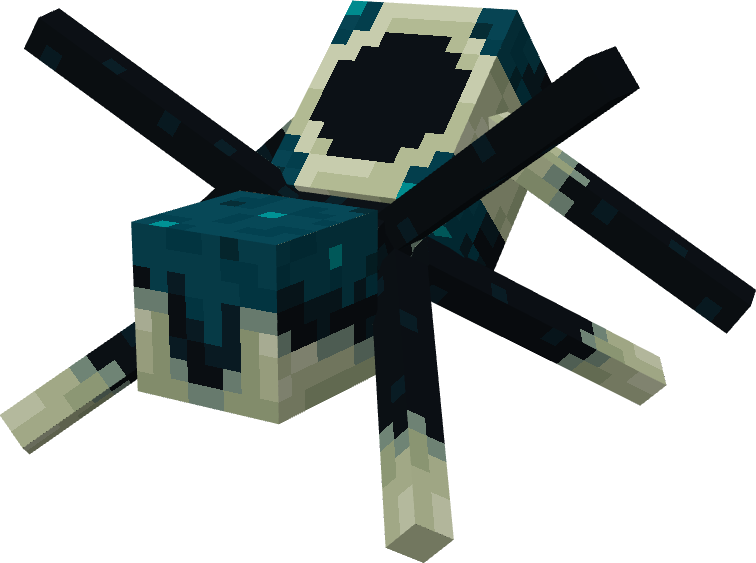
Reverbs are spider-like creatures that shoot projectiles when they receive a vibration
The Bloater
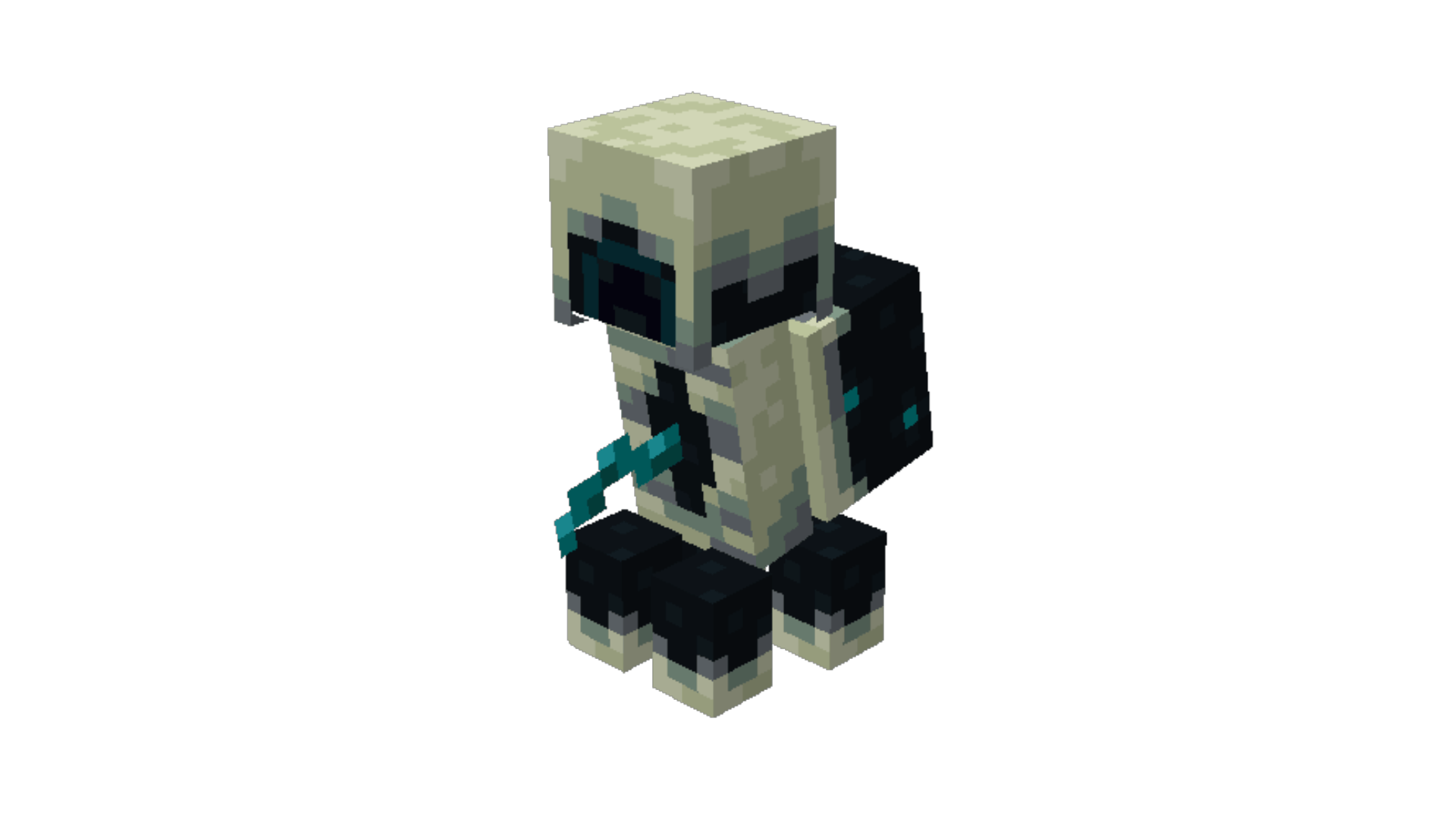
Bloaters are living sculk catalysts that spread the sculk when mobs die near it. They also explode into a large sculk patch if they detect you
The Seer
Seers are sculkified endermen that alert all mobs in an area to your location when making eye contact. They also drop an item that allows you to harness some of their power...
The Skitter
Skitters are creatures related to the Warden that can sense vibrations from afar. They are incredibly fast and powerful, so it is important to notice them before they notice you.
The Sculk Apparition
Sculk Apparitions spawn when creatures die near a sculk catalyst or Bloater. They are functionally identical to Vexes.
The Beckon
The Beckon is a craftable deployable that runs around and attracts mobs to it, distracting them from you.
The Behemoth
The Behemoth is a large beast that sniffs out its prey and smashes blocks to get to them. They do not currently spawn naturally.
If you have Deeper and Darker installed, these mobs will spawn in the Otherside.
This mod was created for the Fight or Blight modpack
Interested in hosting a server? Click the image above and use code BLUE during checkout for 25% off your first month with BisectHosting.
Installation von Blighted Beasts
With Millida Launcher
Install Millida Launcher
The launcher is free: download it at millida.net/launcher and sign in with any nickname.
Click “Install” on this page
The launcher opens and installs the mod for Minecraft 1.19.2 on Forge automatically.
Launch the game
A profile with it appears in the launcher: click “Play”.
Manually
Install Forge
The loader must match the game version of the mod file, for example Minecraft 1.19.2. After installing it, a separate profile appears in your launcher.
Download the file for your version
In the version list above, pick the file blighted_beasts-1.19.2-1.6.5.jar (1.1 MB) for your game version.
Put it in the mods folder
The folder is inside .minecraft (Windows: %appdata%\.minecraft\mods). If it does not exist, create it.
Launch the loader profile
Open “Mods” in the main menu: Blighted Beasts should be in the list.
Minecraft 1.19.2 runs on Java 17: with a different Java version the game may close right after launch.
Versionen
Mit Abhängigkeiten
| Minecraft | Loader | Datei | Datum | Aktionen |
|---|---|---|---|---|
| 1.19.2 | Forge | blighted_beasts-1.19.2-1.6.5.jar1.1 MB |
FAQ
Which Minecraft versions does Blighted Beasts work on?
Only Minecraft 1.19.2: there are no files for other versions.
Is Blighted Beasts for Forge or Fabric?
Only for Forge: 1.19.2. There are no files for Fabric or NeoForge: a mod for another loader will not start.
Does Blighted Beasts need other mods?
The author lists no required dependencies: the Forge loader is enough.
Which Java does Blighted Beasts need?
Minecraft 1.19.2 runs on Java 17. If the game closes right after launch, the usual cause is the wrong Java version in the profile settings.
Where can I download Blighted Beasts safely?
On this page: the file blighted_beasts-1.19.2-1.6.5.jar (1.1 MB) is stored on Millida’s server, with no link shorteners. SHA-1 checksum: 3b94a391decfb8dabcf9c6f7fad972ec3d0aed07.
Bewertungen
Bewerten Sie Blighted Beasts als Erster


