

Bagus Lib Mod für Minecraft 1.21.1, 26.3
Diese Mod verwendet baguchis Mod und du kannst sie auch verwenden!
- Downloads
- 2 Downloads
- Aufrufe
- 22 Aufrufe
- Aktualisiert
- Aktualisiert 02.10.2026
- 1.21.1 — 26.3
 NeoForge
- Client und Server
Bagus Lib
Summary
This mod is using baguchi's mod and you can use too!
Bagus Lib Include Entity Util and camera util also usefull for developer!

This build include this:
camera util
IArmor make allow the more extend customiztably for dev!
Custom Armor layer(IArmor need it and allow the armor render even non Humaroid Model!)
Also BuiltIn Camera Shake Support for Vanilla mob!(for 1.3~)
animation support melee ai
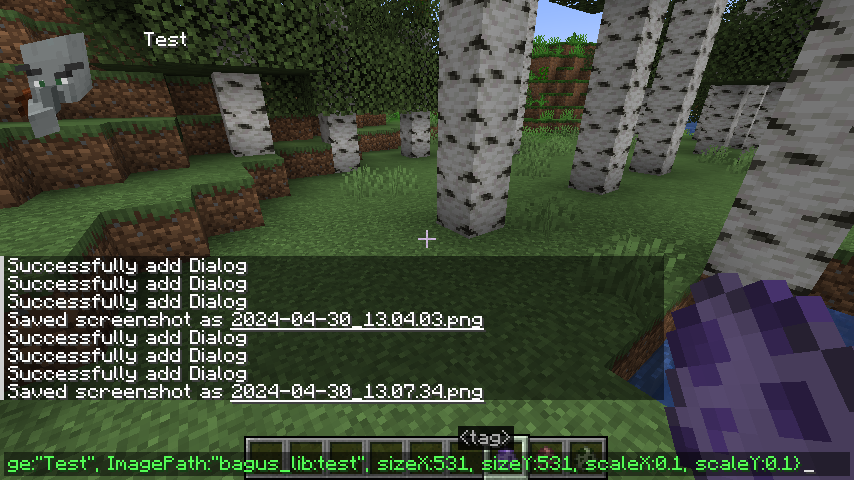
dialog util and dialog command(8.8.2~)
grobal entity animation(almost entity now can animate)
Developers who want to use Bagus Lib You can Read The Wiki.

Installation von Bagus Lib
With Millida Launcher
Install Millida Launcher
The launcher is free: download it at millida.net/launcher and sign in with any nickname.
Click “Install” on this page
The launcher opens and installs the mod for Minecraft 1.21.1–26.3 on NeoForge automatically.
Launch the game
A profile with it appears in the launcher: click “Play”.
Manually
Install NeoForge
The loader must match the game version of the mod file, for example Minecraft 26.3. After installing it, a separate profile appears in your launcher.
Download the file for your version
In the version list above, pick the file bagus_lib-26.3-28.5.0.jar (251 KB) for your game version.
Put it in the mods folder
The folder is inside .minecraft (Windows: %appdata%\.minecraft\mods). If it does not exist, create it.
Launch the loader profile
Open “Mods” in the main menu: Bagus Lib should be in the list.
On a server
A server on NeoForge
The mod only works on a server with the same loader and game version, for example 26.3.
File goes into the server’s mods folder
Stop the server, put the mod file into the mods folder and start the server again.
Use the “To server” button
On Millida Hosting, the button at the top of the page uploads the file to your server and restarts it for you.
Versionen
Mit Abhängigkeiten
| Minecraft | Loader | Datei | Datum | Aktionen |
|---|---|---|---|---|
| 26.3 | NeoForge | 26.3251 KB 1 | ||
| 26.3 | NeoForge | 26.3251 KB | ||
| 26.3 | NeoForge | 26.3251 KB | ||
| 26.3 | NeoForge | 26.3251 KB | ||
| 26.3 | NeoForge | 26.3249 KB | ||
| 26.3 | NeoForge | 26.3249 KB | ||
| 1.21.1 | NeoForge | 1.21.1220 KB 1 | ||
| 26.2 | NeoForge | 26.2250 KB |
Inhalte, die dies benötigen
Bewertungen
Bewerten Sie Bagus Lib als Erster


