
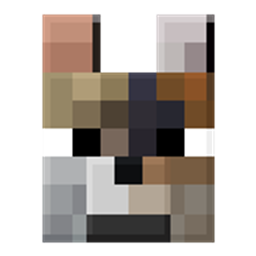
Backported Wolves Mod für Minecraft 1.20.1, 1.20.4
Portiert die Wolf-Varianten aus der neuesten Version zurück in ältere Versionen des Spiels.
 Forge
Forge Fabric
Über die Backported Wolves-Mod
If you want to start a new server, Bisect Hosting is a good place to start! Use the code: Clutter to get 25% off!
Backported Wolves
Since Minecraft recently added more variants of the wolf that has been with us for so long, I figured we shouldn't have to wait until the next update to play with them.
With that we have Backported Wolves, adding all 8 new variants introduced by Minecraft, for older versions.

They come in 8 new variants, plus 1 -which is the standard one.\ These are:
- Pale Wolf (Default) - Taiga
- Woods Wolf - Forest
- Ashen Wolf - Snowy Taiga
- Black Wolf - Old Growth Pine Taiga
- Chestnut Wolf - Old Growth Spruce Taiga
- Rusty Wolf - Sparse Jungle
- Spotted Wolf - Savanna Plateau
- Striped Wolf - Wooded Badlands
- Snowy Wolf - Grove
They are all tameable and when bred the baby will have the same variant as one of it's parents.
As of 2.0.0, the sound variants are also added, which are:
- Angry
- Big
- Classic
- Cute
- Grumpy
- Puglin
- Sad
Biome Spawns
As of 1.1.0, all spawns are configurable by making a data pack with biome tags for their variants. \ Example: \ \ 1.18.2> "data/backported_wolves/tags/worldgen/biome/spawns_ashen_wolf.json"
{ "values": [ "minecraft:snowy_taiga", "minecraft:desert", "othermod:other_biome" ] }
1.18-1.18.1 "data/backported_wolves/tags/biomes/spawns_ashen_wolf.json"
{ "values": [ "minecraft:snowy_taiga", "minecraft:desert", "othermod:other_biome" ] }
If multiple variants are added to the same biomes, they all have an equal chance of spawning.
Installation von Backported Wolves
With Millida Launcher
Install Millida Launcher
The launcher is free: download it at millida.net/launcher and sign in with any nickname.
Click “Install” on this page
The launcher opens and installs the mod for Minecraft 1.20–1.20.4 on Fabric or Forge automatically.
Launch the game
A profile with it appears in the launcher: click “Play”.
Manually
Install Fabric or Forge
The loader must match the game version of the mod file, for example Minecraft 1.20.4. After installing it, a separate profile appears in your launcher.
Download the file for your version
In the version list above, pick the file backported_wolves-forge-1.20.x+2.0.0.jar (1.0 MB) for your game version and loader.
Put it in the mods folder
The folder is inside .minecraft (Windows: %appdata%\.minecraft\mods). If it does not exist, create it.
Launch the loader profile
Open “Mods” in the main menu: Backported Wolves should be in the list.
Minecraft 1.20.4 runs on Java 17: with a different Java version the game may close right after launch.
Versionen
Mit Abhängigkeiten
| Minecraft | Loader | Datei | Datum | Aktionen |
|---|---|---|---|---|
| 1.20.2 | Forge | [Forge] Backported Wolves 1.20.x+2.0.01 MB | ||
| 1.20.2 | Fabric | [Fabric] Backported Wolves 1.20.x+2.0.01 MB |
Bewertungen
Bewerten Sie Backported Wolves als Erster


