
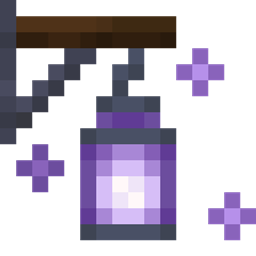
Aurora's Lanterns Mod für Minecraft 26.3
Eine Mod rund um Laternen und andere Lichtquellen, mit Fokus auf kleine Details.
 Fabric
 Quilt
QuiltAurora's Lanterns
A mod all about lanterns, focusing on small details.
📖 What's this mod?
Originally part of Aurora's Decorations, Aurora's Lanterns is focusing on lanterns, bringing to the game some new lanterns, attempting to imitate the game design, and a whole new way to place lanterns: walls!
📋 Features
Amethyst Lantern
Amethyst Lanterns are... so... shiny! They sparkle, sparkle! They sparkle so much they scare off hostile mobs! When placed Amethyst Lanterns will prevent the spawning of hostile mobs in a large radius regardless of light levels. They also help cure Zombie Villagers a bit faster if close enough.
Redstone Lantern
Ever made Redstone Torch towers? Now it's time to go down with the hanging Redstone Lantern! Or place it on a block and let it transmit power only horizontally.
They will also work when hung on walls, as a Wall Lantern:
Wall Lanterns
Diversify how you use lanterns by placing them on the sides of blocks! Be it a full block, a wall, or a fence, they will hang there, swaying over in the wind. And sometimes you will hear them go "Bonk!" when an entity collides with them thanks to a detailed physic interaction.
📖 Usage
Install it in your mods folder along with Fabric API.
📖 Compatibility
Aurora's Lanterns is compatible with some versions of Aurora's Decorations. The mod is also backwards compatible with worlds that used older versions of Aurora's Decorations, which means any placed lanterns that were from Aurora's Decorations which are now present in this mod will not be lost!
Installation von Aurora's Lanterns
With Millida Launcher
Install Millida Launcher
The launcher is free: download it at millida.net/launcher and sign in with any nickname.
Click “Install” on this page
The launcher opens and installs the mod for Minecraft 26.3 on Fabric or Quilt automatically.
Launch the game
A profile with it appears in the launcher: click “Play”.
Manually
Install Fabric or Quilt
The loader must match the game version of the mod file, for example Minecraft 26.3. After installing it, a separate profile appears in your launcher.
Download the file for your version
In the version list above, pick the file auroraslanterns-2.2.0+26.3.jar (944 KB) for your game version and loader.
Put it in the mods folder
The folder is inside .minecraft (Windows: %appdata%\.minecraft\mods). If it does not exist, create it.
Launch the loader profile
Open “Mods” in the main menu: Aurora's Lanterns should be in the list.
Versionen
Mit Abhängigkeiten
| Minecraft | Loader | Datei | Datum | Aktionen |
|---|---|---|---|---|
| 26.3 | Fabric, Quilt | Aurora's Lanterns 2.2.0 (26.3)944 KB |
Bewertungen
Bewerten Sie Aurora's Lanterns als Erster


